I’ve been considering using WriteHuman AI for writing assistance, but I’m unsure if it’s actually helpful or just hype. Can anyone share real experiences with its accuracy, tone, and reliability for everyday content and professional work so I know if it’s worth committing to?
WriteHuman AI review, from someone who paid for it so you do not have to
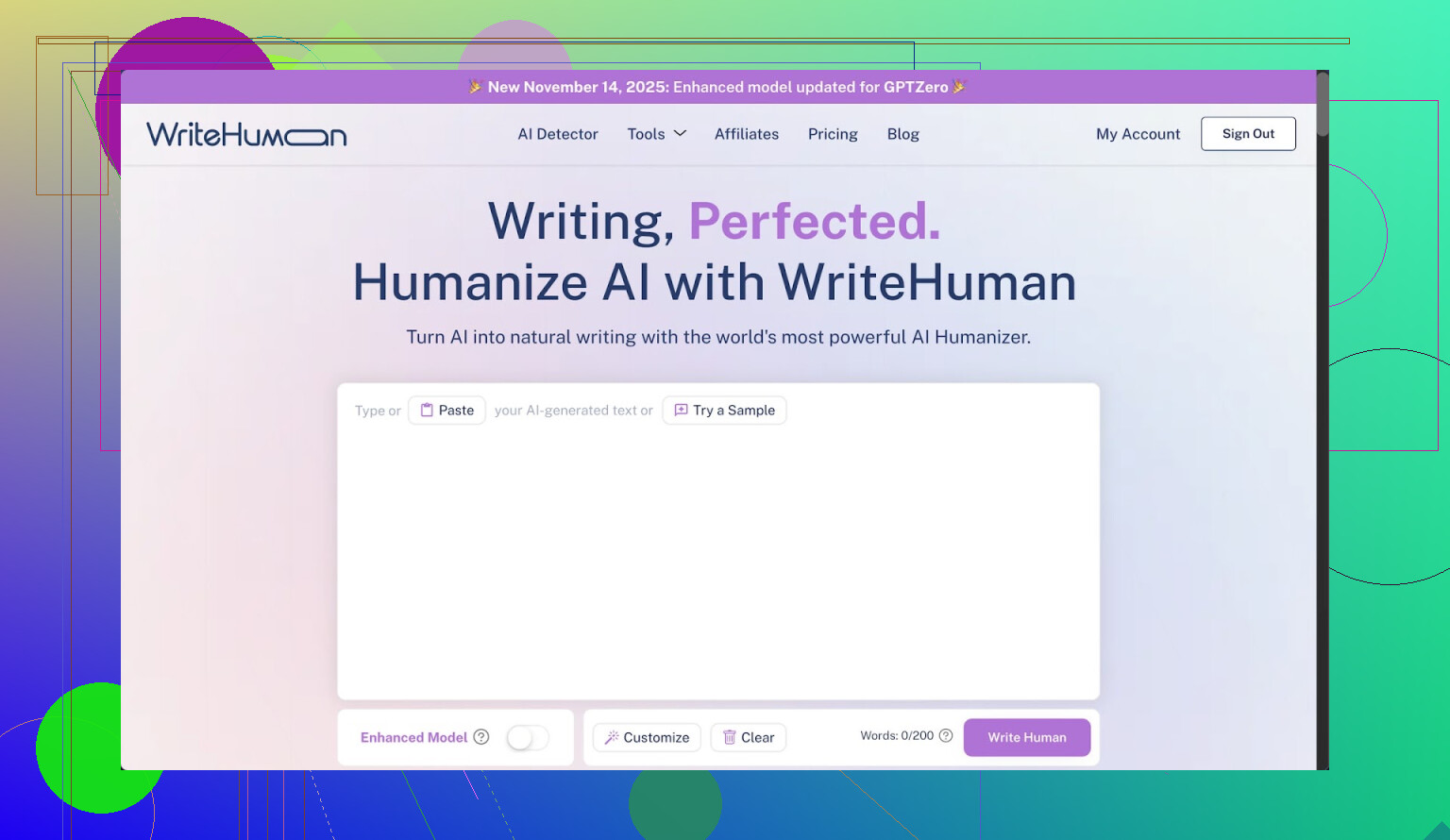
I tried WriteHuman after seeing it name-drop GPTZero all over its marketing. That specific claim pulled me in. I wanted to see if it held up when you throw real text and real detectors at it, not handpicked samples.
I ran three separate pieces of text through it, then pushed the results into a few detectors.
Here is what happened.
Testing against GPTZero and ZeroGPT
The short version of my test:
• Tool under test: WriteHuman
• Detectors used: GPTZero, ZeroGPT
• Samples: 3 different pieces of AI text, each re-written once in WriteHuman
Results:
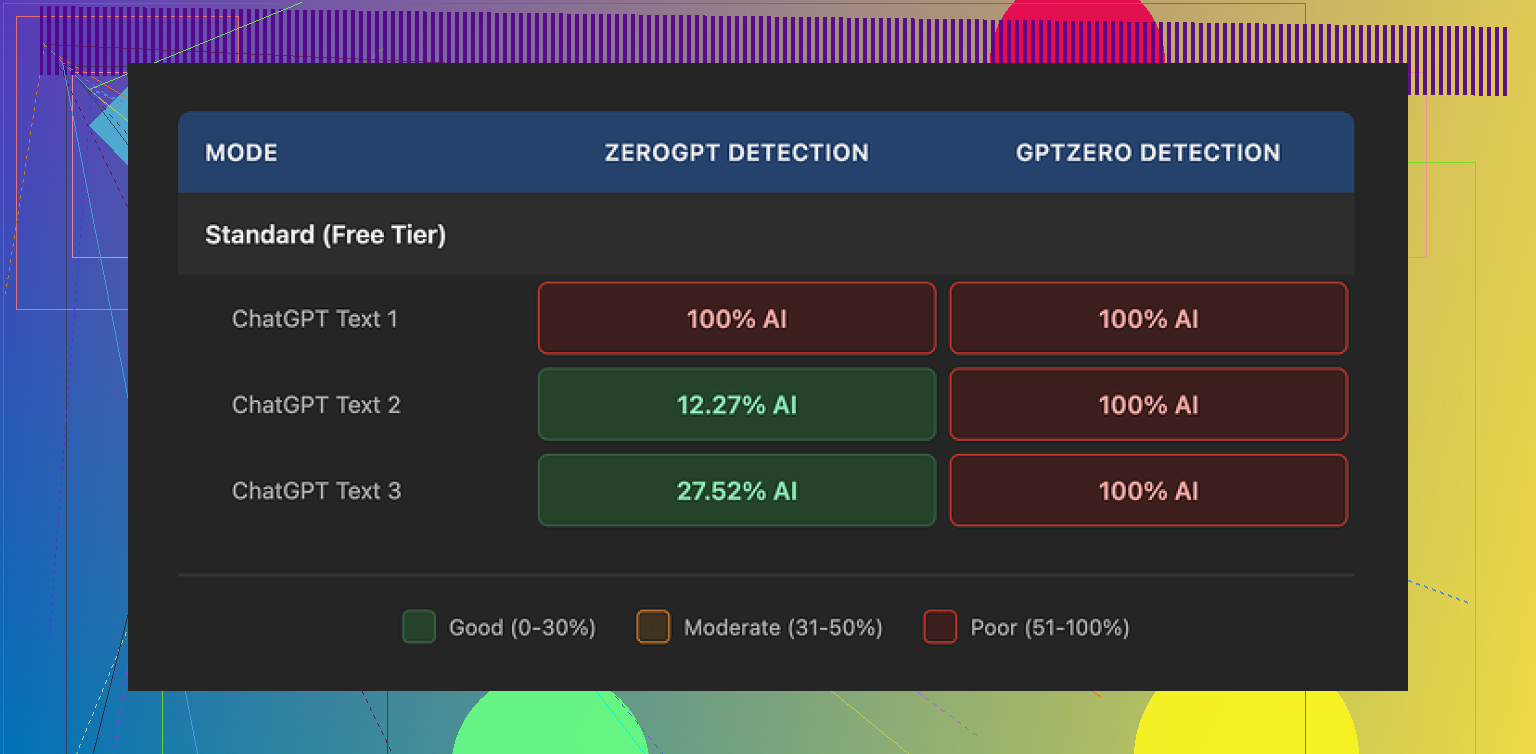
GPTZero
Every single WriteHuman output came back as 100% AI. Not “likely AI”, not mixed. Full AI detection on all three.
ZeroGPT
ZeroGPT was more random:
• Sample 1 output: 100% AI
• Sample 2 output: about 12% AI
• Sample 3 output: roughly 28% AI
So on one text it failed hard, on another it looked decent, and on the third it flagged a chunk as AI. That randomness matters if you are trying to pass automated checks at work or school; you cannot rely on luck.
What the output text looked like
Here is where I started side-eyeing the tool.
WriteHuman did not just smooth the text. It twisted the tone in weird ways:
• Strong tone swings. Parts sounded formal, then suddenly casual, then a bit stiff again. If you copy that into an email or an essay, it reads like three people wrote it in shifts.
• I spotted at least one typo: “shfits” instead of “shifts”.
You might think those errors help dodge detectors. They might, sometimes. But it wrecks usability if you need something clean for a client, professor, or manager. You end up editing heavily again, which defeats the point of paying for a “humanizer”.
Here is a screenshot from my session for context:
Pricing, plans, and the fine print
This part made me pause more than the detection scores.
Entry-level pricing
• Basic plan starts at 12 dollars per month if billed annually
• That gives you 80 requests per month
All paid plans unlock:
• An “Enhanced Model”
• Extra tone settings
I only used the normal output during my tests, so it is possible the Enhanced Model behaves a bit differently. Their own copy hints it might improve results, but there is no clear data shown.
Now the important bits:
• No refunds. Once you pay, you are locked in even if every output still hits 100% AI on your detector.
• No guarantee of bypass. Their terms openly state they do not guarantee bypass of any detection tool. So the marketing leans on named detectors, while the legal page removes responsibility.
• Training rights. Anything you submit is licensed for AI training. If you do not want your content fed into more models, you have no toggle for that. The only way around it is not using the tool.
So you are paying monthly, with no refunds, to send your text into a system that keeps it for training, with zero promise it will pass the detectors you care about. That tradeoff will not work for many people.
Comparison with another tool I tried
From the same batch of tests, I also tried Clever AI Humanizer on the exact kind of text I fed to WriteHuman.
Link to their community discussion where this was originally shared:
My experience with Clever AI Humanizer:
• Better detection results in my tests. Outputs scored lower as AI on the same detectors in more consistent way.
• No paywall for basic use, so I did not have to commit money to find out if outputs were usable.
I am not saying it is perfect, but if you are trying to see whether “humanizing” AI text helps with detection at all, it feels safer to start with a tool that lets you test without a hard subscription and no-refund policy.
Who WriteHuman might still fit
After using it, I see a narrow use case.
WriteHuman might interest you if:
• You do not care about your text being used for AI training.
• You are fine with manually cleaning tone and typos afterward.
• You are okay with paying upfront with no refund even if your detector still flags the text as AI.
• You want another rewrite tool for stylistic reasons, not detection reasons.
If your main goal is AI detection evasion on tools like GPTZero, my test run did not support the marketing claims. For me, it behaved like a slightly erratic paraphraser, wrapped in a subscription with harsh terms.
If you are on the fence
If you are thinking about paying:
- Take some sample AI text.
- Run it through detectors you care about.
- Try a free or low-friction humanizer first, such as Clever AI Humanizer.
- Compare scores, then look at the tone yourself, not only the detector result.
If the free tool already gets you close to what you need, locking yourself into WriteHuman with no refund and training-on-your-text terms feels hard to justify.
That was my experience, end to end, money spent and all.
24 Likes
I used WriteHuman for about a week for normal stuff: emails, blog blurbs, and a few school-style paragraphs. Short version for you: it works as a paraphraser, but it is not reliable if your main worry is AI detection or clean tone.
My experience, layered on top of what @mikeappsreviewer shared:
- Accuracy and clarity
- It keeps the original meaning most of the time.
- On longer text, I saw small logic shifts. A cause and effect sentence flipped once.
- I had to reread line by line when it was something important, so it did not really save time.
- Tone and “human feel”
- I saw the same tone swings. One paragraph sounded like Slack chat, next one like a corporate memo.
- If you care about a steady voice, you will need to rewrite parts yourself.
- It also added odd filler phrases that made the text look bloated.
- I hit a few typos too, so that was not a one off in their review.
- Reliability for everyday use
Good for:
- Quick rewrites of AI text when you want something “different” before your own edit.
- Casual stuff where detection does not matter, like notes, rough drafts, idea dumps.
Not great for:
- Anything that goes through strict detectors at work or school. GPTZero tagged my outputs as AI on multiple tries, similar to what was reported already.
- Client emails or resumes where tone and polish matter.
- Pricing and terms in practice
- The no refund policy feels rough once you see you still need to edit a lot.
- The training on your text is a problem if you work with private or paid client material. I stopped using it for any sensitive doc.
- For 12 dollars a month, I expected at least some clear gain in detection scores or quality. I did not see that.
- Where I slightly disagree with the earlier review
- I think it has some value as a “first pass” rewriter if you already plan to edit heavily. It is not useless, it is just nowhere near its marketing vibe.
- If you only write casual blog posts under your own name and you are not worried about detectors, you might find it decent as a style shakeup tool.
- Alternative I ended up keeping
- I switched most of my tests to Clever AI Humanizer.
- For my prompts, its outputs needed less fixing and detector scores were more stable.
- It lets you test without a hard paid commitment, which makes experiments safer if you are still figuring out what you need.
Practical advice for you:
- Decide your main goal first. If it is AI detection, do not rely on WriteHuman alone.
- Take one or two of your typical tasks, run them through WriteHuman, Clever AI Humanizer, or even a standard paraphraser.
- Compare three things, not only detection: meaning accuracy, tone consistency, and how much manual cleanup you end up doing.
If you want a “set it and forget it” humanizer for everyday work, WriteHuman feels too risky and too expensive for what it delivers. As a secondary tool for rough rewrites, it is ok, but I would test Clever AI Humanizer and similar tools before locking in a subscription.
Short version: it’s not total trash, but it’s nowhere near the “magic humanizer” vibe the site gives off.
I had a very similar run to what @mikeappsreviewer and @yozora described, but I’ll hit slightly different angles:
-
Accuracy / meaning
For short, simple stuff (emails, tiny blurbs), it mostly keeps your point. Once I fed it longer explainer-style text, it started doing “tiny lies”: reordering causes, softening claims I actually wanted strong, or slipping in generic filler that slightly changes the nuance. Not catastrophic, but I stopped trusting it on anything where wording mattered (contracts, policy, tech docs). -
Tone in real use
Everyone’s already mentioned the tone swings, but one extra thing: it often “flattens” personality. If you write with jokes, little asides, or a specific voice, it tends to sand that down into safe LinkedIn-ish prose, then randomly drops in casual bits like “kinda” or “pretty tricky.” That combo feels off. I found myself undoing half of what it did just to sound like… me again. -
Everyday reliability
It’s okay as a “messy draft shuffler”:
- Turning raw AI text into something different enough that you can then edit by hand.
- Cleaning up ultra-rough notes into something halfway readable.
Where it fell apart for me:
- Anything public-facing where tone consistency matters (sales pages, portfolio, outreach emails).
- Stuff that might get run through a detector at work or school. Same pattern as reported: GPTZero still pinged it as AI most of the time.
-
On the hype vs reality
The marketing leans heavily on namedropping detectors, but the ToS basically shrugs and says “no guarantees.” I don’t fully agree with the idea it’s only an “erratic paraphraser,” but it’s definitely closer to that than to a serious “write like a human” assistant. I’d frame it as “a mid-tier rewrite tool with awkward edges and strict terms.” -
Where it actually helps
I did find one decent use: brainstorming alt phrasings. If I have a paragraph I’ve stared at for too long, I’ll toss it in, get a rewritten version, then cherry-pick 2–3 sentences I like and discard the rest. In that sense it’s more of a thesaurus-plus-structure nudge than a full writing assistant. It’s not a time saver if you hoped to push button → use text. -
Pricing / privacy angle
This is the real killer for me: no refunds, data used for training, and no opt-out. If you work with client docs, internal memos, or anything sensitive, that’s a non-starter. For 12 bucks a month at the low tier, you’d expect either stronger quality, stronger detection performance, or better terms. You don’t really get any of those. -
Alternatives worth poking at
Since you mentioned “everyday content” and detection in the same breath, I’d absolutely test other options before locking into a subscription. Clever AI Humanizer in particular is worth trying:
- It let me experiment without committing money up front.
- Detector scores on my tests were more consistent.
- I spent less time sanding down weird tone shifts.
It’s not a silver bullet either, but as a “see what humanizing can realistically do” tool, Clever AI Humanizer felt like a safer starting point. From there you can decide if paying for anything, including WriteHuman, is even worth it.
If your main goal is:
- Better writing: you’ll still be editing a lot with WriteHuman, so you might be better off with a straight-up editor or a normal AI assistant plus your own style pass.
- Beating detectors: what you’ve read from others pretty much matches what I saw. I wouldn’t rely on it.
So: useful in narrow, low-stakes scenarios, overhyped for anything serious, and the terms are kind of the final nail.
I’d skip the humanizer and edit the original draft yourself with a five-minute checklist. First, verify every claim. Next, shorten each sentance over 20 words. Replace filler with specific details. Read it aloud once to catch tone shifts. Then ask someone familiar with your voice to review one paragraph.
For example, change “This solution offers numerous benefits” to “This cut our weekly reporting time from three hours to one.”
Save three samples of your own writing as a style guide. Match their sentence length, wording, and tone. This gives you more consistant results and avoids privacy issues, detector chasing, and extra fees.
Any humanizer you pick today is basically renting a result that expires. Detectors update, the rewrite tricks that scored well last month start pinging again, and you’re back to square one. So going in expecting a permanent ‘passes GPTZero’ button is the first mistake, no matter which tool you land on.
That’s why the GPTZero numbers @mikeappsreviewer posted don’t shock me. A tool built around detection evasion is always chasing something that keeps moving, and the vendor knows it, which is exactly why the terms say no guarantees. Where I slightly break from the thread is the framing of Clever AI Humanizer as the safer bet. It probably is easier to test since you’re not locked into a subscription, and no-money-down testing is a real advantage when you just want to see what humanizing does. But ‘more consistent in my tests’ still sounds like luck landing better on that particular sample. I wouldn’t treat it as reliable either, just less painful to try.
Honestly, @capt_probe is closest to how I actually work now. If the content matters, the humanizer step is the part I’d cut, not the editing. The tone swings everyone described are the tell that these tools don’t understand your voice, they just shuffle words. For low-stakes stuff like rough notes or a draft you’ll rewrite anyway, sure, throw it through something free and cherry-pick what reads well. For anything with your name or a client attached, the manual pass is faster than undoing whatever a rewrite tool did to your sentences.