My phone used to work as a TV remote, but now it won’t connect to my TV at all. Both devices are on the same Wi-Fi, and I’ve tried restarting them, but the remote app still can’t find or pair with the TV. I need help figuring out what setting or connection issue could be causing this.
This is usually a network or pairing issue, not a dead app. I’d start with the boring stuff first, because that’s where this problem usually is.
Make sure the phone and TV are actually on the same Wi-Fi.
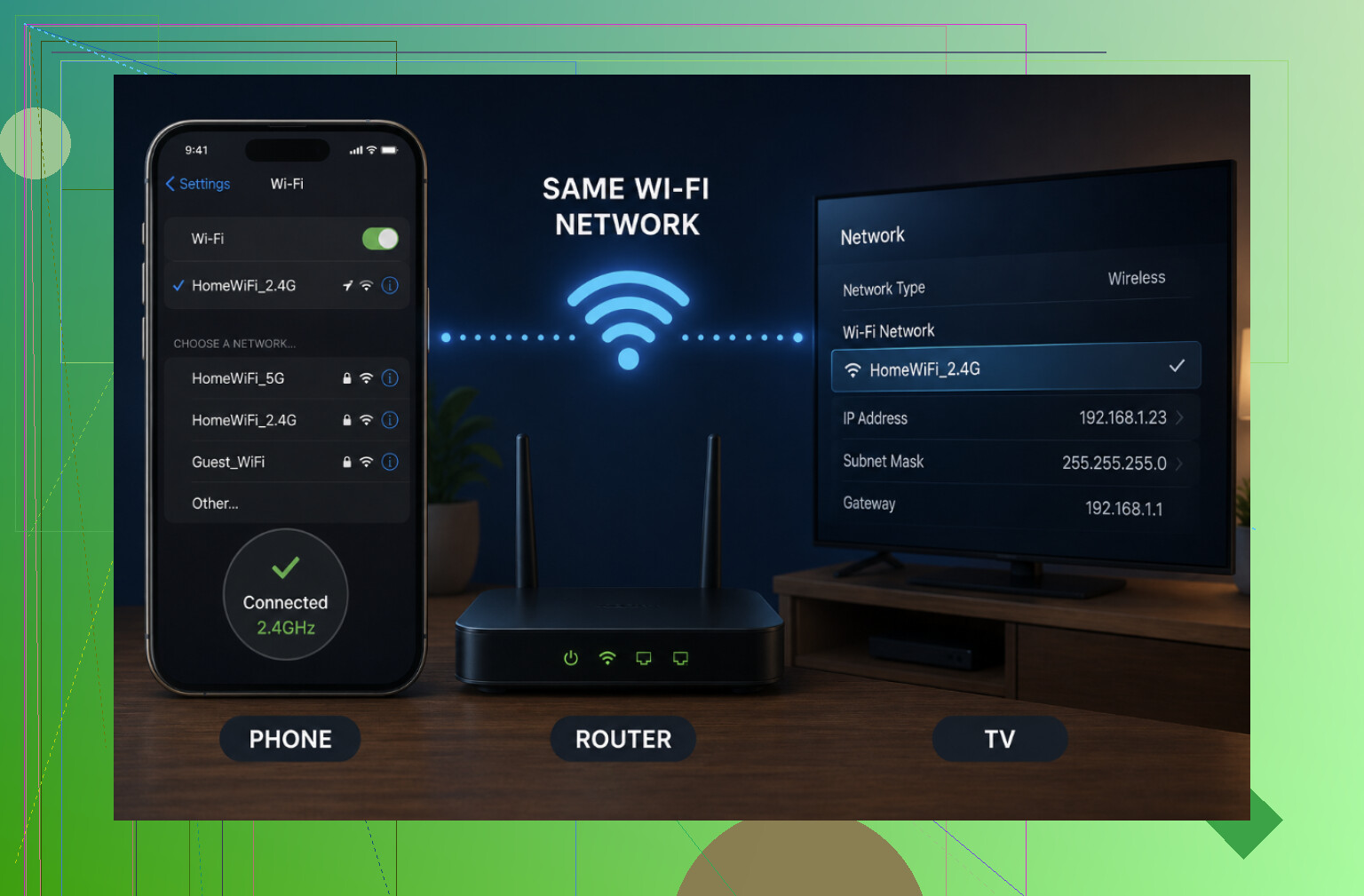
They need to be on the same local network, not just “both connected to the internet.” A few easy things to miss:
- The phone might be on the 5GHz Wi-Fi and the TV on 2.4GHz. Depending on your router, those can behave like separate networks. Try putting the phone on the 2.4GHz network.
- One device could be on a Guest Wi-Fi network.
- Your phone may have switched to cellular data, or you may have a VPN running. Turn both off while testing.
- If you use a mesh router, check that both devices are on the same SSID and not being isolated by the mesh setup.
Then restart both devices properly.
Don’t just turn the TV off with the remote. Unplug it from power for about 30 seconds, then plug it back in. Restart the phone too. It sounds too simple, but it clears out a lot of weird discovery and connection issues.
Check whether the TV allows phone control.
Some TVs don’t leave this enabled by default, so the app can be fine and still see nothing.
- Samsung: Look under Settings → General/Connection and check for “Remote/mobile control” or “Device Connection Manager.”
- LG: Look for Mobile TV On or network standby settings.
- Roku: Go to Settings → System → Advanced and make sure “Control by mobile apps” is Enabled or Permissive.
- Fire TV: Make sure the TV or device is awake, not asleep or half-powered-down.
Your router can block this too.
Look for a setting called AP Isolation, Client Isolation, or sometimes AP/station isolation. If that’s enabled, devices on the same Wi-Fi are prevented from talking to each other. A remote app will never find the TV in that setup, so turn that setting off if you see it.
Update the app and the TV.
An old phone app, old TV firmware, or outdated phone OS can break pairing. Update the remote app from the app store, then check the TV’s software update menu too.
Remove the TV from the app and add it again.
If it was paired before, delete it from the app and start fresh. On the first pairing, a lot of TVs show a 4-digit code on the screen that has to be entered on the phone, so watch for that instead of backing out too early.
Try another remote app as a test.
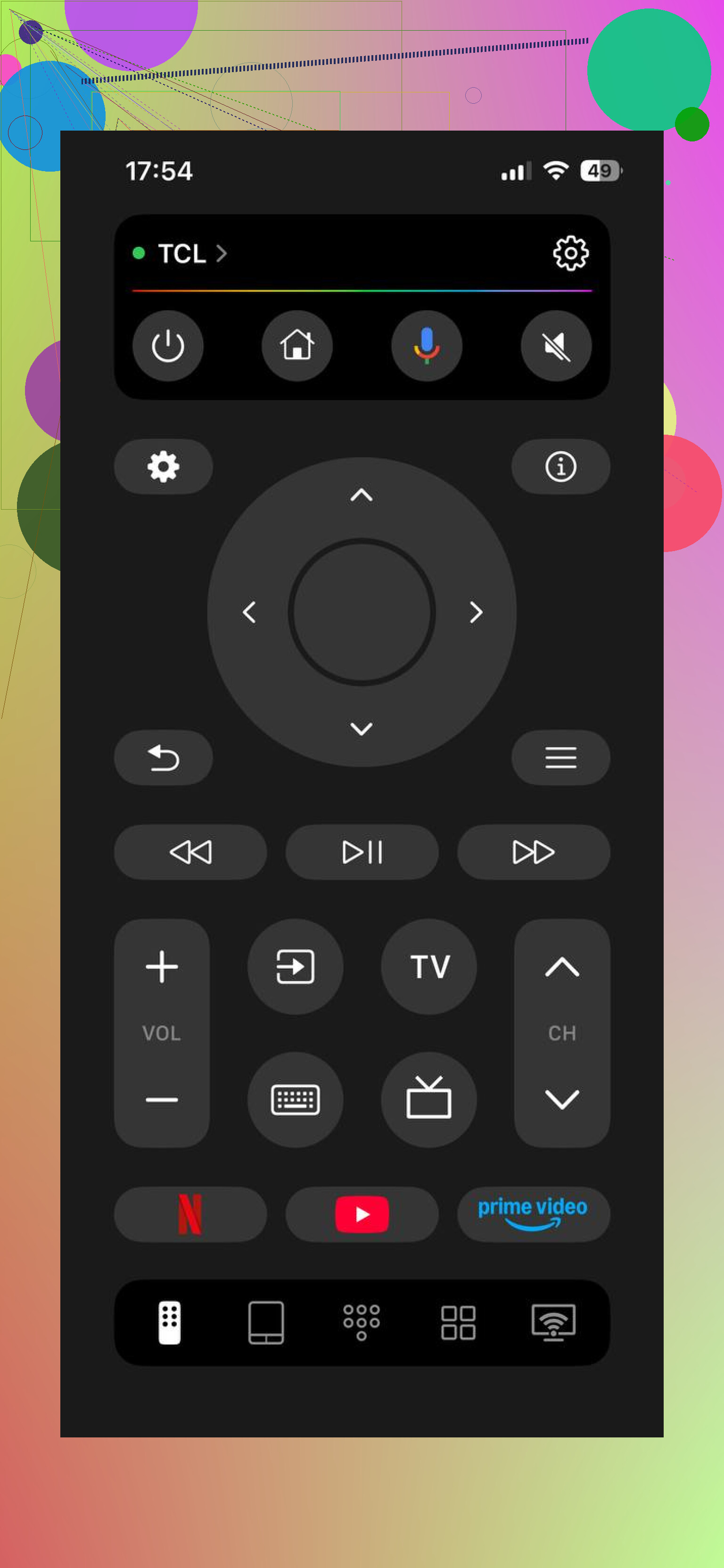
If the official app won’t find the TV, testing with a different app can tell you whether the problem is the app or your network setup. TVRem: https://apps.apple.com/us/app/universal-remote-control-tvrem/id6746162794 supports Samsung, LG, Roku, Fire TV, Android/Google TV, and Apple TV. If that app connects and the official one doesn’t, your network is probably fine and the issue is with the original app. If neither app sees the TV, keep looking at Wi-Fi, router isolation, or TV settings.
One important catch: app control only works if the TV is a smart TV and it’s connected to the network. If it’s an older non-smart TV, or the TV isn’t on Wi-Fi or Ethernet, no phone app is going to detect it. In that case you’ll need the original remote or a universal remote.
If you post the TV brand/model and what happens in the app, like whether it finds nothing, finds the TV but won’t pair, or connects and then drops, it’ll be easier to pin down.
11 Likes
If the app sees the TV but won’t pair, that’s a different problem than the app seeing nothing at all. Since you said it can’t find it, check the phone-side permissions before chasing the router too much. On iPhone, the remote app needs Local Network permission or it will act like your TV does not exist. On Android, check the app permissions too, especially nearby devices/location depending on the app. I agree with @mikeappsreviewer that Wi-Fi isolation can cause this, but a denied permission after an app update or OS update is a sneaky one because everything else looks normal. Turn that permission on, force-close the remote app, reopen it, then search again while the TV is awake and on its home screen.
Open the TV’s network status page and compare its IP address to your phone’s IP address. If the TV is on something like 192.168.1.x and the phone is on 192.168.50.x, they are not really on the same local network even if the Wi-Fi name looks similar. That would explain why the app finds nothing, and it fits with what @hoshikuzu and @mikeappsreviewer were saying without guessing at the app first. If the IPs don’t match, reconnect the TV to the main Wi-Fi, not guest Wi-Fi, or reboot the router so it gives the TV a fresh address. If the TV shows no IP address at all, the remote app is not the problem.
Don’t factory reset anything yet; clear the old remote permission on the TV first. A lot of smart TVs keep a list of phones/apps that were allowed or denied, and if that record gets corrupted, the phone can be on the right Wi-Fi and still never pair cleanly again.
Look in the TV settings for something like paired devices, mobile device manager, external device manager, device connection manager, remote app control, or network remote control. The wording changes by brand, but you’re looking for the list of phones that have been approved to control the TV. Delete your phone from that list, then force-close the remote app and try pairing again from scratch.
This is especially worth checking if the app used to work and then suddenly stopped after an app update, phone update, router change, or TV software update. Sometimes the TV thinks it already knows the phone, while the phone app thinks it needs a new pairing code. They get stuck in that dumb middle state where nothing obvious looks wrong.
I agree with @hoshikuzu about Local Network permission on iPhone, but there’s a matching TV-side permission too that people forget. When you try again, leave the TV on and watch the screen for an Allow/Deny popup. If someone hit Deny before, or the popup timed out, the app may keep failing until you remove the blocked entry.
If you still get absolutely no TV showing up after that, then go back to the IP/subnet and router isolation checks people mentioned. But if it finds the TV for half a second, asks for a code, or fails right after pairing, I’d suspect the saved authorization before blaming the Wi-Fi.