I accidentally deleted a folder of important family photos and then realized some files may have been overwritten. I need help finding reliable photo recovery software that can recover deleted images safely without damaging what’s left. If you’ve had success with image recovery tools for lost pictures, I’d really appreciate your recommendations.
I wrecked enough memory cards over the years to learn one boring rule first. Stop using the drive right away. Don’t shoot more photos on it. Don’t copy files onto it. Don’t even poke around more than needed.
What usually happens after deletion is simple. The photo data often still sits there, but the system marks the space as free. Once new data lands in those same spots, your old shots are cooked. After overwrite, recovery tools stop mattering. So if you want the best odds, eject the card or unplug the drive now, then work from another machine if you have one.
What matters more than the app name
I’ve tried a pile of recovery tools, and the pattern stayed the same. The winner was often the one I used early, before I made the mistake worse. So I’d pick based on three things. How damaged the card is. How much mess you’ll tolerate. How much money you want to burn on a one-time rescue.
If you want the one I reach for first, it’s still Disk Drill. I kept coming back to it because it tends to find more intact camera files without making me fight the interface for an hour. It handles common RAW types like CR3, NEF, and ARW, and its camera-focused scan mode helped me on cards where other tools returned junk files which looked fine until I opened them.
Fragmented files are where a lot of programs fall on their face. Cameras do not always write one neat block per photo or video. Bits end up scattered. Some tools recover those bits as if they were complete files, then you open them and get corruption, gray blocks, or nothing. Disk Drill did better for me here than most, esp with clips and larger RAW bursts.
The catch is the free tier. On Windows, recovery is capped at 100 MB. For photos, that disappears fast. Still useful though. I’ve used it to preview a card, confirm the missing files were still there, and then decide whether paying was worth it.
If you want free tools
There are two names people keep throwing around for a reason, PhotoRec and Recuva. Both are worth trying. Both come with tradeoffs.
PhotoRec
PhotoRec goes after the drive at a lower level. It scans raw sectors for file signatures instead of depending on the file system to make sense. This helps when the card is trashed enough where your computer barely knows what it is, or doesn’t mount it right.
The bad part, and yeah it’s annoying, is the workflow. No pretty browser. No slick gallery. No nice original names. You often get a dump of files with names like f12345.jpg and then you sort the pile by hand. I did this once after a card error on a trip and spent half the night opening random files until I found the keepers. It worked, but it wasn’t fun.
Recuva
Recuva is easier. Way easier. If you’re on Windows and the mistake was recent, like you deleted a folder and noticed right away, it’s a decent first pass. It’s free and quick, which is why so many people start there.
Where it fell short for me was on damaged cards, quick-formatted media, or anything messy. In those cases it often found less, or found files that looked recoverable but weren’t intact. On a healthy drive with a basic deletion, fine. On a sketchy SD card, I wouldn’t bet much on it.
What I’d do in your spot
Stop writing to the card or drive.
Connect it read-only if your setup allows it, or at least avoid any action which writes metadata back.
Run a scan with Disk Drill first and check previews. If a file previews cleanly, your odds are better.
If the card is corrupted badly, try PhotoRec next.
If this was a simple delete on Windows, test Recuva early because it’s fast and free.
Recover files to a different drive, not back onto the same card. I’ve seen people do this once. Bad idea.
Every loss case is a little off. Card brand matters. File system matters. Whether it was deleted, formatted, or the card started erroring out matters too. So I’d run a couple of scans and compare results instead of betting on one app out of the gate. Start with Disk Drill to see what still shows up intact, then move to PhotoRec if you need a rougher but deeper scrape.
26 Likes
I’d trust R-Studio first if the photos matter more than convenience. It is ugly, but it handles damaged file systems better than most consumer tools. If some files were overwritten, no app fixes that. What you want now is the best shot at the files not touched yet.
My short list:
- R-Studio, best when the drive structure is messy.
- Disk Drill, best balance of scan quality and ease. Good previews. Easier for normal people.
- PhotoRec, best free deep scrape, worst file organization.
- Recuva, fine for simple deletes, weak once things get messy.
Small disagreement with @mikeappsreviewer. I would not start with Recuva unless this was a plain Windows folder delete on a healthy SSD or HDD. On flash media, I’ve seen it miss too much.
If this is an SD card or USB drive, make an image first, then scan the image. That lowers risk. Recover to a different drive. If the photos are irreplaceable, Disk Drill is the one I’d hand to family because the preview system helps you sort fast and avoid dumb mistakes.
If you want a solid roundup, watch best tools for recovering deleted photos and lost images. It’s a decent starting point, even if some tools are hit or miss.
If this was an internal SSD, odds drop fast because TRIM wipes deleted blocks on many systems. Srry, but that part matters a lot.
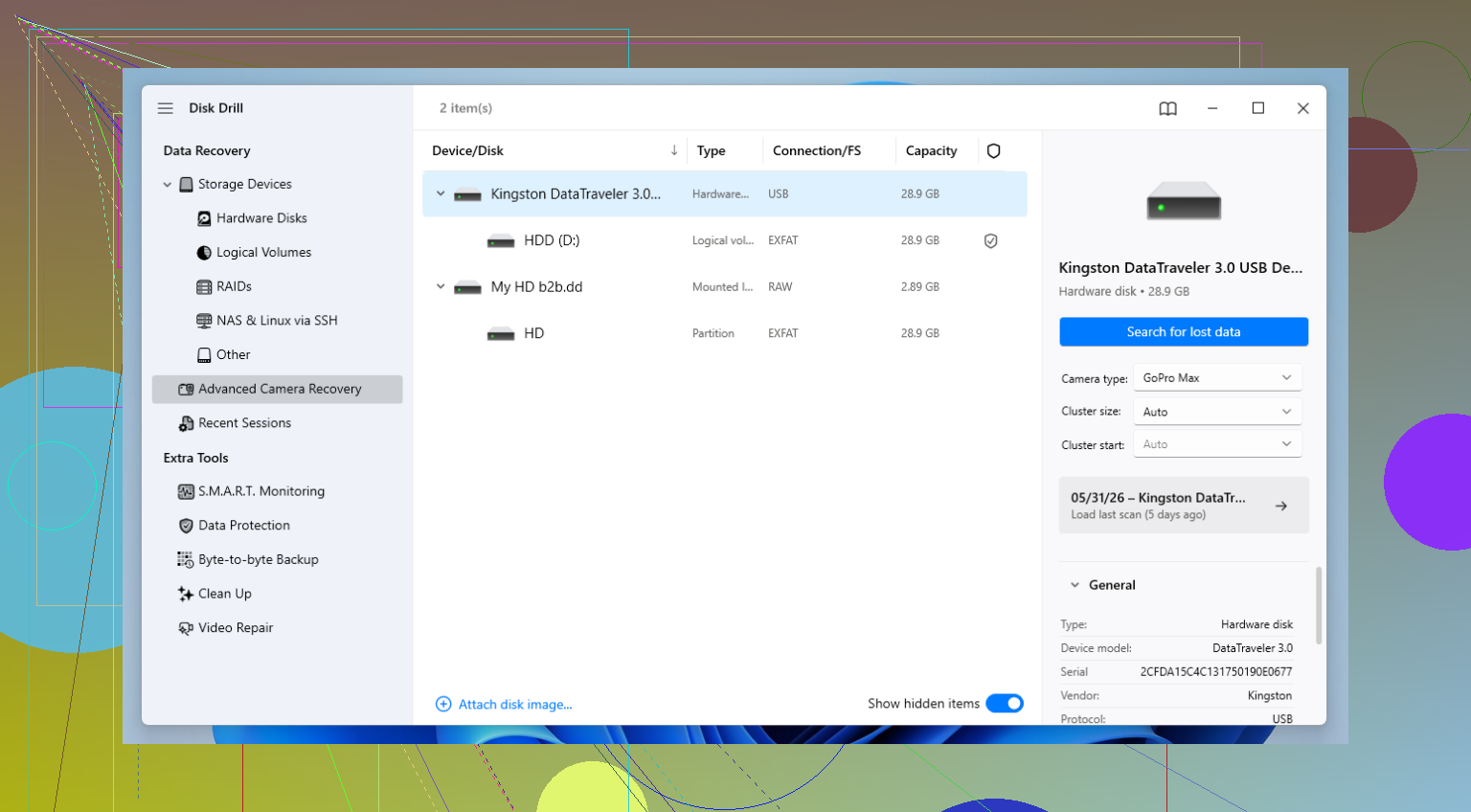
If I had to trust one with family photos, I’d pick Disk Drill first, then test one deeper tool if the results look incomplete. Not because it’s magic, just because it does the least to confuse people while still being strong at photo recovery. The preview feature matters more than people think. If a JPG or RAW previews cleanly, that saves a ton of guessing.
I partly disagree with @mikeappsreviewer and @cacadordeestrelas on one thing. For normal users, I would not jump straight into the most hardcore tool unless the drive is clearly damaged. Super technical apps can turn a bad situation into a worse one if you start clicking around like a maniac. If the media still mounts, Disk Drill is usually the safest first look.
My trust list would be:
- Disk Drill for the best mix of safety, previews, and ease
- R-Studio when the file system is a total mess
- PhotoRec if you want free and don’t mind ugly output
- Recuva only for simple deletions on healthy storage
One ugly truth nobody can soft-pedal: overwritten photos are often gone for real. Recovery software can recover deleted images, but it cannot un-overwrite data that has already been replaced. That’s why scan results may show filenames while the actual photos are busted or half-gray. Annoying, but that’s how it is.
Also, if this was on an SSD, TRIM may have already nuked parts of it. If it was an SD card, USB stick, or external hard drive, your odds are a bit better. I’d also avoid “repair” tools right now. Those can write changes and make stuff worse. Seen it happen. Twice. Felt dumb both times lol.
For a decent overview of the best software for recovering deleted photos, that roundup is worth a look.
Short version: Disk Drill is the one I’d hand to a relative without hovering over their shoulder every 5 seconds. If it misses too much, then move to R-Studio or PhotoRec. Recover to another drive, not the same one. That part realy matters.