Walter Writes AI review, from someone who actually sat with it
Walter Writes AI screenshot:
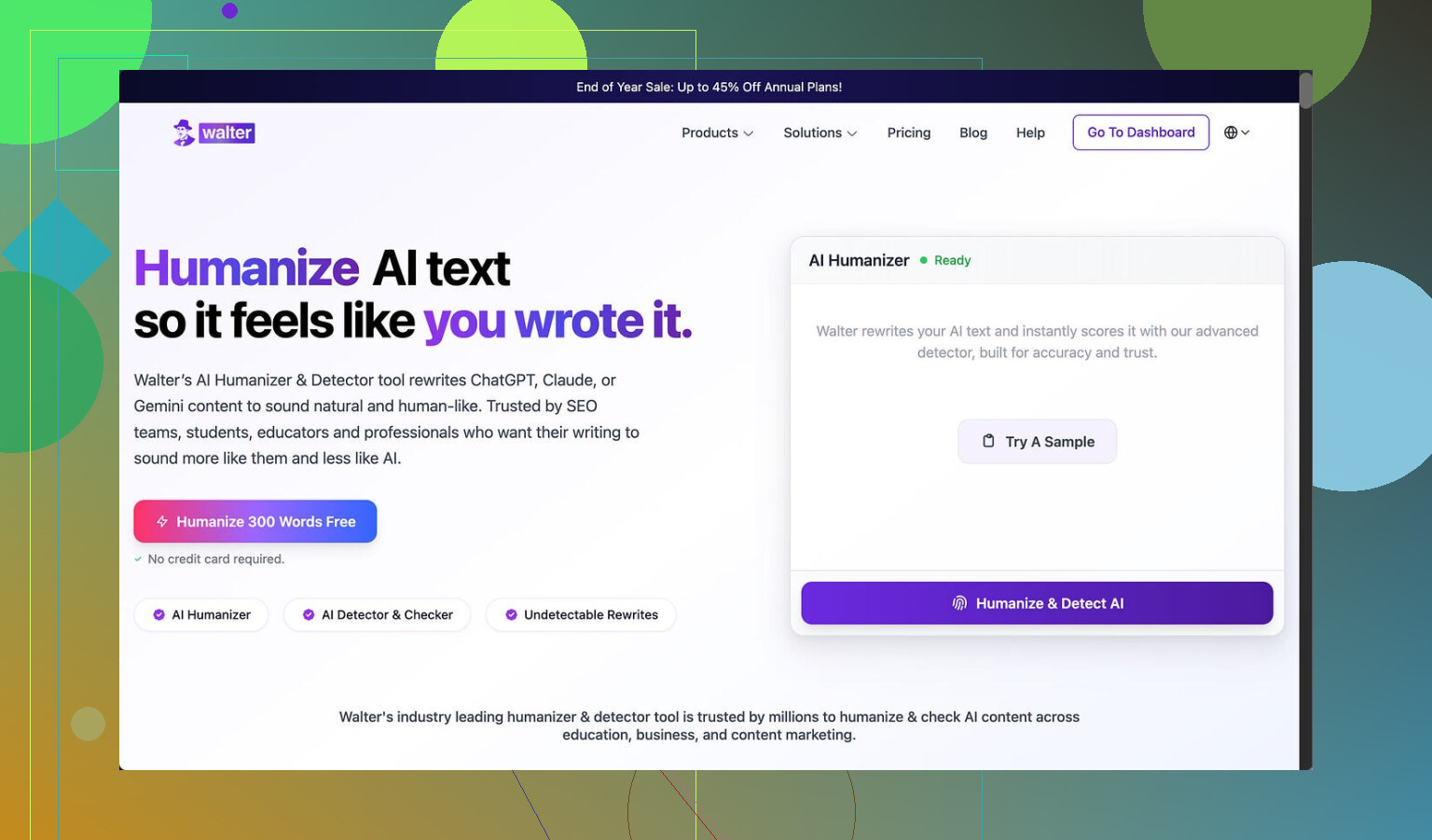
I ran Walter Writes AI through a small stress test and the results were messy.
I used the free tier, Simple mode only. No access to the Standard or Enhanced modes that paying users get, so keep that in mind.
Here is what happened when I pushed a few samples through and checked them with detectors:
• One sample came back at 29% on GPTZero and 25% on ZeroGPT.
For a free-level humanizer, those numbers are decent. Most free tools I have tried either hit way higher or get flagged as AI outright.
• The other two samples were a different story.
Both hit 100% on at least one detector. That is the kind of score where a teacher, editor, or client will not even hesitate before flagging it.
Second screenshot from my run:
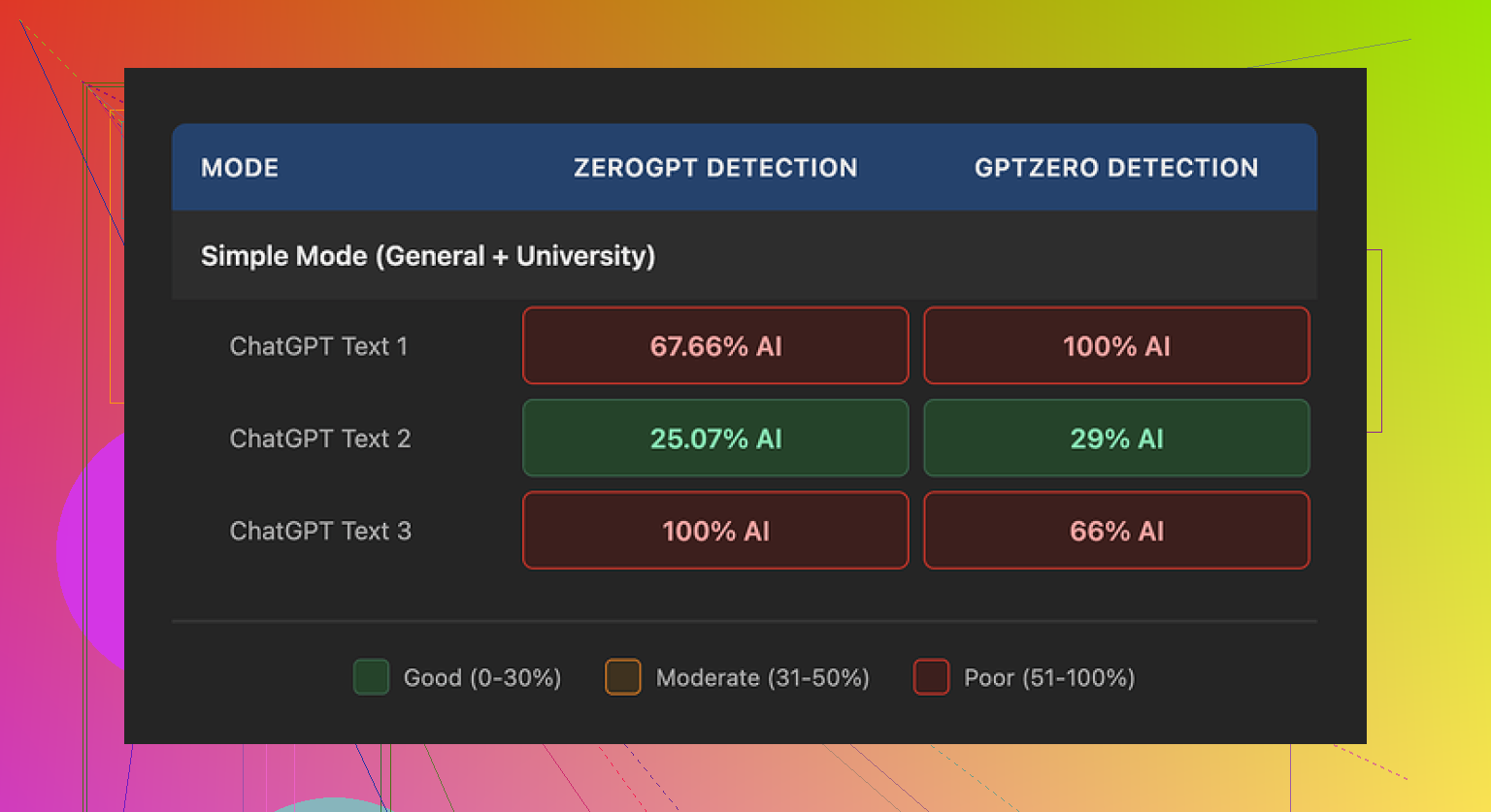
So the detector results were unstable. Sometimes passable, sometimes wrecked.
How the output reads to a human
Setting detectors aside, I tried to read the text like a picky grader.
A few things jumped out:
-
Weird punctuation
It kept using semicolons where commas made more sense. Not once or twice, but often enough that it started to look like a pattern.
If someone reads a lot of essays or content, this sticks out fast. -
Repeated filler words
In one sample, it used the word “today” four times in three sentences. That kind of repetition feels like AI filler trying to sound conversational. -
Parenthetical spam
Phrases like “(e.g., storms, droughts)” popped up again and again.
Same format, same structure, same rhythm. This is the kind of thing detectors and humans both associate with auto-generated text.
If you are trying to avoid AI suspicion, those quirks do not help. You would need to edit the output by hand to clean that up, which defeats a lot of the point.
Pricing and limits
Here is what bothered me when I looked at their plans:
• Starter plan: from $8 per month (annual billing), 30,000 words.
• Unlimited plan: from $26 per month, but every single submission is capped at 2,000 words. So “unlimited” does not mean you can dump in long documents in one go. You need to split them.
Free tier details:
• 300 words total, not per day.
Once you burn through that, you are done unless you pay.
So if you write long reports, research, or chapters, the 2,000 word cap per submission on the higher plan will slow you down. You will keep cutting and pasting in chunks.
Policy and data concerns
Two things gave me pause:
-
Refund policy
The wording around refunds uses aggressive chargeback language and even mentions legal action. It reads more like a threat than a guarantee.
If you pay and hate it, getting your money back might turn into a headache. -
Data retention
How long your text is stored, where, and what they do with it is not spelled out clearly.
If you deal with work documents, client content, or anything sensitive, that kind of vagueness is a problem.
What worked better for me
While I was testing tools for this, I kept coming back to Clever AI Humanizer.
From my runs, it produced more natural text, with fewer obvious AI tells, and did not require payment for the core use case.
Link: https://cleverhumanizer.ai
If you want to see how people use it in practice, there are a few threads and a video that helped me:
Humanize AI (Reddit tutorial)
https://www.reddit.com/r/DataRecoveryHelp/comments/1l7aj60/humanize_ai/
Clever AI Humanizer review on Reddit
https://www.reddit.com/r/DataRecoveryHelp/comments/1ptugsf/clever_ai_humanizer_review/
YouTube video review

If you care about low detection scores, less robotic repetition, and do not want to fight refund policies or word caps, I would start with Clever AI Humanizer first and only test Walter Writes AI if you are curious and fine with editing the output heavily.