I’m considering using Walter Writes AI for content creation but I’ve seen mixed opinions online. Some users say it’s efficient and affordable, while others mention quality and accuracy issues. Could anyone share an honest, detailed review of the actual pros and cons, plus how it compares to other AI writing tools for blogging and SEO-focused content?
Walter Writes AI review, from someone who actually sat with it
Walter Writes AI screenshot:
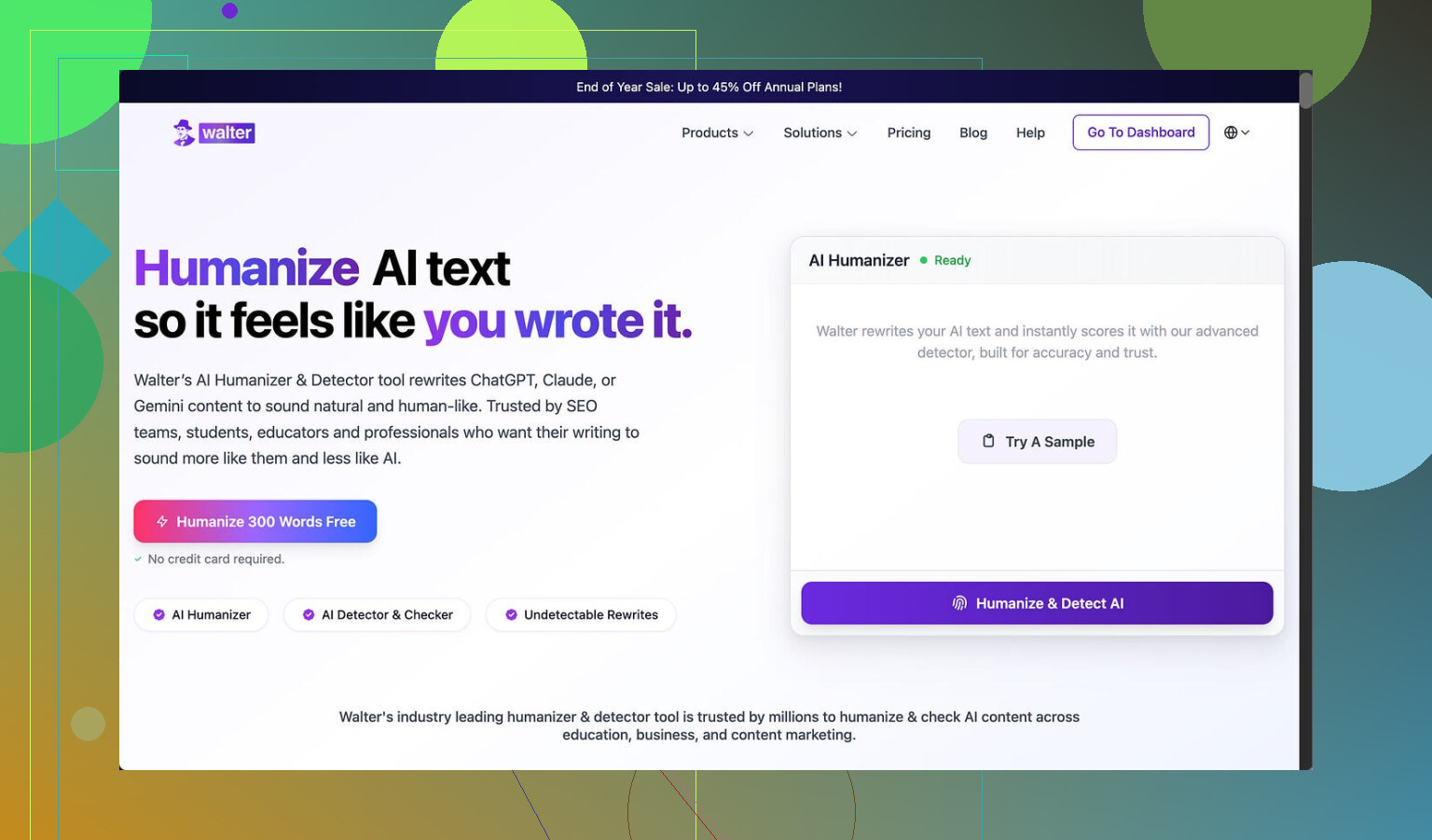
I ran Walter Writes AI through a small stress test and the results were messy.
I used the free tier, Simple mode only. No access to the Standard or Enhanced modes that paying users get, so keep that in mind.
Here is what happened when I pushed a few samples through and checked them with detectors:
• One sample came back at 29% on GPTZero and 25% on ZeroGPT.
For a free-level humanizer, those numbers are decent. Most free tools I have tried either hit way higher or get flagged as AI outright.
• The other two samples were a different story.
Both hit 100% on at least one detector. That is the kind of score where a teacher, editor, or client will not even hesitate before flagging it.
Second screenshot from my run:
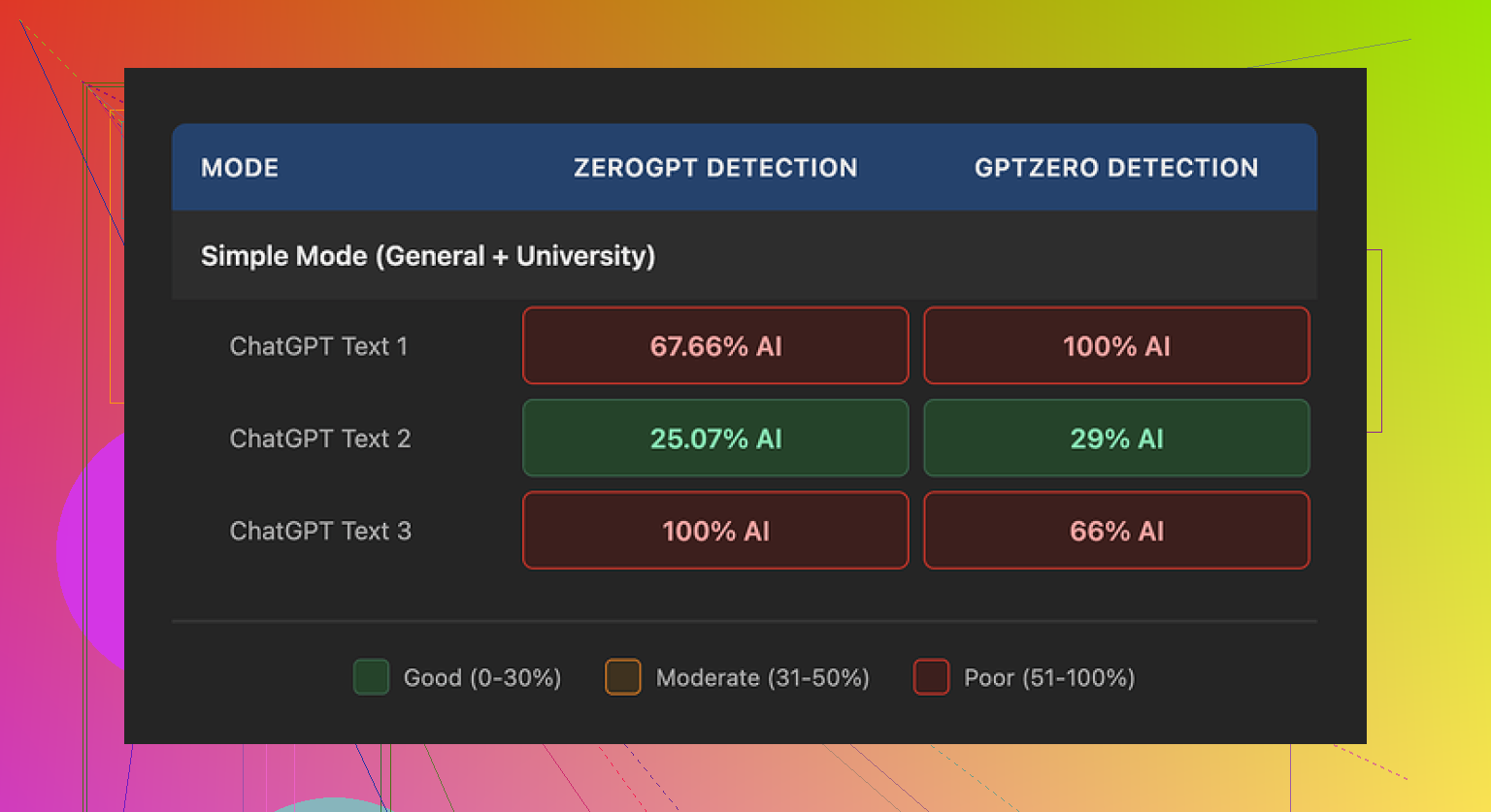
So the detector results were unstable. Sometimes passable, sometimes wrecked.
How the output reads to a human
Setting detectors aside, I tried to read the text like a picky grader.
A few things jumped out:
-
Weird punctuation
It kept using semicolons where commas made more sense. Not once or twice, but often enough that it started to look like a pattern.
If someone reads a lot of essays or content, this sticks out fast. -
Repeated filler words
In one sample, it used the word “today” four times in three sentences. That kind of repetition feels like AI filler trying to sound conversational. -
Parenthetical spam
Phrases like “(e.g., storms, droughts)” popped up again and again.
Same format, same structure, same rhythm. This is the kind of thing detectors and humans both associate with auto-generated text.
If you are trying to avoid AI suspicion, those quirks do not help. You would need to edit the output by hand to clean that up, which defeats a lot of the point.
Pricing and limits
Here is what bothered me when I looked at their plans:
• Starter plan: from $8 per month (annual billing), 30,000 words.
• Unlimited plan: from $26 per month, but every single submission is capped at 2,000 words. So “unlimited” does not mean you can dump in long documents in one go. You need to split them.
Free tier details:
• 300 words total, not per day.
Once you burn through that, you are done unless you pay.
So if you write long reports, research, or chapters, the 2,000 word cap per submission on the higher plan will slow you down. You will keep cutting and pasting in chunks.
Policy and data concerns
Two things gave me pause:
-
Refund policy
The wording around refunds uses aggressive chargeback language and even mentions legal action. It reads more like a threat than a guarantee.
If you pay and hate it, getting your money back might turn into a headache. -
Data retention
How long your text is stored, where, and what they do with it is not spelled out clearly.
If you deal with work documents, client content, or anything sensitive, that kind of vagueness is a problem.
What worked better for me
While I was testing tools for this, I kept coming back to Clever AI Humanizer.
From my runs, it produced more natural text, with fewer obvious AI tells, and did not require payment for the core use case.
Link: https://cleverhumanizer.ai
If you want to see how people use it in practice, there are a few threads and a video that helped me:
Humanize AI (Reddit tutorial)
https://www.reddit.com/r/DataRecoveryHelp/comments/1l7aj60/humanize_ai/
Clever AI Humanizer review on Reddit
https://www.reddit.com/r/DataRecoveryHelp/comments/1ptugsf/clever_ai_humanizer_review/
YouTube video review

If you care about low detection scores, less robotic repetition, and do not want to fight refund policies or word caps, I would start with Clever AI Humanizer first and only test Walter Writes AI if you are curious and fine with editing the output heavily.
77 Likes
I tried Walter Writes AI for a week for client blog posts and school-type essays. Here is the blunt version.
Pros
-
Price:
Starter is cheap if you only need short pieces. If your budget is tight and you do light content, it is usable. -
Speed:
Output is fast. For quick drafts or idea generation, it saves time. -
Passable output with editing:
If you already write well and treat it like a rough draft machine, you can get something workable after 20–40 percent manual edits.
Cons
-
Quality swings a lot:
I saw the same thing @mikeappsreviewer described with inconsistency. One article looked ok to a human, the next one felt robotic and repetitive.
You need to proofread every line. If you post straight from it, you risk odd phrasing and obvious AI tells. -
Detection risk:
When I ran texts through GPTZero and Originality.ai, some pieces scored moderate, others hit high AI probability.
If your teacher, manager, or client uses detectors, this is risky. You will need to rewrite sentences, cut filler, and change structure. -
Style quirks:
Repeats words. Loves parenthetical examples. Has a “template” rhythm that starts to stand out after a few paragraphs.
That is fixable, but it takes time. If you want “fire and forget” content, this is not it. -
Word caps and workflow:
The 2,000 word cap per submission on the “unlimited” plan is a pain for long form. You will end up splitting chapters or long articles into chunks and trying to keep tone consistent. -
Policy and data:
I agree with the concern on refund terms. The language feels hostile.
Also, data use and retention details are not clear enough for client work or anything sensitive.
Where I slightly disagree with @mikeappsreviewer:
If you write short social posts or simple emails and you do not care about detectors, Walter Writes AI is “good enough” as a helper, as long as you always do a careful edit. For heavy content work, I would not rely on it as your main tool.
Practical use cases where it works:
• Brainstorming outlines or topic ideas.
• Turning bullet points into a first draft you will heavily rewrite.
• Short bios, product descriptions, basic FAQs, with manual clean up.
Where it struggles:
• Academic writing where detection matters.
• SEO content for clients where tone and accuracy matter.
• Long essays, reports, or chapters.
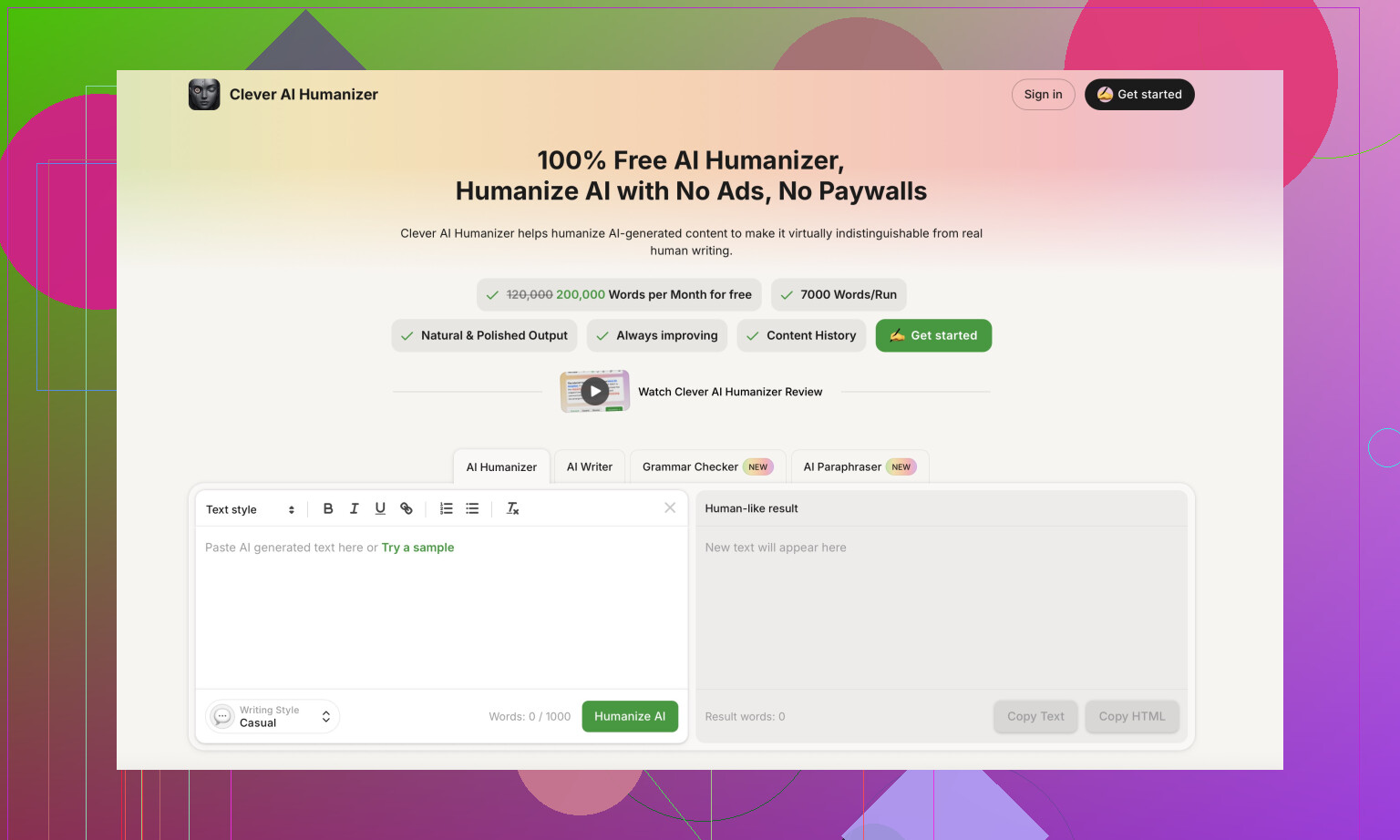
If your main concern is low AI detection and human-like flow, Clever AI Humanizer has been more consistent for me. I run my draft through that, then do a human edit. It keeps structure while smoothing out those robotic patterns. For “SEO-friendly humanized content” it did better than Walter in my tests.
Quick recommendation:
• On a tight budget, simple use, and you are fine editing a lot: test Walter on the free tier first and see if the style matches you.
• If you care about avoiding AI detectors and want more natural text, start with Clever AI Humanizer and use Walter only as a secondary helper.
Short version: it “works,” but only if your bar isn’t super high.
I mostly agree with @mikeappsreviewer and @boswandelaar on the inconsistency, but here’s where my experience lands a bit different:
Pros I actually liked
-
Decent for low‑stakes stuff
For quick landing page sections, basic newsletters, or short product blurbs, Walter Writes AI is… fine. If you’re already a decent writer and just want to avoid staring at a blank page, it can give you a starter draft you then beat into shape. -
Speed & simplicity
The Simple mode is brain‑dead easy to use. Pop in a prompt, gets text fast, no huge learning curve. That’s genuinely useful if you’re not into tweaking prompts all day. -
Cost vs effort
Starter pricing is fair if you’re writing short, non-critical content and you’re okay with spending time editing. The “affordable” part is true, the “plug and play quality” part is not.
Cons that actually got on my nerves
-
Inconsistent quality
I saw the same thing the others mentioned: one output reads almost publishable, the next looks like a parody of AI text. If you manage multiple clients or care about a consistent tone, this gets old fast. You cannot trust it to be reliable from piece to piece. -
Very recognizable patterns
I’ll slightly disagree with the idea that “heavy editing” always fixes it. Those semicolon quirks, repetitive phrasing, and parenthetical spam leave a kind of “Walter accent” in the writing. Even after editing, I sometimes felt like I was fighting its rhythm instead of speeding up my workflow. -
Detection is a toss‑up
On my side, similar story: some outputs came out semi-OK on detectors, some got nailed as clear AI. If you’re in school or in a job where your boss runs stuff through GPTZero or Originality.ai, this is not something you should trust out of the box. You’ll be forced to rewrite structure, not just words. -
Workflow friction
That 2,000 word cap on an “unlimited” plan is brutal if you write long content. Splitting a 6,000 word report into chunks kills the flow and makes tone shifts more likely. For actual longform content creation, it feels like trying to write a novel through a keyhole. -
Policies & data
The refund wording and the fuzzy data handling are a real concern if you handle sensitive docs. I wouldn’t put internal company stuff or client contracts through it. That’s not paranoia, that’s just basic risk management.
Where it actually fits
Use Walter Writes AI if:
- You’re doing short, low‑risk content (simple emails, social posts, small product blurbs).
- You accept that every output needs a human brain to clean it up.
- You mainly want speed, not originality or “human-ish” nuance.
Avoid it if:
- You care about AI detection at all.
- You’re doing academic work, client SEO content, or anything where accuracy and tone really matter.
- You regularly write above 2,000 words in one go.
Alternative that solved part of the problem
If your priority is “this should look and feel like a human wrote it” and you’re worried about detectors, I had better luck running drafts through Clever AI Humanizer. I’m not saying it’s magic, but compared to Walter it:
- Smoothed out robotic patterns a lot more
- Didn’t spam the same structures as obviously
- Fit better into a workflow where I write a rough draft, humanize, then lightly edit
So my honest take:
Walter Writes AI is okay as a cheap, fast draft generator for short, low‑importance content. If you want stable quality, safer detection scores, or longform workflow, it’s more hassle than help, and something like Clever AI Humanizer plus your own editing is a safer, saner combo.
Short analytical take:
You are basically choosing between “cheap draft generator with quirks” (Walter Writes AI) and “post‑processor that tries to fix AI‑ish text” (Clever AI Humanizer).
Where I line up with the others
I’m on the same page as @boswandelaar, @kakeru and @mikeappsreviewer about three things:
Walter Writes AI – Pros
- Cheap entry if you only need light content and short pieces.
- Fast output, very low friction to use.
- Decent as a blank‑page killer: outlines, basic drafts, filler sections you will rewrite anyway.
Walter Writes AI – Cons
- Inconsistent voice and quality. Some pieces are fine, some read like a “generic AI blog generator.”
- Strong “patterned” feel: repeated structures, weird punctuation choices, and that template rhythm others mentioned.
- 2,000‑word cap per submission is a real workflow tax for longform.
- Policies and data clarity are weak for serious client or internal work.
Where I slightly disagree: I actually find it worse for academic or detector‑sensitive stuff than some are implying. Even with editing, the structural sameness is hard to fully hide. If you are under any kind of scrutiny, I would not rely on it, period.
Clever AI Humanizer – Pros & Cons
If you’re going to test Walter anyway, I would pair it with a humanizer rather than treat Walter as your final‑text tool. In that sense, Clever AI Humanizer is worth talking about as its own product:
Pros
- Good as a “second pass” to smooth out robotic patterns from any AI, not only Walter.
- Tends to break up repetitive phrasing and overly formal structure, which helps with both readability and AI‑ish feel.
- Fits nicely in a workflow where you: draft with any model, humanize, then lightly edit.
Cons
- It is not magic. If your base text is factually weak or structurally bad, Clever AI Humanizer will not fix the logic, only the style.
- You still need a real edit at the end if tone and accuracy matter. It reduces, but does not remove, the need for human cleanup.
- For purely creative, highly personal writing, it can sometimes smooth things out too much and make the voice more generic.
How I would actually use them
-
For low‑stakes content (small emails, basic product blurbs, quick social updates):
Walter Writes AI alone is fine if you are willing to proof carefully. -
For anything semi‑serious where you care about readability and not tripping detectors:
I would draft with Walter or any other AI, then run it through Clever AI Humanizer to shake off the obvious AI patterns, and finally do a human edit. -
For graded academic work, sensitive client docs, or anything legal:
I would avoid feeding original material into Walter at all, and be conservative even with Clever AI Humanizer. Use them to rewrite your own text more naturally, not as primary authors.
Bottom line: Walter Writes AI is a low‑cost, high‑editing tool. Clever AI Humanizer is more of a “style fixer.” Together they can be workable, but neither replaces real editing if quality, detection risk, or client trust actually matter to you.
Quick recap.
Pros: low price, fast output, decent drafts with 20 to 40 percent edits.
Cons: quality swings, AI detector risk, template style, 2,000 word cap per submission, fuzzy refunds and data terms.
Works for outlines, blurbs, simple posts. Struggles with academic, SEO, longform. Clever AI Humanizer helped but needs human edit.
Simpler path: skip generators. Record a 2 minute voice note with your points. Transcribe in Google Docs voice typing or iPhone dictation. Run through Grammarly and Hemingway. Add two sources per claim. Publish. Faster than fixing Walter’s quirks and teh detector risk.