I’m trying to decide if I should rely on my traditional TV remote or switch mainly to a smartphone TV remote app. My physical remote keeps acting up and sometimes doesn’t respond, but the app occasionally disconnects from Wi-Fi and becomes useless. I’d love advice from people who’ve tried both: which option is more reliable day-to-day, and what are the pros and cons I should consider before committing to one setup?
Universal Remote Talk: Old-School Remote vs Phone App
I bounced back and forth between a physical TV remote and phone remote apps for a few years. At this point, I’ve broken, lost, and rage-slammed enough remotes to have Opinions. Sharing what I noticed so you do not have to test all of this the hard way.
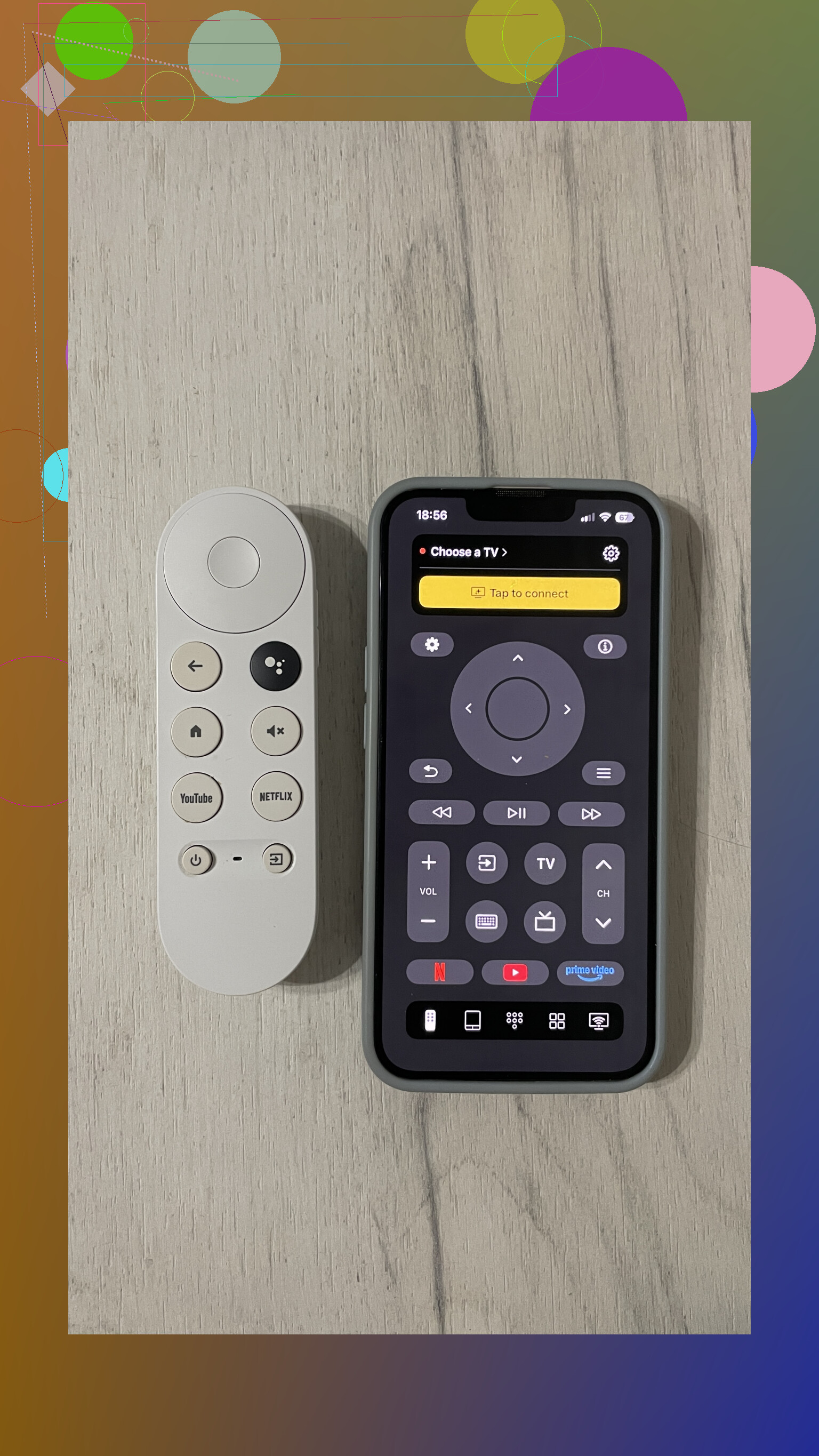
- Convenience
Physical Remote
This is the classic setup. Plastic stick. Buttons. Batteries.
What I like:
- No phone, no network, no nonsense. You pick it up, press power, TV turns on.
- Muscle memory helps a lot. Volume, channel, input. After a week, your thumb knows where everything is.
- Works when Wi-Fi is down, router is dead, or your phone is in another room.
- Easy to toss to someone else on the couch.
What annoyed me:
- It disappears under pillows constantly.
- In the dark, the tiny buttons turn into a guessing game.
- If the batteries die, it is over until you swap them.
- If it uses IR only, you need line of sight. If someone walks by, the power press might not register.
TV Remote App
For this, I mainly used TVRem and a few other universal apps over time.
Some pros:
- The phone is already in my pocket or next to me. I misplace remotes way more often than my phone.
- Typing is a huge win. Logging into Netflix, searching YouTube, entering Wi-Fi passwords. All much faster with a phone keyboard.
- Navigation feels quicker once you set up shortcuts. Some apps let you jump to specific inputs or apps in one tap.
- Extra options like layouts, themes, and shortcuts give more control than physical remotes.
Small tradeoffs:
- You need to unlock your phone, open the app, and wait a second. If someone mutes during a commercial, I feel slower getting to volume.
- If the app depends on Wi-Fi and the TV or router is acting up, it fails silently.
- If you get notifications while using the remote app, it gets distracting.
Verdict on convenience
If you want instant on/off and physical buttons you do not need to look at, the remote still wins. For constant typing, multiple TVs, or when you hate losing remotes in the couch, a phone app ends up easier to live with day to day.
- Price (US perspective)
Physical Remote
Here is what I paid or saw commonly:
- Basic replacement remote for a normal TV: about 10 to 30 dollars.
- “Universal” remotes that handle several devices: 30 to 250+ depending on features and whether it has activities or a screen.
- You keep buying batteries. If you have kids, those batteries vanish faster.
TV Remote App
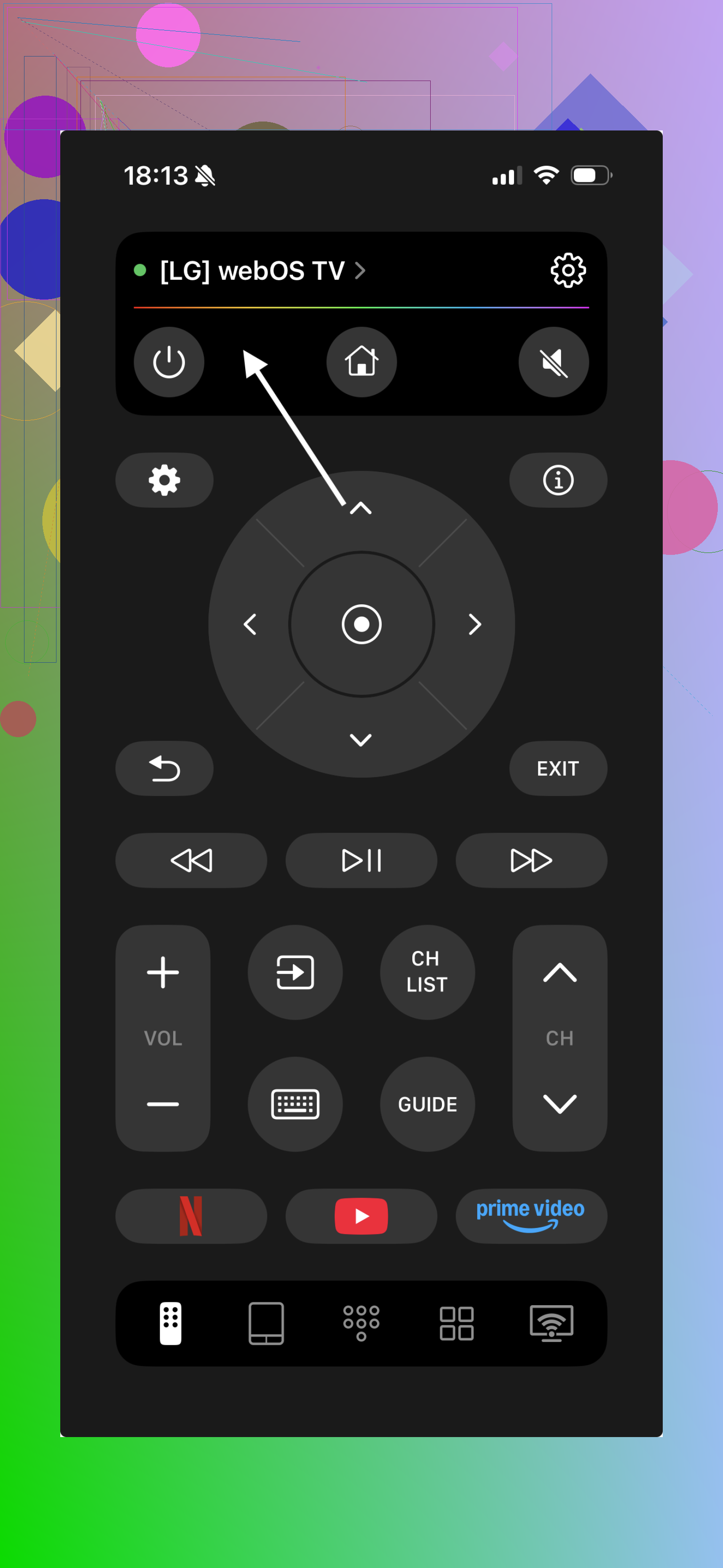
Software is different.
- Many remote apps are free with ads or have a one-time upgrade.
- TVRem Universal TV Remote is free here:
TVRem Universal TV Remote App App - App Store
and it supports several brands without needing extra hardware. - Even the paid apps I tried were cheaper than what I spent on my last mid-range universal remote.
- No separate battery budget. Your phone already needs charging.
Verdict on price
If you want to spend nothing or almost nothing, phone apps win hard. Physical remotes range from cheap but limited, to good but pricey, especially when they try to handle multiple devices.
- Compatibility and multi-device use
Physical Remote
What I ran into:
- The remote that ships with the TV usually works best but is tied to that brand, and sometimes that model.
- “Universal” remotes handle multiple devices, though you need to enter codes, do pairing steps, test buttons, fix mapping, repeat.
- Some high-end models let you press one button to turn on TV, soundbar, and streaming box together, plus set inputs. That part is nice but takes time to configure.
TV Remote App
This is where the phone approach becomes interesting.
- Apps like TVRem Universal TV Remote control several TV brands from one interface. Bedroom TV, living room TV, even parents’ TV when you visit, all in one place.
- Support for smart TV platforms is common now. I used apps that handled Roku, Fire TV, Android TV, webOS and a couple of others in one phone.
- Some add widgets or Siri shortcuts so you trigger mute or power from the lock screen or voice.
The catch:
- Usually your phone and TV need to share the same Wi-Fi network. If the TV is not on the network or someone changed SSID or password, the app stops working until you fix that.
Verdict on universality
Traditional universal remotes are good with IR stuff like old TVs, AV receivers, soundbars. Phone apps are better where you have modern smart TVs and streaming devices, especially if you move between rooms and brands. One app, no extra plastic.
- Limitations from daily use
Physical Remote
Things that got in the way:
- Easy to step on, drop, or lose between furniture.
- Small print, lots of buttons. Tough for older eyes or in low light.
- Dependent on batteries. If they die at 11PM during a movie, you either steal batteries from something else or give up.
- IR needs a clear path. Coffee table objects or people block it and you think the TV is frozen.
TV Remote App
Stuff that bit me:
- No Wi-Fi, no control. If your router locks up, the remote app often does nothing.
- Needs the TV connected to the same network. Guest mode or VLAN setups sometimes break discovery.
- Extra steps to open. Unlock, find the app, tap. Widgets help but it is still more taps than a dedicated remote sitting by your knee.
- Some apps spam ads or hide simple functions behind subscriptions. I deleted a bunch before I found one that felt usable and clean.
- What I ended up doing
Here is the practical split that worked for me.
Phone remote apps for:
- Smart TVs and streaming usage.
- Logging into apps or searching for content.
- Controlling multiple TVs in different rooms.
- When I am traveling and the hotel TV supports phone control.
Physical remotes for:
- Quick power and volume without looking at a screen.
- Guests or family members who do not want to mess with phone apps.
- Old non-smart TVs that only talk IR.
- When the network is flaky.
About TVRem specifically

Out of the apps I tried, TVRem Universal TV Remote ended up staying on my phone because:
- It worked with several brands in my place without extra hardware.
- Most features were available without constant paywall pressure.
- The interface was simple enough that my parents used it with minimal explanation.
Link again for reference:
And product page:
- Quick recommendations
If you are setting things up from scratch, this is what I would do:
-
If your TV is smart and on Wi-Fi
Install a remote app like TVRem. Use it as your main remote for typing, app control, and switching inputs. Keep the physical remote nearby for backup and quick power. -
If your TV is older without network features
Stick to a physical universal remote that supports IR for all your devices. Phone apps help only if your phone has IR blaster or you add a hub, which adds cost and setup. -
If you are the “tech person” in your family
Put a remote app on your own phone to handle all TVs in the house. Leave the physical remotes where less technical people sit. Everyone gets what they prefer.
Over time, I found myself reaching for the phone more often. The only times I default to the plastic remote now are:
- First thing in the morning, eyes half closed, power and volume only.
- When Wi-Fi is down.
- When someone else is watching and they want something simple they do not need to install.
14 Likes
If both your physical remote and your app are flaky, I would not pick one. I would set up a primary plus a backup.
Here is how I would handle it, step by step.
- Fix or replace the physical remote
Your remote “acting up” usually means one of these:
- Dirty contacts under the buttons.
Cheap fix. Open the remote, clean the rubber pad and PCB with isopropyl alcohol and a cotton swab. Let it dry fully. - Weak batteries.
Swap to a fresh name brand pair. Test again. - Weak IR LED or worn-out remote.
Use your phone camera. Point the remote at the camera and press a button. If you see no purple flicker at all, the remote is probably dying.
If cleaning and new batteries do not help, get a cheap replacement IR remote that supports your TV brand. In the US you are looking at around 10 to 25 dollars. That removes the most annoying failures fast.
- Make the phone app your “smart” remote
This is close to what @mikeappsreviewer does, but I lean harder on the app for anything that involves typing or menus.
Use the app for:
- Signing into Netflix, YouTube, etc
- Searching
- Switching inputs or apps
- Controlling multiple TVs
To reduce disconnects:
- Put the TV on 5 GHz WiFi if your router supports it. Less interference than 2.4 GHz in many homes.
- Give the TV a DHCP reservation in your router so it keeps the same IP address. That avoids some “TV not found” issues.
- Do not let your phone constantly hop between WiFi and cellular. Turn off WiFi assist / similar features.
If your TV supports it, try wired Ethernet for the TV. That alone often makes app control more stable.
- Decide what you grab first
Given your description:
-
If your WiFi is stable most of the time
Use the phone app as your main, and keep the physical remote nearby as a “panic button” for when the app disconnects or WiFi dies. -
If your WiFi drops often
Make the physical remote your main. Use the app only for big text entry and multi TV control.
Unlike @mikeappsreviewer, I do not fully trust apps for critical stuff like power and volume when other people are watching. Too much friction when your phone is in the kitchen or on a charger.
- Extra options if both annoy you
If you want fewer headaches:
- Get a mid range universal remote that supports your TV and soundbar if you have one.
- Or use HDMI CEC so the TV remote controls a streaming box or soundbar over HDMI. That way you do not juggle three remotes.
- Simple rule of thumb
- Use the app for brains. Menus, apps, typing, multiple TVs.
- Use a physical remote for basics. Power, volume, quick mute, when WiFi misbehaves.
That combo keeps you from being stuck when the app disconnects and your remote misfires.
You’re basically stuck between two things that are each half broken, so “pick one” isn’t going to feel great here.
I mostly agree with @mikeappsreviewer and @viajeroceleste on using both, but I’ll push a bit harder in another direction: if both are flaky, I’d stop thinking “remote vs app” and think “what’s the most reliable control path I can build.”
Quick way to decide what should be your main:
-
How stable is your Wi‑Fi really?
- If your Wi‑Fi drops a couple times a week or your router is old, do not rely on an app as your primary. You’ll hate it.
- If your Wi‑Fi is rock solid and your TV is fairly recent, the app can absolutely be your main, and the physical remote becomes a backup “power & volume brick.”
-
How many people use the TV?
- If it’s just you or other tech‑comfortable people, app‑first is fine.
- If you’ve got kids, parents, or guests using it, a phone‑only setup will turn into you being on remote duty every time. In that case, physical remote as main, app as the “advanced tool” is saner.
Where I slightly disagree with them:
They both lean toward using the app for “brains” and remote for “basics.” That’s solid, but if your physical remote is already acting up, I wouldn’t waste too much energy pampering it. Instead, I’d:
- Buy a decent third‑party replacement remote for your TV brand, not the cheapest generic thing. It’s a one‑time sanity purchase.
- Treat the app as your default control for everything except when:
- Wi‑Fi dies
- Someone non‑technical is watching
- You just rolled out of bed and want power/volume instantly
In practice that looks like:
- App: streaming apps, search, settings, switching inputs, any “typing”
- Physical: power, volume, mute, simple channel up/down
If your current remote is that inconsistent, don’t spend days trying to resurrect it. Clean it once, swap batteries once, test it. If it still misses presses, retire it and move on. The time you’ll spend fighting it is worth more than the 15–20 bucks for a functioning replacement.
So: don’t “pick one.” Pick which one is primary based on Wi‑Fi reliability and who uses the TV, then make sure the other option is solid enough that you’re never completely stuck. That combo is way less painful than trying to live in app‑only or remote‑only land with flaky hardware.
You do not actually need to “pick a side” here. You need a fail hierarchy that survives: flaky remote + occasionally flaky app + occasional Wi‑Fi weirdness.
What I’d do, slightly disagreeing with @nachtschatten:
Instead of treating the phone as the “brains” and a cheap brick remote as backup, invest in one solid control flow and keep the other as a bare‑bones escape hatch.
1. Decide your primary based on failure mode, not comfort
Forget what feels nicer for a second and ask: “When things break, what breaks most often?”
- If your router or Wi‑Fi hiccups more than once a week, the app should be secondary, no matter how nice it is.
- If your physical remote misses button presses even with fresh batteries and a quick cleaning, stop trusting it as primary. That is hardware unreliability, not just inconvenience.
Whichever fails least becomes primary, the other is your “panic button” tool.
2. Fix the physical side just enough, then stop fussing
Here I differ a bit from @mikeappsreviewer, who put more energy into juggling both fully.
Do this once:
- New batteries.
- Clean the remote: open the battery cover, blast out dust, wipe the front with a slightly damp cloth and dry thoroughly.
- Test at close range, straight line of sight, TV on.
- If it still double presses or misses commands, assume the remote is dying.
At that point, I would not waste time. Grab a mid‑range replacement that matches your TV brand or a simple universal IR remote. Do not overcomplicate it with “activity macros” unless you really enjoy tinkering.
Use that physical remote for:
- Power
- Volume
- Input
- A couple of dedicated app buttons if available
Nothing more. Keep it uncluttered in your mind.
3. Put the phone app where the physical remote is objectively bad
Where @viajeroceleste and @mikeappsreviewer talk about using the app a lot, I would be pretty strict:
Phone remote app is for:
- Any screen that requires typing
Wi‑Fi passwords, Netflix login, YouTube search, game streaming logins. - “Messy” tasks
Reordering apps, renaming inputs, changing advanced settings. - Multi‑TV homes
One phone can quickly jump between living room / bedroom / office TV without walking around.
That is exactly where something like TVRem Universal TV Remote App makes sense:
Pros of TVRem Universal TV Remote App
- Handles multiple TV brands and smart platforms from one place, so ideal if you hop between rooms.
- Faster text input via keyboard, which fixes the most painful part of physical remotes.
- No IR line of sight needed when your TVs are on the network.
- Typically cheaper than buying even one decent physical universal remote.
Cons of TVRem Universal TV Remote App
- Dead in the water if Wi‑Fi is broken or the TV hops off the network.
- Slight delay: unlock phone, open app, tap, instead of one click.
- Can be awkward for guests or family who do not want to install or learn an app.
- Battery is your phone’s battery, so heavy use plus low charge equals annoyance.
Use the phone only where its advantages are unbeatable rather than trying to replace every button with it.
4. Make your setup “family proof”
All three, @viajeroceleste, @nachtschatten, and @mikeappsreviewer, hinted at this, but I would push it harder:
Ask: “If I am not home, can everyone still watch TV without messaging me?”
- Physical remote must always handle:
- Power
- Volume / mute
- Getting to at least one streaming source or input that “just works”
The app can do everything else. That way if your phone dies, your partner, kids, or guests are not stranded in a HDMI‑no‑signal wasteland.
5. My recommended split for your exact situation
Since:
- Your physical remote acts up
- Your app sometimes disconnects
I’d set it up like this:
- Buy a reliable replacement IR remote for your TV. Do not go ultra‑cheap generic.
- Use the phone app (like TVRem Universal TV Remote App) as:
- Main controller when you are doing any setup, login, search, or using multiple TVs.
- Use the physical remote as:
- Always‑available emergency control when Wi‑Fi burps or your app disconnects.
- The default for non‑technical people in the house.
So instead of “remote vs app,” think:
- Primary: whatever fails less often in your home.
- Secondary: simple, always‑available backup that never leaves the room.
Once you set that mental hierarchy, the daily frustration drops a lot, even if neither option is perfect.