I’ve been testing NoteGPT’s AI humanizer to rewrite AI-generated content so it sounds more natural and less detectable, but I’m not sure if it’s actually safe or effective for real-world use like blogs or client work. Has anyone used it long-term, and how does it perform with AI detectors, readability, and SEO impact compared to other tools? I’d really appreciate some firsthand experiences and tips before I rely on it for important projects.
NoteGPT AI Humanizer Review
Real use, no fluff
NoteGPT got on my radar as a study tool first, not as a humanizer. It targets students and researchers, with features like:
- YouTube video summarization
- PDF analysis
- Built-in note-taking
You can check it here:
I went in for the “AI humanizer” part and ended up a bit disappointed.
How the humanizer is set up
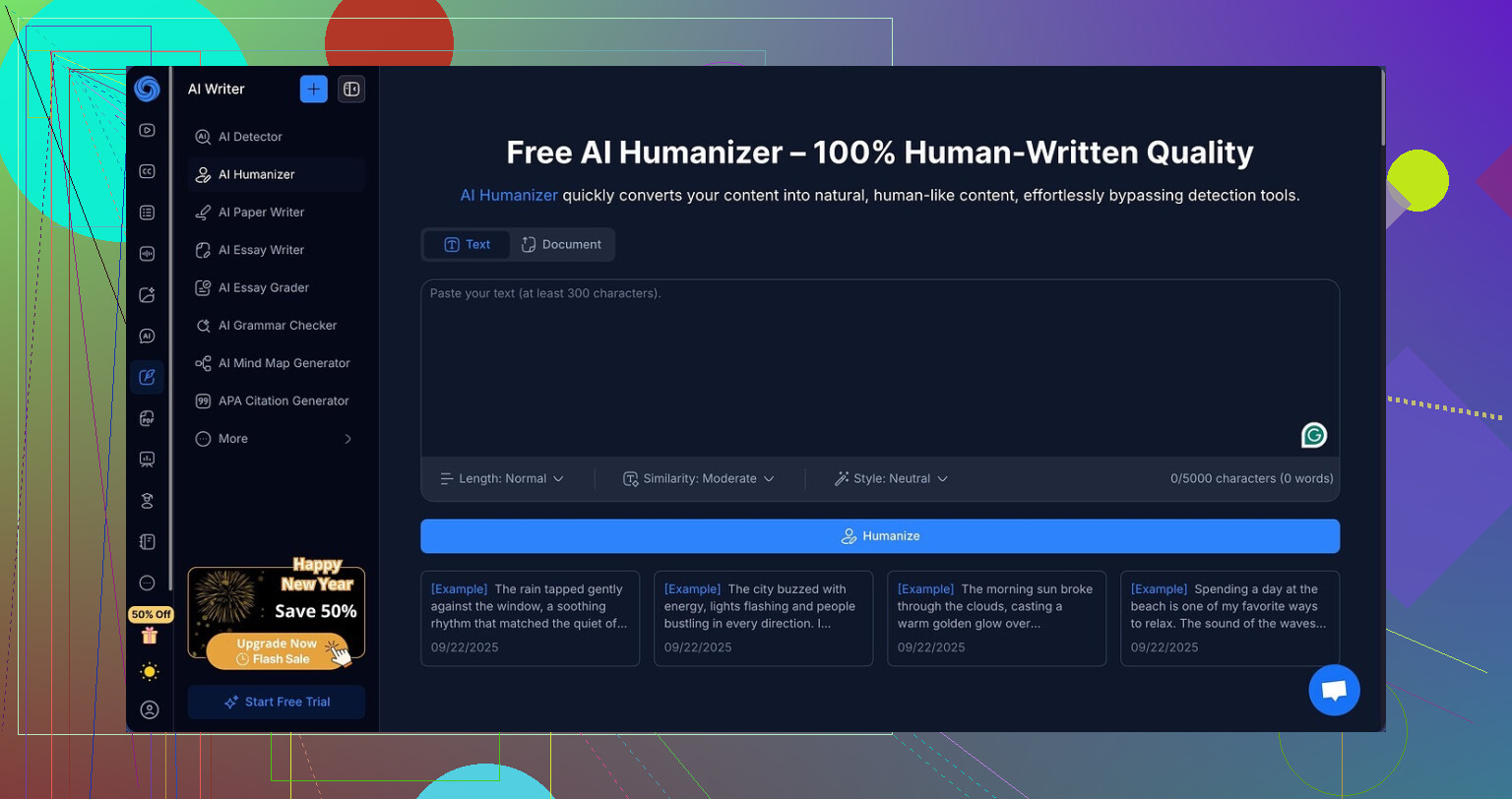
The humanizer inside NoteGPT looks solid on paper. It lets you tweak:
- Output length: 3 options
- Similarity level to the original: 3 options
- Writing style: 8 presets
On the surface, this feels flexible. You paste in your text, pick your combo, and it spits out a rewritten version that looks different enough to pass as “human typed”. At least that is the promise.
What I tested and what happened
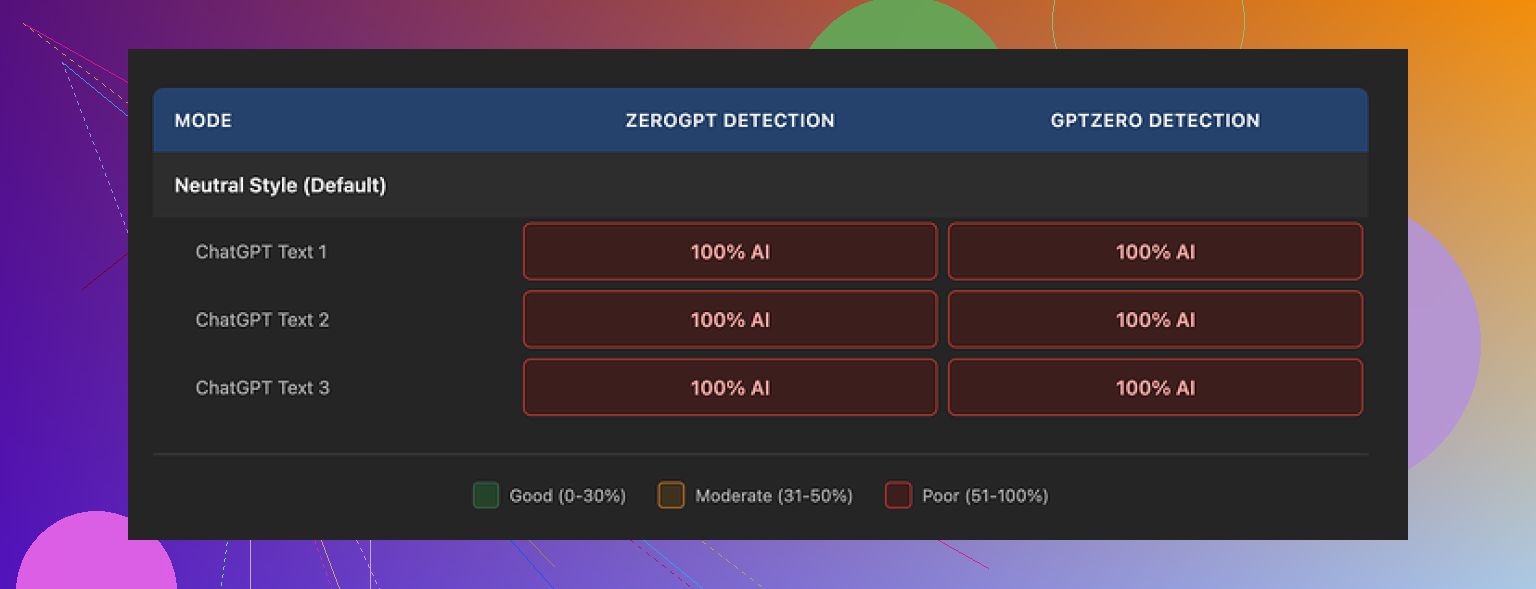
I ran three different samples through it and checked everything with two detectors:
- GPTZero
- ZeroGPT
Every single humanized output got flagged as 100 percent AI by both tools.
Not 90. Not 95.
All three sat at 100 percent.
I tried:
- Different lengths
- Different similarity levels
- Different writing styles
None of those knobs moved detection down even 1 percentage point. Detection scores were frozen at max no matter what I did.
Screenshot from the tests:
Quality of the writing
This part surprised me. Ignoring detection for a second, the writing itself was not bad at all. I would give it something like 8 out of 10 for:
- Structure
- Clarity
- Grammar
Things I noticed while reading through the outputs:
- No weird, broken sentences
- No random filler phrases
- Paragraphs flowed in a logical way
So if you only want help rewriting content to sound smoother, it does that job fine.
They also added a color-coded highlight system that marks what was changed from the original. That part is useful. You see where it swapped words, rephrased sentences, or moved things around. The engine is clearly working. It is not re-spitting your original text.
Why I think detectors still flag it
Even with all the rewriting, it still “felt” like AI to the detectors. I noticed a few patterns that might be causing this.
One obvious one was punctuation. The outputs kept the same heavy use of em dashes across samples. Detectors often latch onto certain structural habits like repetitive patterns, sentence shape, and punctuation choices.
The tool rewrote, but it stayed inside a narrow style range that looks machine-like to detection systems. Clean, organized, slightly too tidy. The kind of writing that looks good at first glance but sets off every detector I throw at it.
Pricing versus results
The Unlimited plan runs at about 14.50 dollars per month if you pay yearly. If your main reason for paying is the humanizer, I do not see much value.
You are paying for:
- Zero reduction in AI detection in my tests
- Nice formatting
- Clean rewrites
For study notes or summaries, fine. For detection bypass, no.
Comparison with Clever AI Humanizer
When I ran similar tests through Clever AI Humanizer, the text felt closer to how I or my friends write, and detectors scored it lower as AI.
That tool did a better job at:
- Varying style
- Breaking away from typical AI sentence rhythms
- Reducing detection scores
And it did not charge anything for the outputs I tried. Clever AI Humanizer link again:
Who NoteGPT’s humanizer is for
From what I saw, NoteGPT works better as:
- A study assistant
- A summarizer
- A note organizer
If your goal is:
“I need text that passes AI detectors for school, work, or publishing,”
then this humanizer is not a strong option right now.
If you want smoother text, clear structure, and integrated study tools, and you do not care about detection flags, it might fit your use case.
For anyone mainly chasing lower AI scores, I would look at other tools first, including Clever AI Humanizer, before paying for NoteGPT’s Unlimited plan.
10 Likes
Short answer for blogs or client work with NoteGPT’s humanizer: I would not trust it for “safe” use if your goal is lowering AI detection. For style help, sure. For detection, no.
Where I slightly disagree with @mikeappsreviewer is on how useful it is as a rewriter for real work. The writing quality is fine, but for serious content, I see a few issues.
Here is how I would break it down for your use case.
- Detection and “safety”
You tested it yourself, Mike tested it, same result. GPTZero and ZeroGPT flag it as 100 percent AI. That matches what I see often with tools that sit on top of a standard LLM and only tweak structure and synonyms.
Practical takeaway:
• If your client or school uses detectors, NoteGPT will not protect you.
• Even if a detector score drops later, they update models all the time. Anything “humanized” in a shallow way stays risky long term.
• If you need lower AI detection, you need deeper change in style, structure, and thought process, not only surface edits.
- Writing quality for blogs and client work
You said the writing sounds more natural. I agree it looks “clean” and “publishable.” The issue is consistency.
Patterns I often see with this type of tool:
• Tone drifts toward generic “bloggy” voice.
• Repeated use of similar connectors and sentence patterns.
• Safe, flat vocabulary. No real voice.
For client work, that causes problems:
• Brand tone gets washed out.
• Posts start reading like each other.
• Editors spot the pattern even if they do not use a detector.
If you want to use NoteGPT at all for blogs, I would:
• Use it only as a first pass rewrite.
• Then do a heavy manual edit: add your own phrases, examples, personal opinions, and small “imperfections.”
• Change sentence lengths and punch in some short lines.
• Strip any generic filler and add real data or your own experience.
- Ethical side and risk
If this is for paying clients, you need to think about:
• Contract terms. Some clients explicitly ban heavy AI or require disclosure.
• Reputation. If a client runs your copy through GPTZero and sees 100 percent AI, you lose trust even if the content reads fine.
I would never promise “undetectable” content to a client. That is asking for a problem later, with NoteGPT or any tool.
- NoteGPT’s place in a workflow
Where I think NoteGPT still helps:
• Summarizing research or YouTube before you write your own angle.
• Generating structured notes for long PDFs.
• Cleaning your own draft for clarity, then you reinsert voice and quirks.
Where I would not use it:
• Direct “AI into NoteGPT into client CMS” pipeline.
• School submissions where policies are strict.
• Anything under legal, medical, or financial standards.
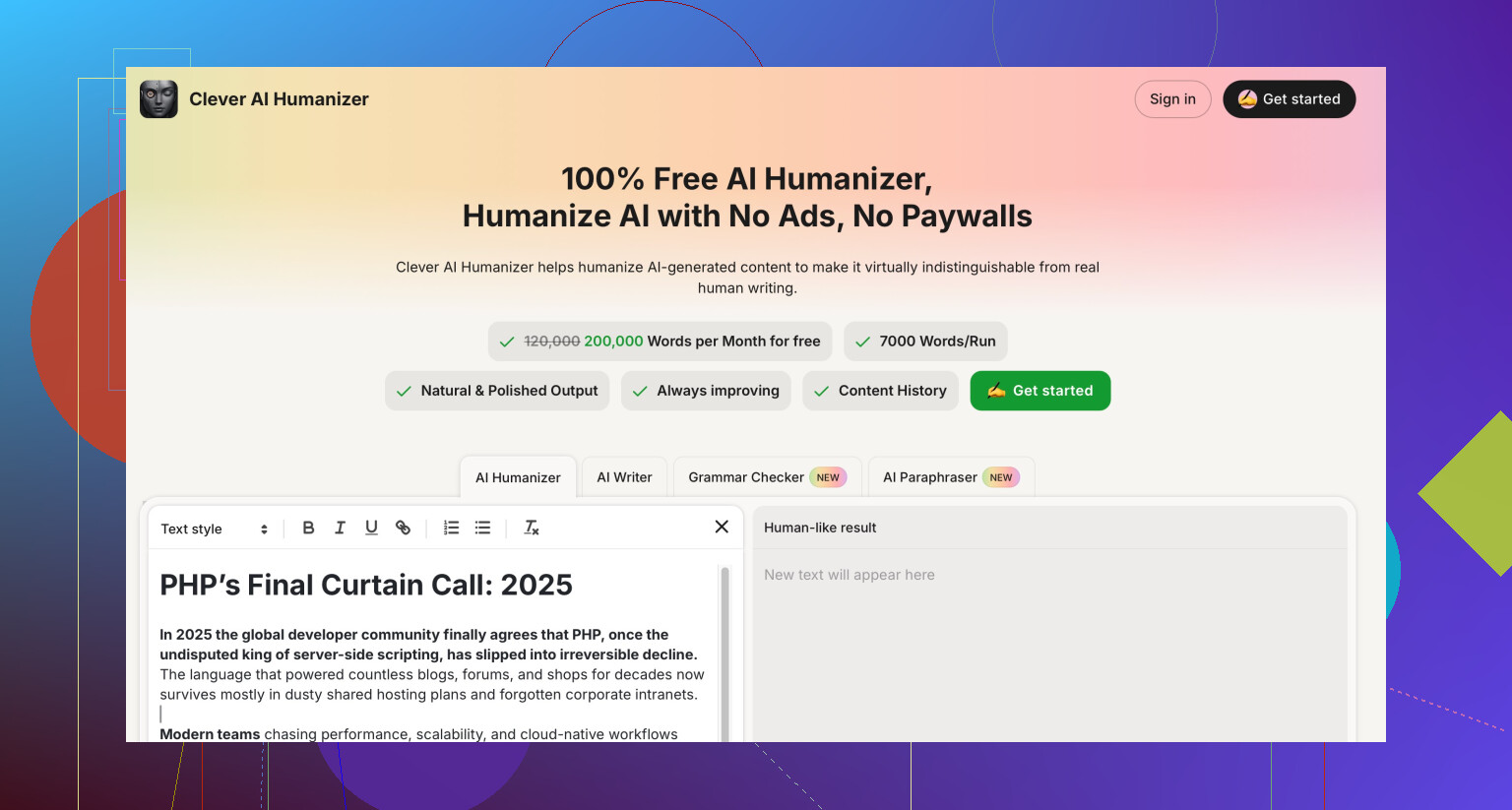
- About Clever AI Humanizer
Since you mentioned “safe or effective for real-world use,” Clever AI Humanizer is worth testing in parallel. Not because it is magic, but because:
• It tends to vary style more.
• It often breaks the typical LLM rhythm better.
• Detection scores, in many independent tests, trend lower than simple paraphrasers.
If you try Clever AI Humanizer:
• Still run your own manual pass over the final text.
• Add specific domain examples and references only you would use.
• Keep your own style guide, so your writing stays consistent across tools.
- Practical setup for your blogs or client work
What I would do instead of fully trusting NoteGPT:
Workflow idea:
- Use an LLM to draft raw content.
- Use Clever AI Humanizer on sections where you want more human-like rhythm.
- Manually edit for:
• Brand tone.
• Personal takes, anecdotes, or specific stories.
• Data, sources, and real examples. - Run a detector if you worry, but treat it as a signal, not a law.
- Keep a log of your edits so you can prove human input if needed.
If you still want NoteGPT in the mix:
• Limit it to note-taking and summarization.
• Avoid using its humanizer as the main defense against detectors.
So for your question, “safe or effective for real-world use like blogs or client work”:
• For style clean-up only, with your strong manual edits after, it is usable.
• As an “AI detection shield,” it is not safe and not effective based on current tests.
• For more human-like outputs that stand a better chance with detectors, Clever AI Humanizer fits the need better, as long as you still rewrite and own the final voice.
Short version: for blogs or client work where anyone actually cares about AI detection, NoteGPT’s humanizer is not the thing you want to be staking your reputation on.
Couple thoughts that add to what @mikeappsreviewer and @yozora already posted:
- “100% AI” is not the real problem
The big red flag for me is not even the GPTZero / ZeroGPT scores. Detectors are noisy, change constantly and sometimes flag real humans too.
The bigger issue is stylistic fingerprint:
- Same rhythm across paragraphs
- Same “cleaned up” structure
- Predictable transitions like “overall,” “in addition,” “on the other hand”
That pattern is what a sharp editor or client spots, even without tools. And from what you and they described, NoteGPT is still very “template brain.”
- For real-world client use, the risk is asymmetrical
What you gain using it:
- Faster rewrites
- Decent clarity
- Fewer grammar issues
What you risk:
- Client running a quick check and seeing “100% AI”
- Brand voice getting flattened
- Needing to re-edit so much that the “time saving” is gone anyway
That tradeoff only makes sense if your client has relaxed AI rules and only cares that the content reads clearly. If they care about originality or have strict AI clauses, it is a bad bet.
- Where I actually would use NoteGPT
Here is where I slightly disagree with @yozora: as a pure rewriter, I still wouldn’t plug NoteGPT into anything serious by default. It is fine for:
- Internal docs
- Drafting study notes
- Cleaning up your own messy first draft
But for public-facing stuff, I’d keep it in a “supporting role”:
- Summarize a long YouTube or PDF
- Pull out key bullet points
- Then you write the blog post from scratch based on that
That workflow is a lot less likely to trip detectors or raise eyebrows.
- If “less detectable” is truly a requirement
If you are specifically chasing “more human sounding” to avoid AI flags, surface-level paraphrasing tools like this are basically lipstick on a robot. You need:
- Sentence length variation
- Occasional odd phrasing and minor imperfections
- Real opinions and specific experiences
That requires your brain in the loop, not just sliders.
This is where something like Clever AI Humanizer actually makes more sense to test. Not magic, not bulletproof, but it tends to play more with rhythm and tone instead of just swapping synonyms. Even then, you still need to:
- Inject your own stories
- Change structure
- Add facts that only you or your client would know
If you are hitting “humanize” and pasting straight into WordPress, that is asking for trouble regardless of which tool.
- “Safe” for blogs and client work?
- For hobby blogs where no one cares and you are not under a contract: sure, use NoteGPT to tidy things up, then give it a real human pass.
- For paying clients or strict schools: no, it is not “safe” in the sense of protection against AI accusations. It does not change the underlying fact it is LLM-written text. Detectors will eventually catch up, even if they miss it today.
TL;DR:
Use NoteGPT as a study and summarization assistant.
Use something like Clever AI Humanizer if you really want a more natural feel, but only as one step in a heavy manual editing workflow.
Do not rely on any “AI humanizer,” including NoteGPT, as a shield against detectors for client or academic work. That is like using white-out on a contract and hoping no one reads the line.