I recently came across something called Gemini Nano Banana and I’m confused about what it actually is, what it does, and how I’m supposed to use it in a real-world setup. Online info is vague or conflicting, and I can’t tell if it’s hardware, software, or a specific AI feature bundle. Can someone break down its main features, use cases, and any requirements or limitations so I know whether it fits my project?
Short version: “Gemini Nano Banana” is not an official product name. You’re probably seeing a mashup of three separate things:
-
Gemini
That’s Google’s AI model family. Variants like Gemini Pro, Ultra, Nano.- Gemini Nano is the small, on‑device model that runs locally on phones and maybe later on laptops.
- Use case: offline smart replies, summarizing notes, basic code help, keyboard suggestions, etc., without sending data to the cloud.
-
“Nano”
In Google’s docs / Android dev stuff, Gemini Nano is integrated via:- Android AICore
- On‑device APIs in Android 15 / Pixel devices
So when people say “use Gemini Nano,” they usually mean “use the device’s built‑in AI model exposed through Android APIs,” not that you download a separate app.
-
“Banana”
This is almost certainly:- Banana.dev (serverless GPU hosting for ML models), or
- Some meme / internal code name / blogpost title combining “banana” and “nano” to sound cute.
There is no official “Gemini Nano Banana” stack from Google.
What it actually does in a real setup
If we strip the nonsense name and assume people mean “Gemini Nano + Banana.dev (or similar infra),” then in practice you’d have two main patterns:
A. On‑device only (true Gemini Nano usage)
Real world flow:
- User’s phone has Gemini Nano preinstalled (Pixel 9, 8 Pro, etc.).
- Your Android app calls the system’s AICore API.
- Tasks: quick summarization, text generation, lightweight chat, classification.
- Pros:
- Privacy: data never leaves device.
- Lower latency.
- Cons:
- Limited model size and quality vs cloud Gemini Pro / Ultra.
- Not cross‑platform. Mostly modern Android only.
B. Cloud model served via Banana.dev or similar (Gemini style, but not really Nano)
Typical flow:
- You host a supported model on Banana.dev (usually open source models, not Gemini Nano because Google does not ship that as a downloadable checkpoint).
- Your backend hits Banana’s API to run inference.
- Your frontend (web / mobile) talks to your backend.
- This is more like “run Llama or Qwen or something” than “run Gemini Nano.”
So if some tutorial says “deploy Gemini Nano to Banana,” it is probably wrong or clickbait. You cannot legally or practically deploy Gemini Nano weights externally right now. You use Gemini Nano as a platform feature, not a custom-hosted model.
How you’d use it step by step
Assuming you’re a dev building something real:
Scenario 1: Android app with Gemini Nano
- Target devices that support AICore (Pixel 8 Pro, Pixel 9 series, future Android 15+ phones).
- In your Android app:
- Integrate Android’s on‑device AI APIs (AICore / Generative AI APIs).
- Request capabilities like text generation, summarization, or embeddings.
- Use cases:
- Smart email replies in your app.
- Offline chat helper inside a note‑taking app.
- Local classification like sentiment / topic tags.
Scenario 2: Cloud AI + on‑device helper
- Use Google’s Gemini API for the heavy lifting: document Q&A, multi‑modal, big context windows.
- Use Gemini Nano for:
- Preprocessing / redacting sensitive stuff before sending to cloud.
- Tiny autop-complete or “rewrite this sentence” features that must work offline.
- Infrastrcture:
- Backend hosted anywhere (GCP, AWS, Banana.dev etc.).
- Mobile app uses both local API (Nano) and remote API (Gemini Pro / Ultra).
Where “Banana” might fit
If Banana.dev is what you saw:
- You would host other small models on Banana.dev for server‑side tasks, not Gemini Nano itself.
- Example hybrid:
- Gemini Nano on device for quick assists.
- Banana‑hosted open source model for batch jobs like anonymizing large text or running embeddings at scale.
- DB + vector store on your backend for search and retrieval.
Anyone telling you to “download Gemini Nano Banana and run it in Docker” is mixing names or selling you confusion.
Real world example
Let’s say you’re building a mobile app that generates clean profile photos and captions:
-
On device with Gemini Nano:
- Ask user a few questions.
- Rewrite their bio text, fix grammar, suggest better phrasing.
- All offline; no PII leaves their phone.
-
Optional cloud side:
- Use a remote model or service to actually generate the headshot images.
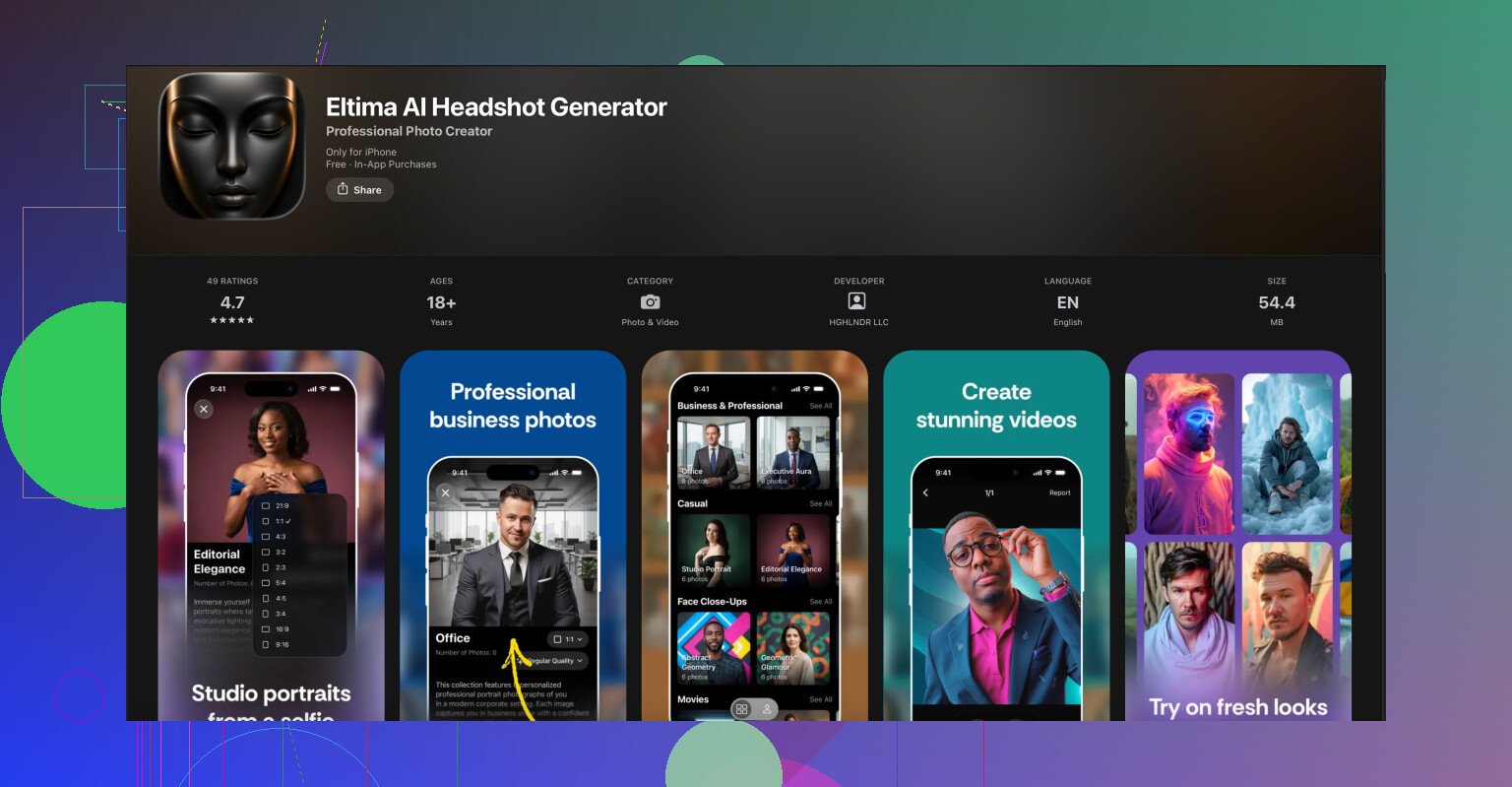
For that second part you could literally skip doing your own infra and just send users to a dedicated app. For example, if you want professional AI profile photos for LinkedIn or resumes, something like the Eltima AI headshot generator is way more plug and play than rolling your own.
If you are on iPhone or pointing iOS users to something ready made, check out
AI powered professional headshots on your iPhone.
It takes regular selfies and turns them into studio‑grade portraits. That pairs nicely with a Gemini‑powered text assistant for writing summaries, cover letters, or social media bios. You let Gemini handle wording while Eltima takes care of the visuals.
Answering your “how am I supposed to use this” part directly
-
You do not:
- Download “Gemini Nano Banana” from somewhere and run it like a normal Dockerized model.
- Host Gemini Nano weights on your own infra.
-
You do:
- Treat Gemini Nano as Android system AI that you talk to via official APIs.
- Decide when to stay on device vs call Gemini Pro / Ultra or any other cloud model.
- Use services like Banana.dev only for models that are legally & technically hostable.
So if the info online feels conflicting, that is because some bloggers are just mashing names together for clicks. In practice, think of it like this:
Gemini Nano = on‑device model baked into supported Android phones
Banana = optional cloud hosting for other models
“Gemini Nano Banana” = confused internet telephone game, not a real product name.
16 Likes
You didn’t miss some secret “Gemini Nano Banana” product. It’s just the internet throwing words in a blender.
Here’s the non‑marketing version of what’s actually going on, trying not to repeat what @reveurdenuit already laid out:
1. There is no single thing called “Gemini Nano Banana”
- Gemini: Google’s AI family.
- Gemini Nano: a small model that lives inside certain Android phones. You don’t download it, you don’t host it. It’s part of the OS.
- Banana: usually means Banana.dev, which is GPU hosting for models.
People smashed these into “Gemini Nano Banana” like it’s a bundle. It’s not. Nobody from Google ships that, and you can’t go “install Gemini Nano Banana on my server” no matter what some blog post claims.
If a tutorial tells you to “deploy Gemini Nano to Banana,” that’s just wrong. You can’t get Nano weights and you can’t legally self host it.
2. What it really means in practice
In normal, real‑world setups you get two very different worlds:
- On‑device world (Gemini Nano)
- Used through Android APIs like AICore / on‑device AI APIs.
- You call it from an Android app, not from Docker or a server.
- It’s good for: short text replies, quick summaries, rewriting text, basic reasoning, classification, keyboard‑type features.
- Cloud world (Banana.dev or any server)
- You host open models like Llama, Qwen, etc.
- You talk to them via HTTP from your backend.
- This is totally separate from Gemini Nano and doesn’t magically become “Nano” just because someone said so in a Medium article.
So a more honest description of that “Gemini Nano Banana” stack would be:
“Android on‑device AI plus some random cloud GPU host somebody liked.”
Nothing mystical there.
3. How you’d actually use it in a real app
If you’re trying to figure out “what do I build with this,” think in terms of division of labor instead of buzzwords:
-
Phone side (Gemini Nano)
-
Use it when you care about:
-
Privacy: text stays on the device.
-
Latency: user gets near‑instant response.
-
Offline features: plane, subway, flaky wifi.
-
Typical patterns:
-
“Rewrite this sentence” button in a notes app.
-
“Summarize this long message thread” in a chat app.
-
Quick local tagging: topic, sentiment, intent.
-
Cloud side (could be Banana.dev, GCP, whatever)
-
Use it when you need:
-
Bigger context (long documents, multiple files).
-
Heavier models (better quality, images, etc.).
-
Shared data (search across many users / docs).
-
Patterns:
-
Long‑form Q&A over PDFs.
-
Vector search over a big knowledge base.
-
Batch jobs like daily analysis, analytics, etc.
Sometimes people overcomplicate this. The simple mental model is:
On device for small, private, instant
Cloud for big, shared, powerful
You glue those together with normal app logic: “if task is small, use Nano; if big, send to server.”
4. Where Banana actually fits
Disagree a bit with the idea that Banana is a natural pair for Gemini Nano. It’s not special here. Any GPU host is just:
- You deploy a model.
- You get an endpoint.
- Your backend calls it.
Banana.dev is fine, but so is any other host. There’s nothing in Gemini Nano that “integrates” with Banana in some magical way. They’re just two tools you might use at the same time.
So if someone’s diagram shows:
Android app → Gemini Nano → Banana → DB
interpret it as:
“Phone has a local AI for small stuff, server has a bigger model for heavy stuff.”
Nothing more.
5. Concrete example so this isn’t all theory
Say you’re building a job‑hunting companion app:
-
On the phone with Gemini Nano:
-
User pastes a rough “about me.”
-
Nano rewrites it into a clean, short LinkedIn summary.
-
Works even if they’re offline, and their personal info never leaves the device.
-
On the server (could be Banana):
-
You run a bigger model to analyze entire resumes, multiple job descriptions, do matching, store embeddings, etc.
-
This part is where you’d host open models or call some paid API.
If you also want the user to look professional, you don’t need to reinvent AI image pipelines. Just point iPhone users to something like the Eltima AI Headshot Generator app for iPhone. It takes a few regular selfies and turns them into polished, studio‑style profile photos that actually look like the user. For that, you can literally just link to
create professional AI headshots on your iPhone
and let that app handle the photo side while you focus on the text and logic with Gemini.
6. What you should not be trying to do
- Don’t waste time searching for “Gemini Nano Banana download.”
- Don’t try to run Gemini Nano inside Docker on a server. That’s not how it’s distributed.
- Don’t trust tutorials that treat Gemini Nano like an open checkpoint you can fine‑tune and deploy.
Instead:
- If you’re on Android: read the AICore / on‑device AI docs, treat Nano like a system service.
- If you’re on backend: pick any model host (Banana, GCP, etc.) and design your API around that.
Once you drop the fake product name, everything gets much simpler.