My iPhone storage is full, but I don’t want to upgrade iCloud because I need more space on the phone itself for apps, photos, and updates. I’m confused about whether Apple lets you buy more internal iPhone storage after purchase or if there’s another option I should look into. I need help figuring out the best way to free up space or expand storage.
I ran into the same wall, phone says storage is full, iCloud says I still have room, and none of it lines up. The annoying part is simple. Paying for iCloud does not add physical storage to your iPhone. It gives you extra online space for backups, sync, and files. Your phone’s built-in storage stays the same.
You also can’t buy more internal iPhone storage later. The storage chips are fixed to the board, so what you bought on day one is what you keep. I looked into this a while back when mine was choking on basic stuff like opening the camera and switching apps. Turns out low free space slows iPhones down more than people think. iOS needs spare room to handle temp files and routine system tasks. When that free space gets squeezed, the whole phone feels off.
What helped me first was checking what was taking up space instead of guessing. Go to Settings > General > iPhone Storage. That screen usually tells the story fast. On mine, the worst offenders were photos, videos, message attachments, and a bloated pile of system junk.
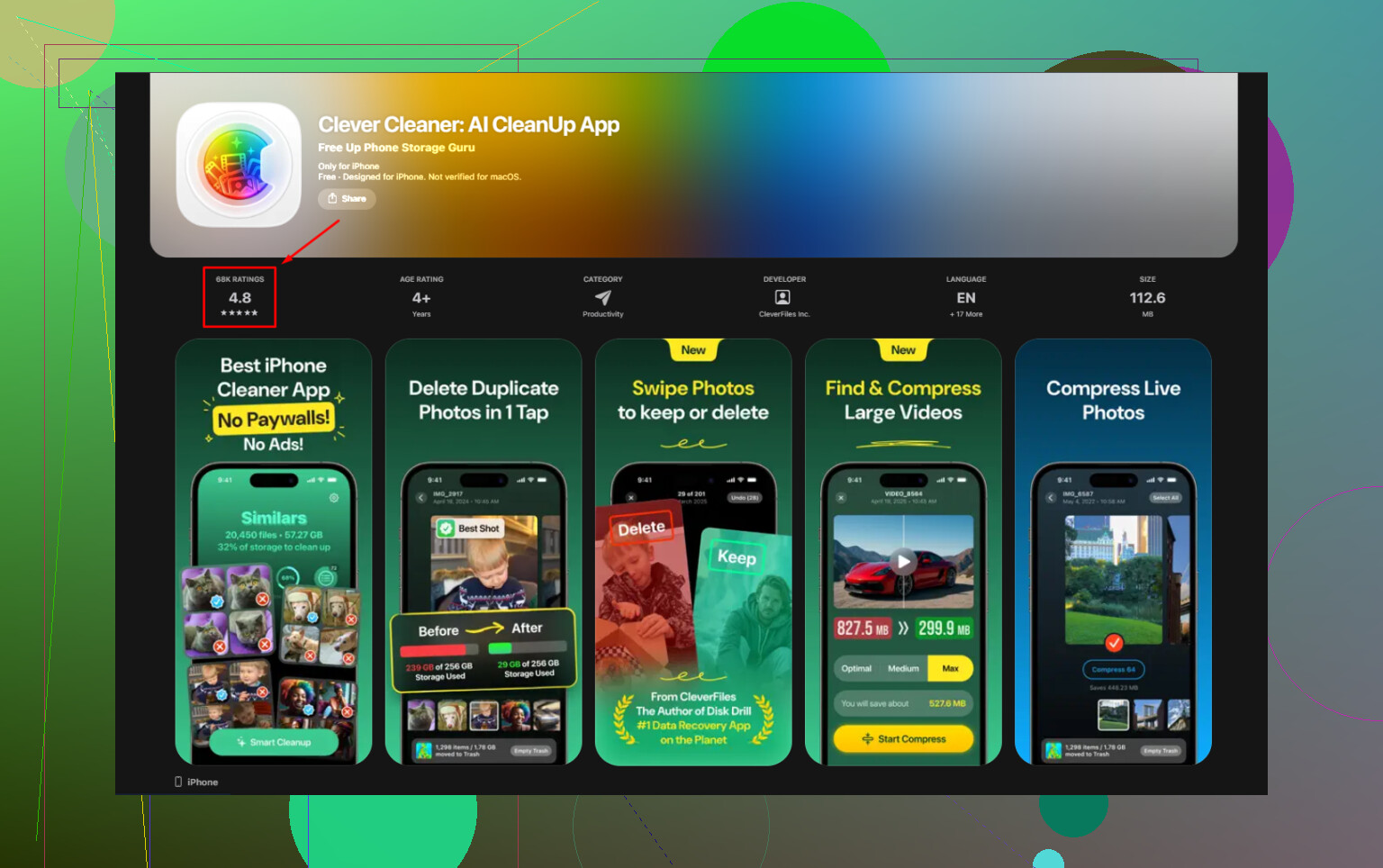
I tried doing it by hand. Took forever. Then I used Clever Cleaner, mostly because I was tired of those cleanup apps that hit you with a paywall after two taps. This one was free when I used it, no ads, no subscription nonsense. The part I liked most was the file size sorting. It made it easy to spot giant videos, old screen recordings, and random screenshots I forgot existed.
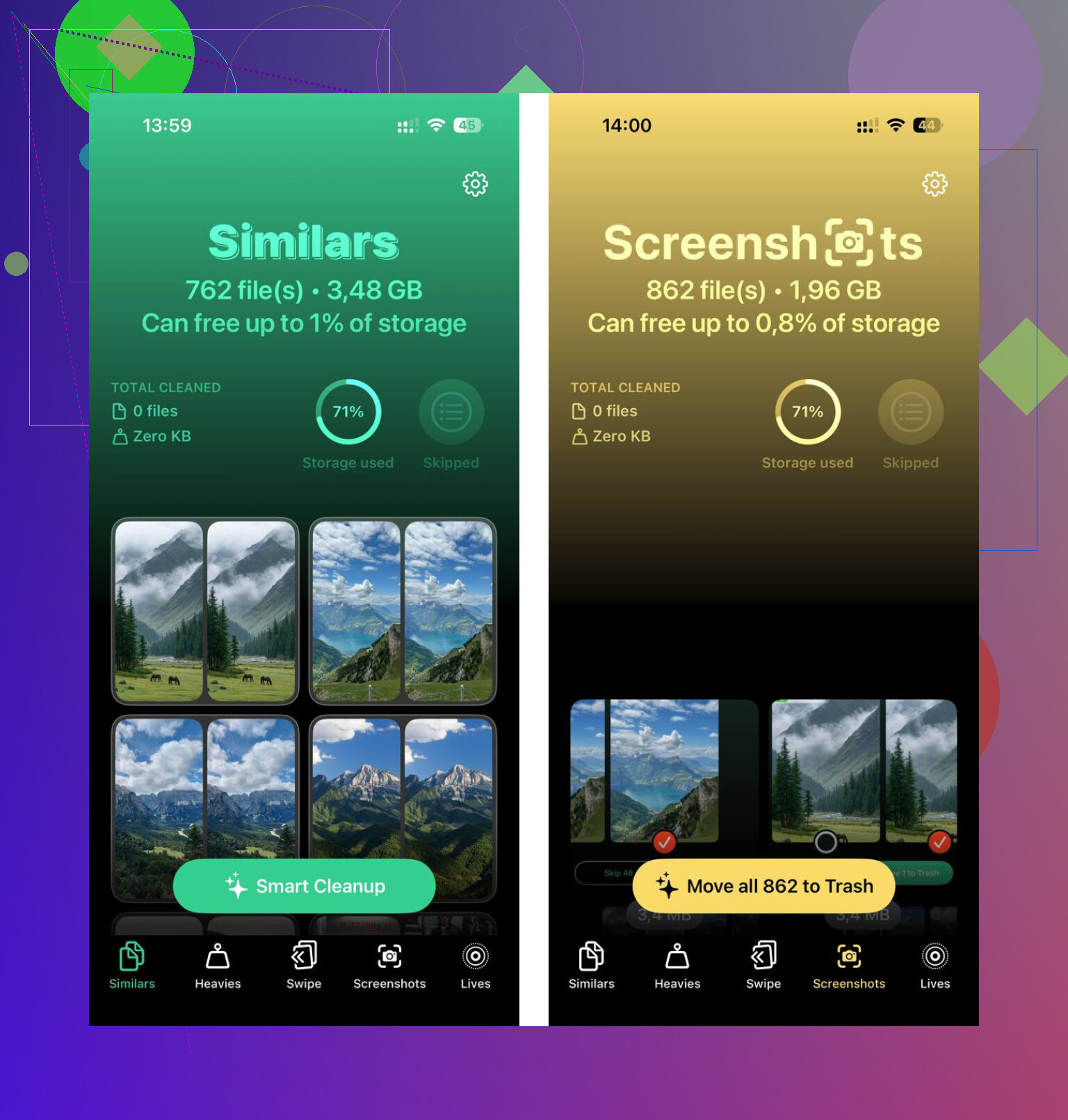
The duplicate photo scan helped too. I take too many shots of the same thing, then never go back. It found near-matching photos on the device itself, which mattered to me because I didn’t want my library sent off somewhere. After clearing around 12GB, my phone stopped lagging. Not subtle. It felt normal again.
If your goal is extra space without a monthly charge, external storage makes more sense than cloud plans. You can get a Lightning flash drive for older iPhones or a USB-C one for newer models. SanDisk iXpand drives are the usual example. Plug it in, move photos and videos over, then delete them from the phone. One purchase, done. If you already have camera memory cards around, a Lightning-to-SD card reader works too.
If you want to avoid spending money, these are the ones worth trying.
- Offload unused apps
In iPhone Storage, there’s an option to offload apps. This removes the app itself but keeps your documents and saved data. When you reinstall it, your stuff is still there. I used this on apps I touched once every few months.
- Clear Safari data
Go to Settings > Apps > Safari, then clear history and website data. Safari hangs onto more junk than I expected. Mine had built up over time and ate a chunk of space for no good reason.
- Delete large message attachments
Group chats are sneaky storage killers. Videos, GIFs, voice notes, all of it piles up. In iPhone Storage, look for Review Large Attachments. You can clear a lot fast from there.
- Use free cloud space elsewhere
If you don’t want to pay Apple, free tiers still exist. Google Photos gives 15GB. Dropbox gives 2GB. Not huge, still useful for moving some stuff off your phone.
The old wired method still works best for big cleanup jobs. Connect the iPhone to your Mac or PC, copy over your large videos and photo folders, then remove them from the phone. It’s slower and more manual, sure, but I trust it more than most automated options.
So no, you can’t upgrade an iPhone’s internal storage after the fact. What you can do is free up local space, move files off the device, and stop paying monthly if you don’t want to. That route worked better for me than throwing money at iCloud and hoping the storage warning would go away.
83 Likes
No. You cannot buy more internal iPhone storage after you already own the phone. Apple does not offer storage upgrades for the NAND chip inside the device. If you bought 128GB, your phone stays 128GB.
@mikeappsreviewer is right on the main point, iCloud and iPhone storage are two diff things. I’d only push back on one part. External drives help for photos and videos, but they do nothing for app installs, iOS updates, or the “Storage Full” issue tied to daily phone use. For that, you need free space on the phone itself.
Best move is to reclaim local storage fast:
-
Turn off Apple Intelligence downloads if enabled.
Some models store AI assets localy. Check Settings > Apple Intelligence & Siri. -
Remove offline downloads.
Spotify, Netflix, YouTube, Podcasts, Maps. These often eat 5GB to 30GB without people noticing. -
Shrink Messages retention.
Settings > Apps > Messages > Keep Messages > 30 Days. -
Check app caches indirectly.
iPhone does not always offer a clear-cache button. Apps like TikTok, Instagram, Reddit, and Chrome can bloat. Deleting and reinstalling the app often frees several GB. -
Update through a computer.
If an iOS update fails from low storage, Finder or iTunes sometimes needs less free room than updating on-device.
If your photo library is the main problem, Clever Cleaner is worth a look for finding duplicates and large files. This App Store page is the easiest place to get it:
free iPhone storage cleaner for duplicate photos and large files
If you need permanently more room for apps and updates, the only real fix is a higher-storage iPhone. Annoying, yep. But taht’s the honest answer.
Nope. Apple doesn’t sell internal iPhone storage upgrades after you buy the phone. iCloud is just cloud space, not extra room for apps or iOS on the device itself. So on the core question, @mikeappsreviewer and @caminantenocturno are right.
Where I slightly disagree is the idea that external storage is a “solution” for most people. It helps archive photos/videos, sure, but it does almost nothing for the real pain points like app installs, system data creep, and update failures. If your phone is constantly sitting at the red line, a flash drive is more like a storage side quest than a fix.
What I’d look at instead:
- Mail app attachments and downloaded emails. Some accounts cache a stupid amount locally.
- Voice Memos. People forget these exist, then find 8GB of recordings.
- Files app downloads folder. PDFs, ZIPs, video edits, random junk.
- Photo editing apps like CapCut, InShot, Lightroom. These can hoard project files even after you export.
- “Recently Deleted” in Photos. Deleting stuff but not emptying that album is basicly fake cleaning.
Also, restart the phone after a big cleanup. Sounds dumb, but iOS sometimes recalculates storage more accurately after that.
If photos are the main offender, Clever Cleaner is actually useful for trimming duplicates and huge files without the usual paywall circus. And if you want a solid outside take, this is a pretty readable review of a truly free iPhone storage cleanup app for duplicate photos and large files.
If you need more room for apps long term, the annoying truth is still: bigger-storage iPhone or regular cleanup. That’s it. Apple keeps this one real simple, and kinda brutal.
No, there’s no legit way to buy more internal iPhone storage after purchase. On that, @caminantenocturno, @viajantedoceu, and @mikeappsreviewer are all basically on target.
One thing I’d add though: people focus too much on photos. Sometimes the real space hog is apps with huge in-app data. Games, video editors, downloaded music libraries, and podcast apps can silently eat tens of GB. If one app shows absurd usage in iPhone Storage, replacing it with a lighter alternative can free more space than deleting 2,000 screenshots.
Also, if you use iCloud Photos with “Optimize iPhone Storage,” it can help, but not instantly. I slightly disagree with anyone treating that as a magic fix. If your phone is already critically full, optimization may not bail you out fast enough.
About Clever Cleaner:
Pros
- good for duplicate photos and large videos
- simple way to spot waste fast
- useful if your Photos app is the main problem
Cons
- won’t create actual internal storage
- less helpful if apps/system data are the real issue
- cleanup apps in general can miss weird storage tied to app containers
So yes, Clever Cleaner makes sense for photo clutter, just not as a cure-all.
The blunt answer is still this: if you need permanently more room for apps, media, and updates, you need to either keep trimming the phone regularly or move to a higher-capacity iPhone later.
A simpler option is a clean reset.
Back up your photos, contacts, and important files. Go to Settings > General > Transfer or Reset iPhone > Erase All Content and Settings. Set up the phone as new, then reinstall only apps you use.
This often clears bloated System Data, old caches, failed update files, and leftover app junk. Some users recover 10GB or more. It takes around an hour, but saves alot of manual cleanup. Check your backup twice before erasing anything.
Expect the storage warning to come back. That’s the part nobody’s saying plainly. You clear 10GB today, use the phone normally for a few weeks, and iOS quietly refills the gap with caches, redownloaded content, and that System Data blob that never fully behaves. Cleanup buys you breathing room, it doesn’t change the ceiling. If you’re on a 64 or 128GB phone that lives at the red line, you’re going to be doing this dance forever.
The reset idea from @0xbeacon8 does work, and it’s the most effective thing for a bloated System Data number specifically. Just be honest with yourself about the backup step. ‘Back up your photos and important files’ sounds simple until you realize a lot of people’s only copy of everything is on the phone, and if the backup is half-broken you find out the hard way after you’ve already wiped it. Verify the backup actually restored something before you trust it. An hour of work turns into a nightmare if you skipped that.
I mostly agree with @hoshikuzu that people fixate on photos when apps are often the real hog. But I’d push it further. Some apps show a small ‘app size’ and a huge ‘documents & data’ number, and there’s no button to clear the data half. Delete and reinstall is the only lever you get, which is annoying when it’s something with a login and offline content you have to set up again.
The Clever Cleaner mentions make sense for the photo and video side, and the duplicate scan is a fair reason to grab it. Just don’t expect it to touch System Data or app containers, because nothing in the App Store can. Apple sandboxes that stuff. So treat any cleaner as the tool for media clutter and nothing more.
My honest take: figure out whether your problem is media or the phone itself. If a cleanup gets you back to 20 or 30GB free and it stays there, great, keep trimming every couple months. If you clean it, restart, and you’re back in the red within a week, the phone is just too small for how you use it, and the only real fix is the next one up in capacity. No app, drive, or cloud plan changes that.