I accidentally deleted important videos from my SD card while clearing space, and I really need to get them back without paying for expensive software. The card was used in my camera, and I stopped using it right away to avoid overwriting anything. Is there a free SD card video recovery method or tool that actually works?
I know this one a bit too well. You pull the card, check for the clip, and your stomach drops. Maybe you deleted it by mistake. Maybe the camera formatted the card. Maybe it popped up with some vague card error and refused to read anything. The first move matters more than people think, because it is easy to turn a recoverable mess into a dead end.
What saved me before is simple. Deleted video often stays on the card until new data lands on top of it. So if you stop using the card right away, your odds are usually a lot better.
Take the card out first
I would not shoot one more second of footage. No photos either. Do not format the card. Do not poke around in-camera trying random fixes.
Pull the memory card and leave it alone.
If your camera lets you plug in over USB, I would still skip that route. A separate card reader tends to behave better for recovery scans. Less weirdness, fewer connection issues.
Check whether your computer still sees the card
Put the card in a reader and connect it to your computer.
If Windows shows the card, even if it says RAW, unallocated, or asks you to format it, I would not panic yet. Recovery apps often still scan cards in that state.
If it does not show up in File Explorer, open Disk Management and look there. I had one card disappear from normal view and still show up in Disk Management, which was enough to keep going.
Use a tool built for camera video, not office files
This is where a lot of people get burned. Photo and document recovery is one thing. Camera video is messier. On many cards, the footage is split into tons of fragments scattered all over the storage. Drones, dashcams, action cams, mirrorless bodies, they all do this in their own annoying ways.
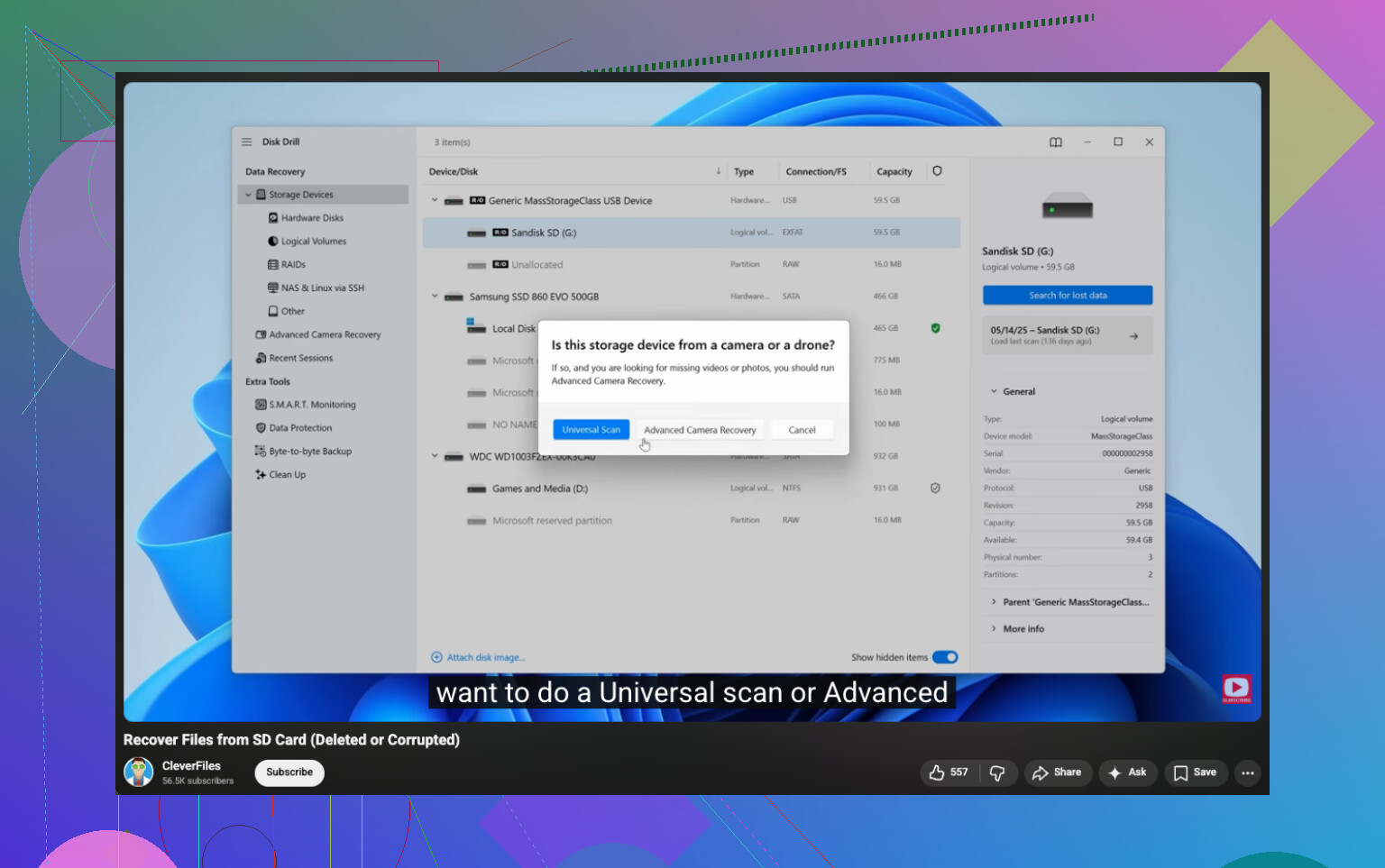
I had better results with Disk Drill than with the generic stuff I tried before. The reason is its Advanced Camera Recovery mode. Instead of grabbing a file header and guessing the rest, it tries to piece video chunks back together in order. For footage from GoPro, DJI, Sony, Canon, Nikon, Insta360, dashcams, and similar gear, stuff like this matters a lot.
What I did
Installed Disk Drill on my computer.
Connected the original SD card with a card reader.
Opened Disk Drill.
Picked the SD card from the list, clicked Search for lost data, then chose Advanced Camera Recovery.
Let the scan finish. I would not stop it halfway unless the card starts dropping out.
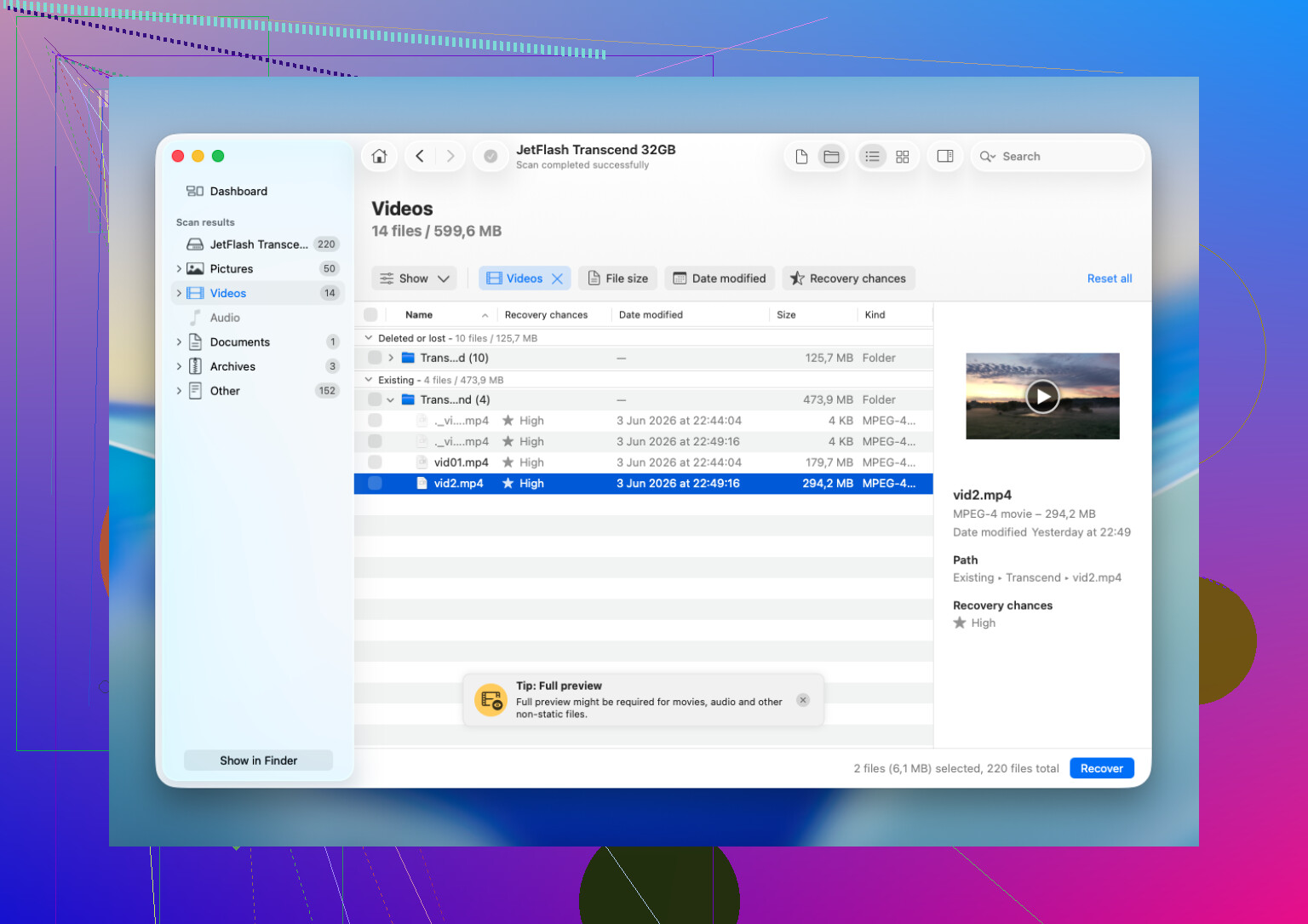
Previewed whatever videos showed up.
Recovered the files to a different drive.
That last part matters. Do not write the recovered files back to the same card. Save them somewhere else, your internal drive, an external SSD, anywhere but the source card.
When software still makes sense
I would try software first if the issue looks logical rather than physical. Things like accidental deletion, a quick format, file system damage, or a card the computer still detects but refuses to open.
When I would stop and send it to a lab
The card has visible physical damage.
It gets hot fast when you connect it.
The computer does not detect it at all.
It keeps disconnecting during scans.
The camera reports hardware-related errors.
The footage matters enough, paid work, legal proof, once-only event footage, where a bad DIY attempt would hurt more than the service fee.
I learned this the hard way. Repeated home attempts on a failing card tend to make things worse, not better. Recovery labs sometimes read the memory chips directly, which is a different level from what normal software does.
If your card is still detectable, stop using it and scan it soon. Waiting is not the problem. Writing new data is.
15 Likes
Yes. There are free ways first, and you should try those before paying.
Since you stopped using the SD card, your odds are better. Deleted videos often stay there until new data overwrites them. That part @mikeappsreviewer got right. Where I differ a bit, I would start with free tools before jumping to paid recovery, unless the footage is worth money or work deadlines are involved.
What I’d do:
-
Make a full image of the SD card first.
Use USB Image Tool, Win32 Disk Imager, or dd on Mac/Linux. Work from the image, not the card. If a scan goes bad or the card starts failing, you still have one clean copy. A lot of ppl skip this step and regret it. -
Try PhotoRec.
It’s free and ugly, but it works. It ignores the file system and searches raw data. Good for deleted MP4, MOV, AVI, MTS, and similar camera files. Bad part, filenames and folders usually come back mangled. -
If the card was formatted by the camera, try DigiCam-based recovery next.
This is where Disk Drill is worth a look, especially for video from cameras and action cams. Its camera-focused scan tends to do better with fragmented clips than old-school free carvers. I would still test free stuff first, but Disk Drill is one of the few paid options I’d bother with. -
Recover to your computer, not back to the SD card.
Always. No exceptions.
A few quick facts:
PhotoRec is free.
Windows File Recovery is free, but weaker for camera video.
Recuva is free, but it often misses fragmented video files.
If the card disconnects, gets hot, or vanishes from Disk Management, stop. DIY gets risky fast.
If you want a step-by-step video, this is a solid watch for SD card video recovery:
watch this YouTube guide for SD card video recovery
Short version, yes, free recovery is possible. Start with an image of the card, then PhotoRec. If free tools fail and the card still reads, Disk Drill is one of the better next tries.
Yes, free is possible, but I’m gonna disagree a little with both @mikeappsreviewer and @viajantedoceu on one thing: not every deleted camera video needs a full-blown “advanced” recovery pass right away.
If the card still mounts normally, I’d first check for hidden leftovers. Some cameras leave sidecar files, temp folders, or weird DCIM subfolders that look empty until you enable hidden files. Also try the camera itself again in playback mode. I’ve seen clips “gone” on PC but still indexed by the camera. Rare, but worth 2 mins.
After that, free route:
- test with PhotoRec or Windows File Recovery
- recover to your PC, never back to SD
- verify recovered vids immediately, because some files come back but won’t actually play
One extra tip nobody mentioned enough: if a recovered MP4/MOV is corrupt, try repairing it with untrunc or VLC’s rewrap/convert. Sometimes the video data is there, just the container got messed up.
If free tools only pull broken fragments, then yeah, Disk Drill is a reasonable next step, esp for camera footage and fragmented video. Not magic, just usually better than barebones freebies.
Also, this FB thread is basically about recovering deleted videos and files from an SD card.
If the card starts disconnecting, stop messing with it. That’s where people turn “recoverable” into “oops.”
One thing I’d add to what @viajantedoceu, @sterrenkijker, and @mikeappsreviewer covered: check whether the videos were actually “deleted” or just no longer indexed.
Cameras often keep clip metadata separately. If the SD card still opens, look for:
- DCIM and PRIVATE folders
- AVCHD, MP_ROOT, or vendor-specific folders
- tiny sidecar files like THM, XML, BDM, CPI
Sometimes the video stream is still there but the camera/computer lost the index. In that case, copying the whole folder structure to your PC can help more than a blind recovery scan.
My order would be:
- Write-protect the SD card if it has a lock switch.
- Copy visible files/folders off first.
- Test recovered or copied videos with VLC, not just the default player.
- If clips exist but won’t open, try container repair before assuming total loss.
- Only then move to deeper recovery.
I slightly disagree with going straight into heavy scans if the card still looks normal. Deep carving can dump hundreds of junk fragments, which wastes time.
If you do need software, Disk Drill is a fair next step after free tries.
Disk Drill pros:
- good at camera media
- preview is useful
- better with messy video recovery than many basic free tools
Disk Drill cons:
- best features are not fully free
- scan results can be overwhelming
- not worth it for a physically failing card
So yes, free recovery is possible, but first confirm whether the files are hidden, misindexed, or only container-damaged. That part gets missed a lot.