I accidentally deleted photos from my Canon camera before backing them up, and some of them are really important family pictures. I’m looking for a free way to recover deleted Canon camera photos from the memory card and want to know what steps I should take right away to avoid losing them for good.
Yeah, there’s still a decent shot you get the photos back. First thing I’d do, no hesitation, is stop using the Canon SD card right now. Don’t take one more test pic. Don’t shoot a clip. Don’t poke around and let the camera write stuff in the background. If your camera or computer asks to format it, ignore that.
What I’ve seen on Canon cards is simple. When you delete a photo, the camera often removes the listing for the file, but the image data stays on the card until new data lands on top of it. So the main risk isn’t the delete itself. It’s what happens after.
Pull the card out of the camera. If it’s a full-size SD card with the little side switch, slide it to the locked position. That does not restore files by itself, but it cuts down the odds of accidental writes. Small step, still worth doing.
Next, use a card reader and plug the card into your computer that way. I would skip connecting the Canon body over USB for recovery work. In my expereince, a reader gives recovery apps cleaner access to the storage. Also, do not save anything onto the card. Do not run CHKDSK on Windows. Do not run First Aid on a Mac before recovery. Those tools try to repair file system issues. They are not built for pulling deleted photos back, and sometimes they make a messy card worse.
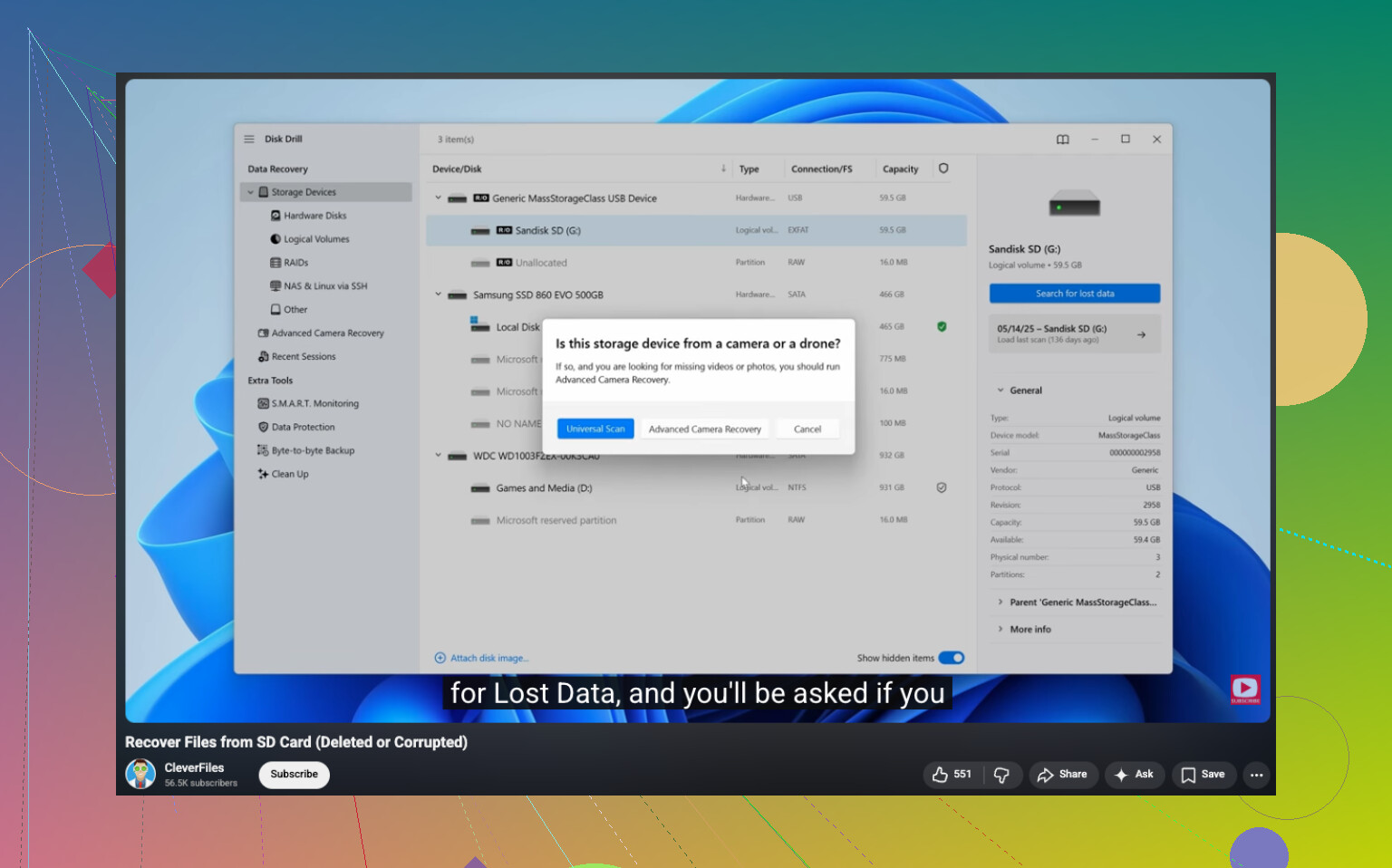
For recovery, use file recovery software. Disk Drill is one option people use for this because it reads common Canon formats, including RAW, and it lets you preview files before you restore them. Preview matters more than people think. It saves you from recovering 400 weird file names only to find half of them are broken.
Here’s the process I’d follow:
- Install the recovery app on your computer, never on the SD card.
- Put the Canon SD card into a card reader.
- Open the app and pick the SD card from the device list.
- Run a full or universal scan.
- Check the deleted or lost files section.
- Narrow the results to photos or RAW formats.
- Preview the files you care about.
- Recover them to your computer or a different drive, not back onto the same card.
Before you go all-in on card recovery, check the boring places too. I’ve found missing shots in those more than once. Look in Recycle Bin if you’re on Windows. Look in Trash on Mac. If you had File History, Time Machine, Google Drive, iCloud, OneDrive, or Canon image.canon syncing in the background, check there too. Sometimes the SD copy is gone and the cloud copy is sitting there like nothing happened.
Your odds are better if the delete happened recently and the card sat unused after. If you kept shooting on it, some photos might still come back, but some files may be partly overwritten, which means corrupted previews, broken RAWs, or images with chunks missing. So the order matters. Stop using the card. Scan it. Preview what shows up. Recover to another drive.
And yeah, after a scare like this, I’d stop trusting that card for the rest of the day. Maybe longer. Some cards act fine until the exact moment you need them not to be weird. Annoying, but I learned that one the hard way.
16 Likes
Free options exist, yes. The big one people miss is PhotoRec. It’s free, open-source, and good at pulling deleted JPG and many RAW files off SD cards. The downside is ugly file names and a clunky interface. If you want somthing easier, Disk Drill is nicer to use because previews save time, but the free part depends on your OS and version, so check before you start.
I agree with most of what @mikeappsreviewer said, but I don’t love telling people to go straight for a full scan first. If the card is healthy, I’d make an image of the SD card first with a tool like USB Image Tool or Win32 Disk Imager, then scan the image file. Safer. If recovery software crashes or the card is flaky, you still have one clean shot left.
Also check whether your Canon wrote to internal storage history through its app workflow. If you imported anything earlier with Canon Camera Connect, Lightroom, or Windows Photos, sort by date taken, not date added. People skip that and think the pics are gone when they’re sitting there.
If you want a quick guide on recovering files from a camera SD card, this helps: watch this camera SD card photo recovery walkthrough
Short version:
- Stop using the card.
- Make a card image first if possible.
- Try PhotoRec for fully free recovery.
- Try Disk Drill if you want preview and easier sorting.
- Save recovered files to your computer, not the SD card.
If the photos were deleted after a format, recovery rates drop, but they’re still often decent on Canon SD cards if you didnt shoot more after.
One thing I’d add to what @mikeappsreviewer and @viajeroceleste said: check whether the photos were only “hidden” by a damaged DCIM folder instead of truly deleted. Canon cards sometimes look empty when the folder table gets messed up, but the image files are still there. In that case, a free tool like Recuva can sometimes find the JPGs fast, and on Linux/macOS you can even try mounting the card read-only first to avoid more trouble.
I slightly disagree with using only PhotoRec right away. It’s great, but it strips filenames/folders, which is annoying if you’re trying to sort family pics by event. If you want a cleaner interface and better previewing, Disk Drill is usually easier for Canon photo recovery, even if the fully free side depends on platform limits. Preview first, recover second, save somewhere else. Basic, but ppl still mess that up.
Also, if your Canon shot RAW+JPEG, recover both. Sometimes the JPEG is toast but the RAW is fine, or vice versa. And if the card starts disconnecting or reads super slow, stop DIY stuff and clone it first because that can mean card failure, not just accidental delete.
For extra reading, this Canon SD card photo recovery discussion and fixes covers similar recovery situations too.
Short answer: yes, there are free ways, but your best chance depends more on not reusing the card than on which app you pick.