I’m trying to figure out if my iPhone has a built-in way to search for similar photos in the Photos app. I found a picture I want to match with other images that look like it, but I can’t tell if this feature exists or if I need a third-party app. I need help finding the fastest way to search similar images on iPhone.
iOS is a bit limited here. In the Photos app, Apple only shows exact duplicates. If one pic has a different smile, a tiny shift in framing, or changed lighting, it usually will not land in the same duplicate set.
If all you need is exact duplicate cleanup, do this:
- Open Photos.
- Scroll to Utilities.
- Tap Duplicates.
- Look through the matched sets and hit Merge on the ones you want combined.
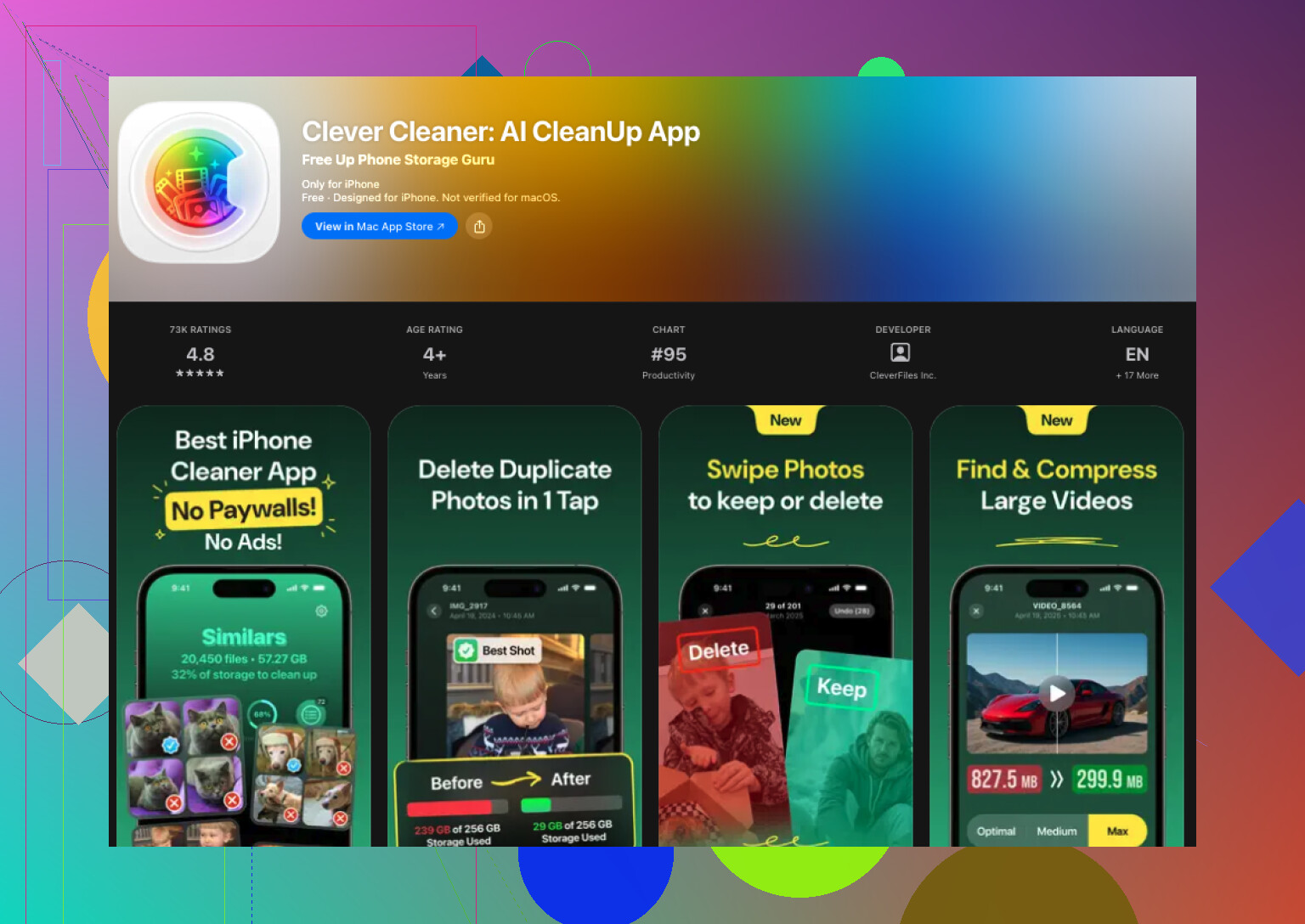
If you're trying to catch similar shots too, iOS on its own falls short. I ran into this with vacation pics and way too many pet photos. I tested a few cleanup apps, and Clever Cleaner ended up being the one I kept. I went in expecting the usual mess, paywalls, popups, weird limits. It turned out better than I expected.
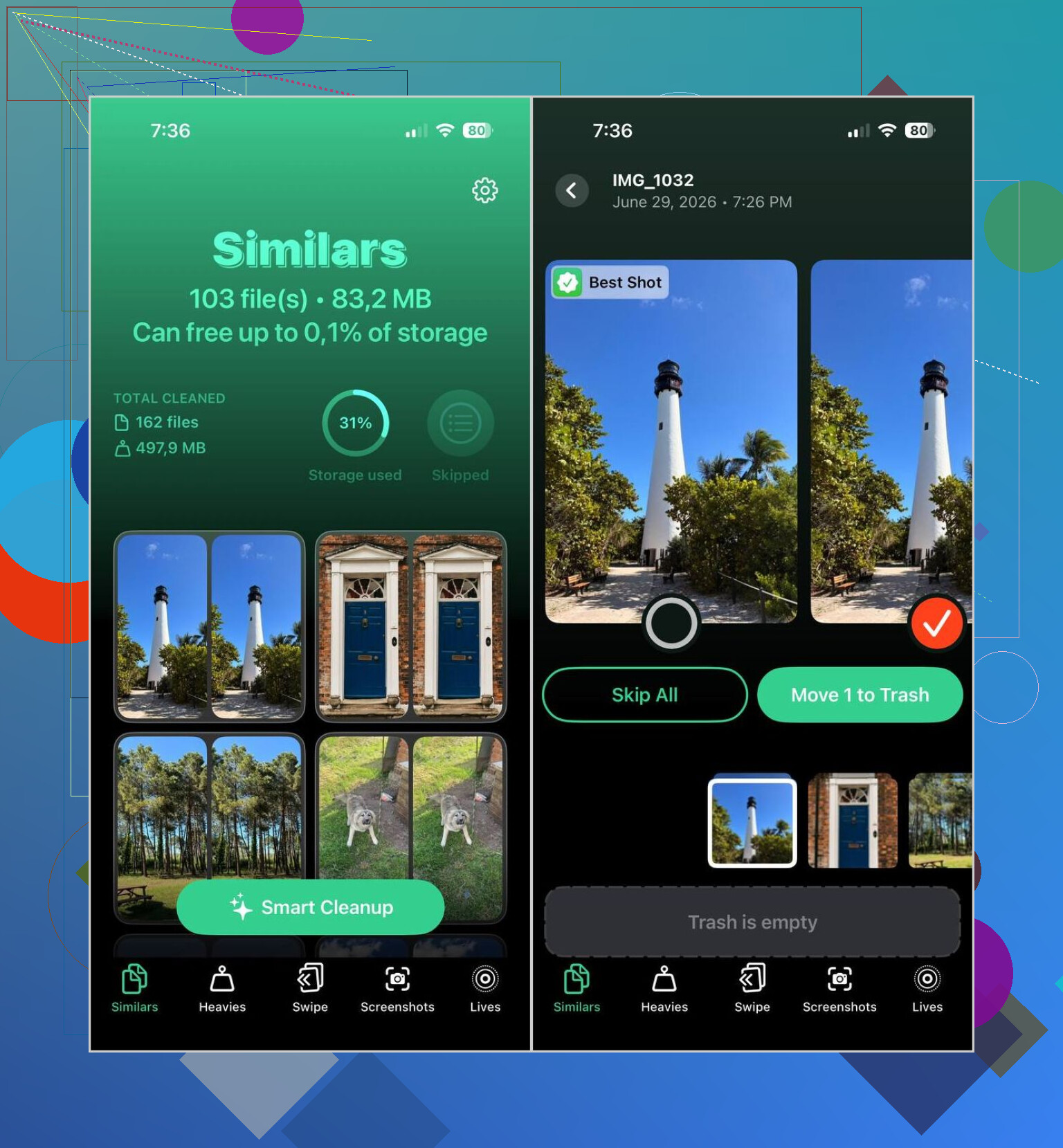
What stood out for me was the photo grouping. It puts near-matching shots together, and the app's Best Shot pick was often the same one I would have kept myself. I still checked anything important, family stuff, trips, old memories. For random receipts, screenshots, food pics, and blurry repeats, it saved me a lot of tapping.
How I used it:
- Download Clever Cleaner from the App Store.
- Allow access to your photo library.
- Open the Similars section.
- Wait for the scan to finish.
- Open a group if you want to compare images one by one, or use Smart Cleanup if you want it handled faster.
- The app marks a Best Shot, though you can swap it if you disagree.
- Tap Move to Trash, or confirm the cleanup slider if you used the automatic option.
- Then go back into Apple's Photos app and clear Recently Deleted if you want the storage back right away.
I also used a few of the other sections more than I thought I would:
- Duplicates, for exact copy cleanup.
- Heavies, which puts big videos near the top so you spot storage hogs fast.
- Screenshots, which gathers old screenshots into one place.
- Lives, which turns Live Photos into still photos and keeps the main frame.
Most of the space I recovered did not come from one thing. It was a mix of similar photos, stale screenshots, and giant videos I forgot were sitting there. My library felt cleaner after one pass, and yeah, I missed a few groups at first and had to go back.
If you do not want another app, there are still a few slower ways inside iOS:
- Use Search in Photos for people, cities, pets, objects, or events. Similar shots often cluster in results.
- Sort by date or browse by trip. Near-identical photos are often taken seconds apart.
- Check Burst photos and keep only the frame you want.
- Look through albums like People & Pets, Trips, and Media Types to narrow the pile.
Those manual routes work. They’re slow, though. Once your library gets big, a tool built to group similar images does the job faster and with less friction.
33 Likes
No, iPhone does not have a true built-in reverse image search inside Photos for matching visually related shots. Apple’s search is good at categories, text in images, pets, people, places, and objects. It is not built for finding photos that look alike from one sample image.
I agree with @mikeappsreviewer on one part, Duplicates is limited. I’d go a bit further, it’s too strict for most people. If your goal is to find near matches, alternate angles, or a burst of the same subject with small changes, Photos alone won’t do it well.
What you do get built in:
- Visual Look Up for objects, plants, pets, landmarks.
- Search by keyword like “dog”, “beach”, “red car”.
- Search by date, location, caption, or person.
- Duplicate detection for exact or near-exact copies only.
So if you want to search for related photos on iPhone, your best path is a third-party cleaner with similarity grouping. Clever Cleaner is one of the better options for this. It sorts look-alike images into groups, which is closer to what most people mean when they want to find matching photos on iPhone. Way faster, less manual work, fewer missed pics.
If you want a solid explainer on how to find matching or visually related photos on iPhone, this helps:
how to find similar photos and matching pictures on iPhone
Short version, built-in for exact dupes, yes. Built-in for similar-looking photos, nope. Kinda annoying, but taht’s where things stand right now.
Not really, at least not in the way most people mean it.
@mikeappsreviewer and @vrijheidsvogel are right that iPhone has some built-in photo intelligence, but I’d nitpick one thing: Apple Photos is actually pretty good at surfacing related content by subject, just not by using one photo as a “find more that look like this” reference. That part is missing.
So the answer is:
- Built-in exact duplicate finder: yes
- Built-in similar image search from a sample photo: no
- Built-in workarounds: kinda, but clunky
A couple of native tricks they didn’t really dig into:
- Add a caption or keyword to the image you like, then search that term later
- Use the same person/pet/object search to narrow the pool, then switch to zoomed-out browsing
- If the image has text, signs, labels, or numbers, Live Text search can sometimes pull up related shots by accident
If you want actual similar-photo grouping, that’s where something like Clever Cleaner makes more sense. It’s closer to the feature Apple probly should have built in by now.
Also, if your real goal is freeing up space while sorting through similar pics, this video guide to clean up iPhone storage and remove duplicate photos is worth a look.
So yeah, built-in? Not really. Apple gives you search, not true visual matching. Kinda annoyng, but thats the current state of it.

Not in the true reverse-image-search sense.
I mostly agree with @vrijheidsvogel, @nachtschatten, and @mikeappsreviewer, but I’d push back on one detail: Apple Photos is smarter at organizing than people give it credit for, yet it still does not let you tap one photo and ask, “show me visually similar ones.” That specific feature just is not there.
What Apple does better than it sounds:
- It can often cluster related shots naturally in your library timeline
- Shared subjects usually appear near each other if taken around the same time
- People, pets, objects, and places search can narrow the field pretty well
What it still cannot do:
- Use one chosen image as a reference for similarity matching
- Reliably find alternate angles, near-duplicates, or “same scene, slightly different” photos
So the built-in answer is basically: no, not directly.
If that’s your goal, Clever Cleaner is closer to what you want.
Pros:
- Groups similar photos, not just exact duplicates
- Useful if you shoot bursts, pet pics, food pics, or travel spam
- Can help reclaim storage while sorting
Cons:
- You still need to review important groups manually
- Similarity grouping is never perfect
- Some people will not want another app touching their library
Compared with what @vrijheidsvogel and @nachtschatten described, I’d say the native iPhone tools are fine for filtering, not matching. @mikeappsreviewer is right about Duplicates being limited, but for exact copy cleanup it is still worth checking first. If you need actual look-alike finding, native Photos stops short.
The earlier replies focus on cleanup. If you want similar pictures online instead, try Google Lens. It searches from your chosen photo, though it won’t find matches inside your personal library.
Open the Google app on your iPhone, tap the Lens camera icon, and select your saved photo. Crop around the subject to focus the results, then browse the visual matches.
For teh online version of your goal, this skips duplicate sorting and deletion entirely. For matching photos already on your phone, it isnt a replacement.
Worth setting expectations on what ‘similar search’ even means here, because the thread is mixing two different things. Picking one photo and asking the phone to find everything that looks like it is reference matching. Grouping your whole library into piles of near-identical shots is clustering. Apple does neither in the way you’d want, but the cleaner apps people keep pointing to are doing the second one, not the first. If you literally want to tap a single picture and pull its lookalikes, nothing on-device does that cleanly.
So the answer to your actual question is no, and I’d stop hunting for a hidden toggle. The Duplicates view everyone brought up is real but it’s tuned so tight that two frames from the same second often won’t even land together, which @mikeappsreviewer and @byteguru both got right. Search by subject helps you fish, but you’re the one doing the matching in your head.
If grouping is good enough for you, that’s where Clever Cleaner fits. It runs the whole thing on the phone without an account, which matters more than people think when you’re handing an app your entire camera roll. Just go in knowing it buckets similar shots by itself, it doesn’t take your chosen photo as the seed.
For the true reference approach, @corelabedge already pointed the right way with Lens. The catch nobody flagged: it searches the web, so it’s great for ‘where is this from’ and useless for ‘find the other twelve times I shot this same plate of food.’ Two completely different jobs. Figure out which one you actually need first, then pick the tool, because no single thing covers both.