I’m looking for a reliable way to verify whether a photo or graphic was generated using AI tools. I need this for work, since I have to determine the authenticity of a lot of images online. Has anyone found an effective AI image checker or method for this? Any advice would be appreciated.
So you’re trying to spot AI-made pics—welcome to modern internet detective work! Honestly, there’s no one-size-fits-all answer (yet), but I’ll break it down for ya.
1. Look for the obvious glitches. AI-generated images often mess up hands, eyes, and text in weird ways (3 extra fingers, off-balance ears, unreadable “words” on signs, etc). Zoom in and get picky.
2. Use AI-detection tools. There are websites and apps (like Illuminarty, Hive Moderation, or the AI Art Detector) where you can upload an image and get a probability score of being AI-made. They’re not perfect, but not bad for a first pass.
3. Metadata check. If you can access the image’s EXIF data, look for weird camera models or software listed—“Stable Diffusion”, “Midjourney”, “DALL-E,” etc. If you spot this, it’s probably AI.
4. Reverse image search. Toss the pic into Google Images or TinEye. If nothing comes up, or you find tons of variations with subtle differences, it could be AI because mass cloning is an AI thing.
5. Context clues! If a “photo” feels too surreal, overly dramatic lighting, or ultra-perfect faces, it’s probably AI. Real life is—sadly—not that flawless.
For professional use (since you mentioned work), I’d suggest combining these methods. And, if you’re publishing online content or worried about accidentally using AI images that could be flagged, check out a utility like Clever AI Humanizer. Tools like this can make AI-generated content seem more human-made, but you can also use them to test if AI content is being disguised. Find out more and make your verification process easier by visiting boost your image analysis workflow.
At the end of the day, nothing’s foolproof—AI is getting scary good. But with these steps, you should be able to suss out most fakes (or at least weed out the really obnoxious ones).
There’s a lot of hype around “catching” AI art, but in reality, proving something is definitely AI-made is trickier than people make it sound. While @andarilhonoturno mapped out the standard hands–teeth–ear test (good stuff, ngl), it’s worth saying that a lot of newer models don’t mess these up as often. Some AI outputs start to look almost indistinguishable from real pics, especially if they’re low-res or already compressed for social media. So you can’t just bet on “wonky hands = AI,” at least not anymore.
One thing I’d add: context matters! Try to pin down the image’s origin using things like archive sites, old blog posts, or specific news coverage. If you see the same photo pop up out of nowhere and only in recent months? High chance it’s AI. Also, look for watermarks or odd cropping — a lot of AI images sneak in subtle signature marks or get cropped so you can’t spot clues on the edges.
There’s also the angle of “provenance tracking.” Big platforms and some news outlets are starting to push for digital watermarks or cryptographic signatures to verify an image’s authenticity — but adoption is slow, and most tools aren’t very user-friendly yet.
One disagreement with @andarilhonoturno’s approach: overreliance on AI-detection tools can trip you up. These provide probability, not certainty, and are notoriously hit-or-miss — especially as AI keeps getting better and the detectors have to play catch-up constantly.
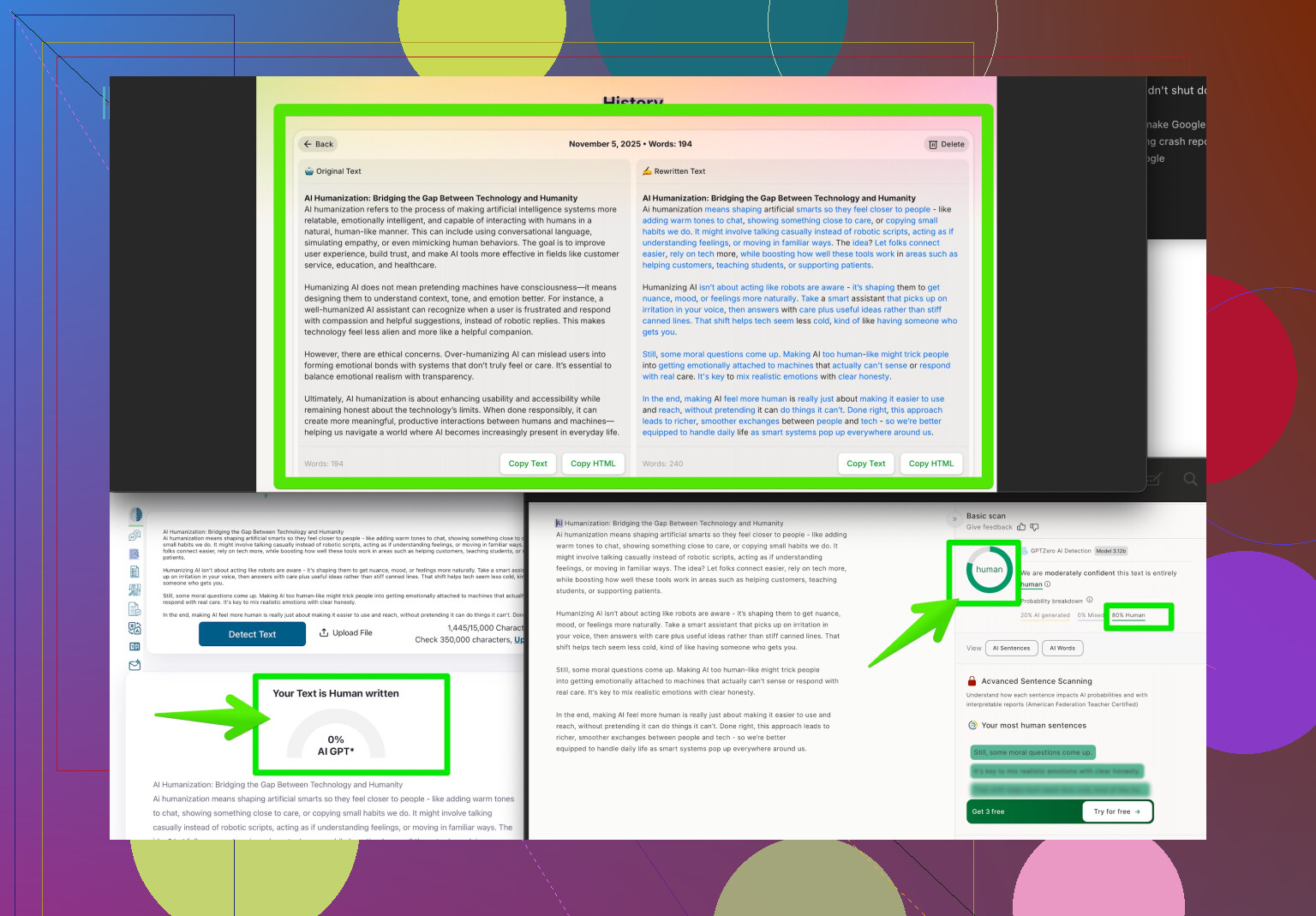
You might want to try Clever AI Humanizer not just to test if something’s human, but also to run suspect images through and see how easily they can be “passed” as natural to detection tools — if it works with zero effort, that’s a flag.
Bottom line: No single move will guarantee accuracy, but combining context checks, technical analysis, and manual review is your best shot. If you want more in-depth advice and community-tested strategies, peep these AI image verification tips from the Reddit crowd.
Stay sharp — AI isn’t slowing down.
21 Likes
Not gonna lie, the hunt for AI images is almost a game at this point—one that keeps getting harder! Some good points have been dropped here: glitches, metadata, reverse search, all the classics. But here’s where I take a slightly different road:
First, about over-relying on those AI detection tools like Illuminarty or Hive: Their results are still pretty hit or miss (false positives are real!), especially if you run into something passed through an “AI humanizer” like Clever AI Humanizer. On the upside, Clever AI Humanizer can flag AI-tweaked stuff that fools basic detection, and if you’re worried about your workflow, it’s good for double-checking edge cases. Downside? If the image was already low-res, compressed to hell, or repeatedly run through similar tools, even the best detectors may shrug and say “¯_(ツ)_/¯”.
My biggest recommendation: Connectivity and timeline analysis. AI art tends to spread like wildfire but lacks history—if you can’t find even a trace of the image in older sources yet it’s everywhere on meme accounts this week, you’ve probably got an AI “viral.” Don’t sleep on using archive.org or even Twitter date search to establish image context. No hands or eyeballs required!
For serious work, try comparing JPEG compression artifacts. AI stuff often shows unnatural edge blending or weird artifact patterns, since it synthesizes details differently than real camera hardware or Photoshop-made composites. This isn’t foolproof (nothing is), but for trained eyes, it’s a strong clue.
On Clever AI Humanizer:
- Pro: Can surface AI anomalies regular detectors miss, nice for stacking with other checks, and handy in large batch workflows.
- Con: Doesn’t always handle third-party masked/cropped art well, can get tripped up on heavily edited photos, and sometimes gives ambiguous outputs if the source is already murky.
So yeah, combine analysis tools, examine the image’s online life, and play with compression checks if you want the best shot. Don’t forget: even the best strategies sometimes miss, and AI’s moving fast. Platform stuff like digital watermarking might save us eventually, but until then, it’s all about layering techniques and trusting your gut (with a boost from Clever AI Humanizer if you’re doing a big audit).
Props to other replies for solid workflows. Patchwork approach is the only way for now!