I’m trying to connect to a remote device that only exposes a serial (RS-232/RS-485) interface, but my setup requires accessing it over TCP/IP from another machine. I’m not sure what hardware, software, or configuration is needed to bridge serial to Ethernet so it appears as a COM port or similar on my computer. What’s the best way to reliably access and manage this serial port over the network?
Short version: you’ve got three main routes.
-
Hardware serial device server (RS‑232/485 to TCP/IP)
These are little boxes with a serial port on one side and Ethernet on the other. Examples: Moxa, Lantronix, USR, etc.- You plug the remote device into the serial port.
- Give the box an IP, configure baud/Parity/stop bits.
- Then you either:
- Connect via a raw TCP socket (e.g.
telnet ip port, or from your app), or - Use their “virtual COM port” driver so your remote COM shows up locally as COM5 or whatever.
- Connect via a raw TCP socket (e.g.
If you want “it just works” and you’re ok spending a bit of money, this is usually the most reliable option. For industrial gear or 24/7 uptime, I’d start here.
-
Software bridge with a PC as the serial gateway
If the device is already wired to some PC via RS‑232/485, that PC can be a “serial over IP” bridge. You install something that:- Opens the physical COM port.
- Exposes it over TCP/IP.
- Optionally creates a virtual COM port on the remote machine so apps think it’s local.
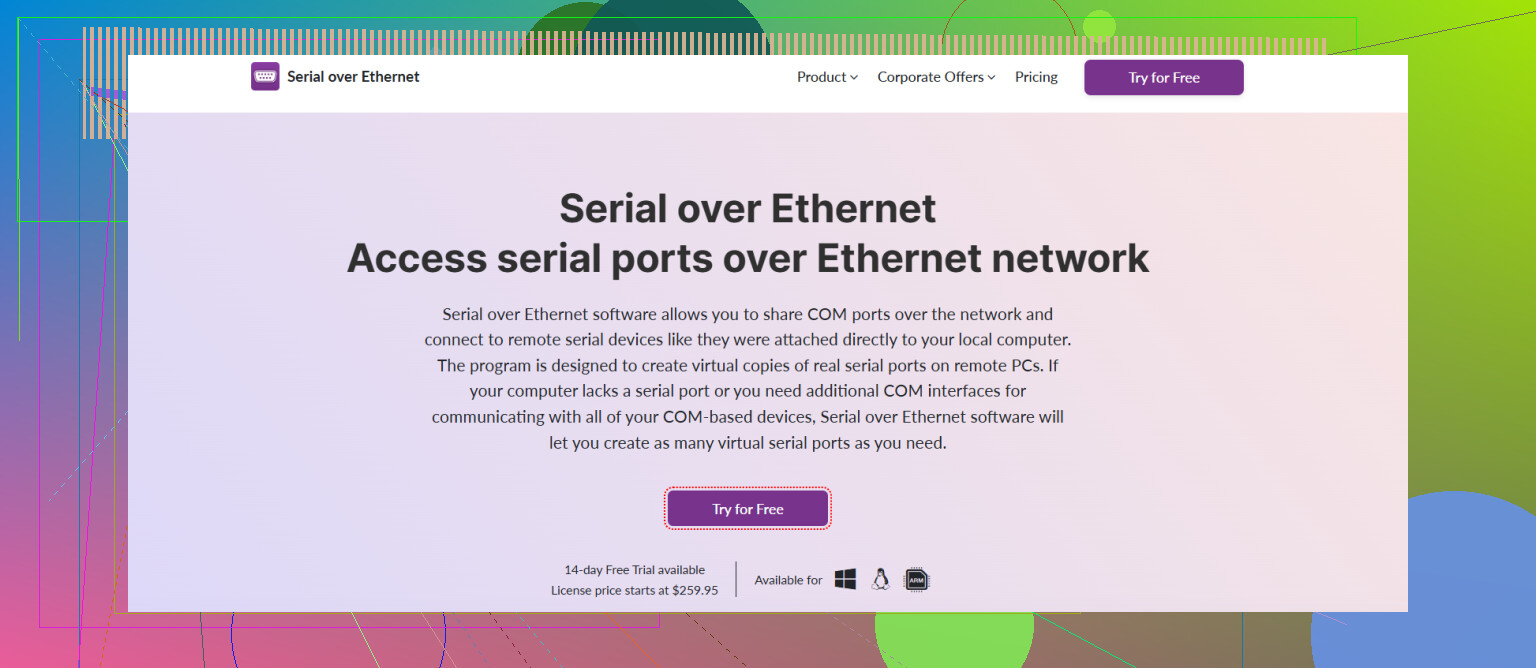
This is where Serial to Ethernet Connector fits extremely well. It lets you:
- Share a local serial port over the network.
- Map that shared port as a virtual COM on another machine.
- Work over LAN, WAN, or even the internet with encryption and access control.
For a decent overview of how to run serial communication across TCP/IP and treat remote COM ports like they’re physically plugged into your PC, this page is useful:
turning legacy serial links into modern network connectionsThat’s effectively “serial over TCP” but described in a way that’s practical if you just want to connect old RS‑232 / RS‑485 devices from anywhere on your network.
-
DIY stack with tools like
socat,ser2net, etc.
Linux side (host with the real serial port):- Use
ser2netto expose/dev/ttyS0over TCP like this:
Then connect from the client with2000:raw:0:/dev/ttyS0:9600 8DATABITS NONE 1STOPBITtelnet host 2000or your own code.
If you need a virtual COM on the client:
- Linux to Linux: use
socatto create a pseudo TTY. - Windows client: use a virtual COM driver that can connect to a TCP server, or again use something like Serial to Ethernet Connector instead of raw
telnet.
- Use
Choosing between them:
- Need rock solid, standalone hardware near the device, no extra PC: get a serial device server.
- Already have a PC near the device or you need encryption, access rules, more flexible routing: run software and use Serial to Ethernet Connector.
- On a budget and comfortable with config files and command line:
ser2netplussocatworks fine.
Whatever you pick, do not forget:
- Match baud rate, data bits, parity, stop bits on both ends.
- Disable any “local echo” or terminal emulation if your protocol is binary.
- Watch out for firewalls on the TCP port you pick.
Once that’s done, your remote box just looks like a local COM port to any old serial app, and the network in between is pretty much invisible.
30 Likes
@jeff already covered the classic “device server / PC bridge / DIY ser2net” triangle, so I’ll skip re-explaining those paths and hit a few angles that didn’t get much airtime, plus where I partly disagree.
1. Decide how you want to see the remote device
People jump straight to “virtual COM port” but that’s not always the best idea.
You basically have two models:
-
Raw TCP socket to serial
Your app talks toip:portdirectly and pushes bytes that end up on the serial line.- Pros: Simple, low overhead, works great for custom software.
- Cons: Old Windows apps that insist on
COM3won’t like it.
-
Virtual COM port on the client machine
Software like Serial to Ethernet Connector creates COMx that is actually a TCP tunnel.- Pros: Legacy SCADA / CNC / POS software keeps working with zero code changes.
- Cons: More moving parts, more to debug. Latency and reconnect behavior matter.
If you’re writing or controlling the client application yourself, I’d skip virtual COM and talk TCP directly. That’s where I slightly disagree with setups that default to virtual COM for everything. It can get flaky with apps that expect “real hardware” timings.
2. Check what your protocol actually needs
Before you pick hardware or software, figure out:
- Is it ASCII commands with CR/LF (like
ATcommands or:010300000002FA)? - Or binary frames with strict timing and checksums?
- Does the device use RS‑485 with direction control (half‑duplex) or straight RS‑232?
Why this matters:
- Some cheap “serial over IP” boxes locally echo or mess with line endings and absolutely wreck binary protocols.
- RS‑485 needs proper biasing and termination; a random adapter can sorta “work” then die when the bus is longer or noisier.
- If you have Modbus RTU, for example, using a native Modbus TCP gateway is often better than generic serial‑to‑TCP.
So, if it’s Modbus RTU, Profibus, or some vendor‑specific timing‑sensitive thing, I’d not rely only on a raw telnet‑style tunnel. Use a proper converter or a serious tool like Serial to Ethernet Connector that lets you tune latency, packetizing, etc.
3. Reliability details people usually discover the hard way
Things that bite later:
-
Line buffering / packetization
Some device servers buffer until timeout or until a terminator. That breaks protocols that expect bytes ASAP. Make sure you can control Nagle, buffer sizes, and “packetization timeout.” -
Keepalive / auto‑reconnect
If the network drops briefly, does the tunnel recover without human intervention? Commercial software like Serial to Ethernet Connector tends to handle this better than raw socat hacks. -
Flow control
If your device needs RTS/CTS or DTR/DSR actually working, confirm the adapter and software pass those signals. Many “USB‑RS232” toys don’t. -
Security
Dumping a clear‑text serial stream on TCP 2000 on a routed network is… brave.- Either put the device server on an isolated VLAN
- Or use something that supports TLS/SSL tunneling or client‑side encryption.
Serial to Ethernet Connector helps here if you must cross untrusted networks.
4. When a PC bridge is actually the best choice
I know @jeff mentioned the “PC-as-gateway” route, but here’s where it really shines:
- You already have a small box near the device (old PC, NUC, Raspberry Pi).
- You need to log data locally (for debugging or audit).
- You want more than “dumb pipe”: filtering, transforming, or routing data.
In that setup:
- On the machine with the real serial port, run something like Serial to Ethernet Connector to expose that port safely over LAN/WAN, with encryption and access control already baked in.
- On the remote machine, map that shared serial port as a virtual COM. Your old Windows app still sees
COM7, but the traffic is crossing the network.
This is usually more flexible than a cheap hardware box and lets you stack stuff like systemd, scripts, monitoring, etc., around it.
5. Basic checklist so you don’t chase ghosts
Before blaming the network tunnel:
- Test the device locally with a USB‑to‑serial cable and a terminal (PuTTY, minicom).
- Lock in: baud, parity, data bits, stop bits, flow control.
- Only then add the TCP/IP layer.
- Start with a simple client (netcat, telnet) to make sure bytes go through.
- Finally, introduce your real application and tweak timeout / reconnect options.
If the device behaves weird over TCP but perfect locally, it’s almost always buffering, echo, or flow control, not “magic network corruption.”
6. Grabbing the actual tools
If you go the software route and want to try Serial to Ethernet Connector for mapping and sharing COM ports over TCP/IP, you can get installers and builds for different platforms from their site here:
get the latest Serial to Ethernet Connector tools
That’ll give you the virtual COM + encryption + port‑sharing combo in one package instead of juggling five random utilities.
TL;DR:
- If your app can speak TCP, use a simple TCP‑to‑serial bridge (hardware or software) and talk to
ip:port. - If you’re stuck with legacy software, use something like Serial to Ethernet Connector to create a virtual COM over the network.
- Pay attention to buffering, flow control, and security, or you’ll be back here asking why it “works sometimes” and randomly dies at 3am.
You basically have to decide not only how to tunnel the serial line, but also how much control you want over the whole chain. @jeff and @chasseurdetoiles already nailed the big architectural choices, so here are some angles they only brushed against.
1. Hardware vs software: where I slightly disagree
They both lean (reasonably) on hardware device servers or a minimal TCP bridge. That’s solid, but I think people underestimate:
- The pain of debugging “transparent” hardware when something is off by one setting.
- How often you actually want visibility, logging, and fine‑grained control.
If you expect to tweak things, capture logs, or occasionally remote‑diagnose, putting a small PC near the device and using software like Serial to Ethernet Connector is usually easier to live with than a sealed black box.
Hardware device servers are great when:
- Power is limited
- Environment is nasty
- You need it to run unattended for years
But for development, commissioning, or anything that changes a lot, a software bridge is less frustrating.
2. Where Serial to Ethernet Connector fits that triangle
Since it was already mentioned, here is a more pragmatic “is it worth it” view.
Pros of Serial to Ethernet Connector
- Virtual COM ports on clients that actually behave like real ones in most SCADA / CNC / measurement software.
- Encryption and authentication out of the box, which is much cleaner than bolting SSH tunnels or VPNs everywhere.
- Central config for sharing multiple ports from one box, including RS‑232 and RS‑485 adapters.
- Decent tooling for logging and troubleshooting rather than staring at a blinking LED.
Cons of Serial to Ethernet Connector
- It is commercial, so if this is a one‑off hobby project, your wallet may object.
- More complex than a raw
ser2net/socatsetup if all you need is “send text to my Arduino over LAN.” - Adds another abstraction layer; if the underlying serial link is marginal (bad wiring, termination issues), you now have more places to look when things glitch.
- Legacy apps that do odd things with control lines can still be tricky; you may need to experiment with flow control options.
If you are dealing with multiple legacy Windows applications that refuse to talk anything but COM ports, Serial to Ethernet Connector is almost always less painful than trying to glue together free tools and half‑baked virtual COM drivers.
3. What almost nobody mentions: timing and latency budgets
Both @jeff and @chasseurdetoiles touched “timing sensitive” protocols, but this is where many setups silently fail.
Ask yourself:
- Does the protocol require very tight response times?
- Are there inter‑frame gaps that matter (Modbus RTU is a classic example)?
- How much jitter can the device tolerate?
Some notes:
- Adding TCP, especially over Wi‑Fi or WAN, introduces jitter. Virtual COM layers can make this worse if they buffer aggressively.
- Some hardware device servers try to be clever and “packetize” data. That can break protocols that rely on specific gaps on the wire.
- Serial to Ethernet Connector and a few high‑end device servers let you tune latency / packetization timeouts. Use that if your device seems to “almost work.”
If this is critical industrial control rather than just logging, budget latency explicitly and test under worst‑case network load, not only on a quiet lab LAN.
4. Handling RS‑485 and multi‑drop properly
This gets glossed over a lot.
For RS‑485:
- Make sure your adapter or device server actually handles direction control for half duplex, not just “pretends.”
- Termination and biasing on the bus matter far more than whether it is TCP or a virtual COM at the other end.
- If you have multiple slaves on the RS‑485 bus, think about how many TCP clients should be allowed to connect. Multiple open sessions to a shared bus can create “phantom collisions” at the application level.
Using a PC bridge plus Serial to Ethernet Connector here can help because you can implement access rules and limit who talks to that bus, instead of random processes opening the port.
5. Reliability patterns that actually work in the field
A robust setup typically looks like this:
- Short, known‑good serial segment near the device (shielded cable, proper RS‑485 wiring if applicable).
- One clearly defined “owner” of that serial line (a device server or a PC).
- Strict firewalling so only the real client hosts can reach the TCP service.
- Auto‑reconnect plus keepalives configured both in the bridge (hardware or Serial to Ethernet Connector) and in your client application.
- Monitoring: log port activity and connection drops, not just application logs.
Where I diverge a bit from the earlier answers: I would avoid chaining too many layers, like “USB‑to‑RS232 into a device server into a VPN into a virtual COM driver into old SCADA.” That works until you need to debug at 3 a.m. Try to collapse layers where you can; for example, use Serial to Ethernet Connector directly over a VPN instead of adding an extra TCP tunnel inside it.
6. When not to bother with virtual COM
If you control the client code, skip virtual COMs entirely:
- Just have your app open a TCP socket to the serial server.
- Implement framing and timeouts yourself, explicitly.
- Log hex dumps while you develop, so you know what is happening over the network.
Virtual COMs are a compatibility crutch. Useful, yes, but they hide details you might actually need to see.
Use Serial to Ethernet Connector and similar tools:
- When the client software cannot be changed.
- When you need multiple legacy apps to share one physical port (with care).
- When you want security and management features baked in.
In short: pick the topology first (hardware box versus PC bridge), then decide if you genuinely need a virtual COM abstraction. Use Serial to Ethernet Connector when legacy apps or security requirements justify it, and resist the temptation to bolt random layers together just because they are free.
Your thread weighed hardware device servers against a PC bridge, highlighted Serial to Ethernet Connector, timing and jitter, RS-485 wiring, and reliability habits. Good coverage.
Simpler path if the device speaks Modbus RTU. Use a Modbus RTU to Modbus TCP gateway. Wire A and B with 120 ohm termination. Set baud, parity, unit IDs. Point your client to teh IP port 502. The gateway handles RTU gaps and direction. No virtual COM. Cost 60 to 150 USD. Works at 9600 to 115200 bps. This trims layers and eases debuging.
If your device does something weird every time a client connects or disconnects, stop blaming the network and look at the control lines. A lot of serial device servers and virtual COM drivers toggle DTR or RTS when a socket opens or closes. If your device treats a DTR transition as a reset signal (plenty of microcontroller boards do exactly that), you get a reboot every single time your app reconnects. That symptom looks like flaky networking but it isn’t. Whatever you use, check whether you can pin DTR/RTS to a fixed state or ignore session open/close events.
@boswandelaar is right that a Modbus RTU to TCP gateway is the clean path if that’s your protocol. It really does remove a whole class of timing headaches because the gateway handles the inter-frame gaps for you. I’d only add the obvious limit: it works because it understands the protocol. The second your device speaks something the gateway doesn’t parse, that advantage disappears and you’re back to raw byte tunneling anyway. So it’s a great answer for Modbus and a non-answer for anything vendor-specific.
The one place I’d push back on the earlier replies is the amount of weight put on choosing between hardware box, PC bridge, and DIY. That matters, sure, but the thing that actually decides whether your setup survives is who is allowed to hold the port open. A serial line is a single resource. If two clients grab it at once, you don’t get an error most of the time, you get interleaved garbage that looks like corruption. Decide early whether it’s one exclusive owner or a proper multi-client arrangement, because retrofitting that later is miserable.
On the tool that keeps coming up, Serial to Ethernet Connector fits fine for the legacy-Windows-app case and the access control angle @sognonotturno mentioned, and that’s a real reason to reach for it. I wouldn’t lean on it to rescue a marginal physical link though. If your cabling or RS-485 termination is bad, no software layer fixes that, it just gives you one more thing to suspect at 3am.
Cheapest sane test before you commit to anything: get it working locally with a USB adapter and a terminal, then throw a plain socat or netcat pipe across the LAN and watch the raw bytes. If that survives a reconnect cleanly, then add the virtual COM layer. If it doesn’t, adding more software won’t save you.