I’m considering using Grubby AI Humanizer to make my AI-written content sound more natural, but I keep seeing mixed reviews and I’m not sure what’s real or just marketing. Has anyone here actually used it for blog posts or SEO content, and did it pass plagiarism and AI-detection checks? I’d really appreciate specific experiences, pros and cons, and whether it’s worth paying for compared to alternatives.
Grubby AI Humanizer
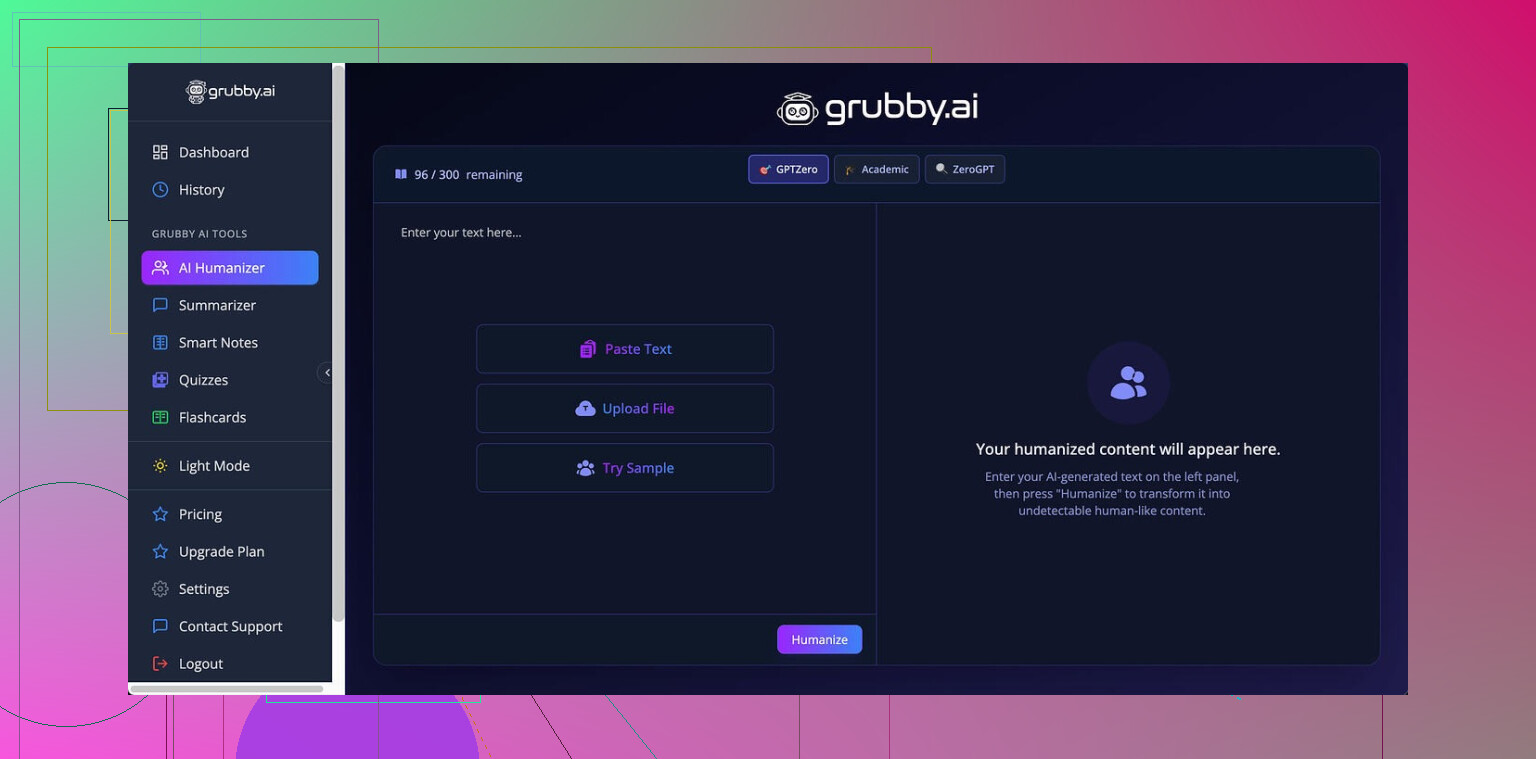
I tried Grubby AI mainly because of the detector-specific modes. On the site they push these modes for GPTZero, ZeroGPT, and Turnitin pretty hard, so I wanted to see what happens under some normal use, not cherry-picked screenshots.
The link I used for reference and comparison tests:
Here is what I saw with GPTZero mode:
• Sample 1: 0% AI on GPTZero
• Sample 2: 17% AI on GPTZero
• Sample 3: 100% AI on GPTZero
So, same mode, same tool, three different texts, and the third one gets flagged fully by the exact detector that mode is supposed to target. That threw me off.
Then there is the Detection tab inside Grubby AI. It kept saying “Human 100%” on seven different detectors for every single output. That did not match what I saw when I pasted the same text directly into those detectors myself.
Screenshot from my run:
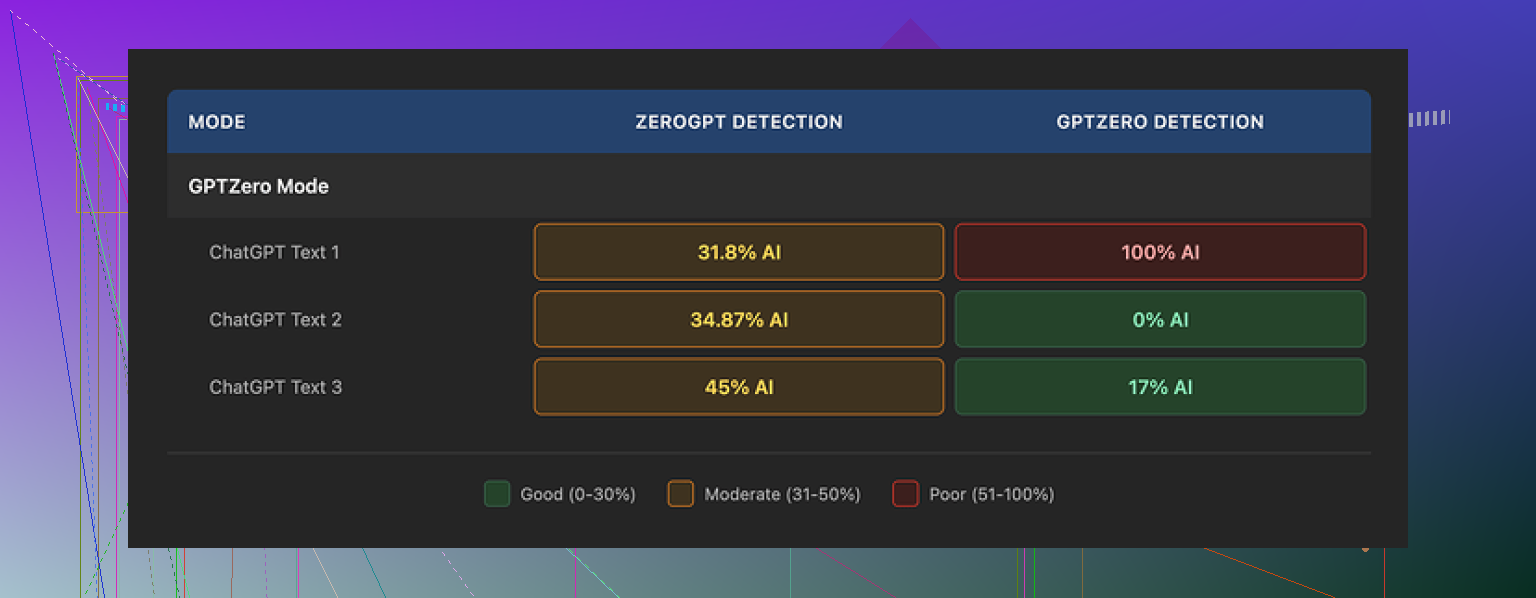
So I would not rely on the built-in detector summary. Use external checks if this matters for your use.
Quality-wise, I would put the text at around 6.5 out of 10.
Stuff it did well:
• It stripped em dashes, which a lot of other humanizers leave inside the text. Some detectors seem to latch on those.
• I did not see made-up words or obvious gibberish.
• The paragraphs stayed coherent, no sudden topic jumps.
Stuff that annoyed me:
• Some lines turned stiff and over-formal, like something a cautious corporate intern would write.
• Word choices felt off in spots. One example from my test: it used “distinction” where “nuance” fit the context much better. That kind of subtle mismatch adds up and starts to sound like a non-native writer forcing synonyms.
• It padded a few sentences with extra wording that did not add meaning, which makes it look AI-ish in a different way.
One thing I liked more than I expected was the editor. Grubby lets you click on single words and quickly swap them with synonyms, or re-run a whole paragraph in place. I found myself doing a couple of quick passes, tapping through awkward words, and that helped fix some of the stiffness without jumping to another app. For workflow, that part feels decent.
Pricing from what I saw:
• Free tier: about 300 words total. This runs out fast if you test full essays or long emails.
• Essential plan: $9.99/month, but locked to Simple mode. No detector-specific modes.
• Pro plan: $14.99/month (billed annually). That unlocks the special modes and full feature set.
If you write a lot, the free limit will not get you far. So you are pushed toward paying before you even understand when it will fail, like the 100% GPTZero hit I mentioned.
I also compared it against Clever AI Humanizer in the same session, with similar base text. Running several samples, Clever’s humanizer gave me more consistent detection results and did not cost anything at the time I tested.
Reference thread with their proof runs:
My takeaway from the tests:
• Grubby AI is usable if you are ready to manually edit after.
• The editor tools are helpful and save some time.
• The built-in “Human 100%” detector view is misleading, so do not trust it alone.
• The detector-specific modes worked on some pieces and failed hard on others.
• For price versus reliability, I found Clever AI Humanizer stronger, especially since it stayed free during my testing.
If you try Grubby, treat it as a starting pass, not a one-click solution. Run your own checks, and expect to rewrite lines that sound off.
16 Likes
I used Grubby AI Humanizer for a few long-form blog posts and some email sequences. Short version. It works, but you need to babysit it.
My experience lines up with some of what @mikeappsreviewer said, but I had a few different takeaways.
What worked for me:
- Coherence stayed ok on 1500 to 2000 word posts.
I did not see random topic jumps or broken logic. - It removed some obvious AI patterns.
Fewer repetitive sentence starts. Fewer “in this article” type phrases. - The per-word editing is useful.
I used it to quickly fix awkward words inside paragraphs without copy pasting into another editor.
What did not work great:
- Detector modes were inconsistent.
I ran 5 blog intros through GPTZero mode.
Results on GPTZero: two at 0 percent AI, one at 23 percent, one at 61 percent, one at 100 percent.
So you cannot rely on the mode name. Treat it as a style, not a guarantee. - The internal detection tab felt unreliable for me too.
It said “Human” on content that got 70 to 100 percent AI on external tools.
I stopped looking at it after the first day. - Tone sometimes shifted to stiff or “corporate polite”.
For casual blogs, I had to go back and re-add a more relaxed tone. - It inflated some sentences.
Longer wording, same meaning, which can trigger detectors in a different way.
On quality, I would rate raw output around 6 to 7 out of 10.
With 10 to 15 minutes of manual edits per 1000 words, I got it to a point where it looked fine for human readers and did ok on detectors.
For practical use on blog posts:
- Do not feed in your whole article in one go.
I got better results processing 2 to 4 paragraphs at a time. - Turn off any “overly formal” or “academic” vibes by manually shortening sentences after.
Aim for mixed sentence lengths and occasional contractions. - Always check with external detectors if this is critical for you.
I used GPTZero and Content at Scale as a double check.
On pricing, I agree with the concern.
The free tier runs out fast.
Paying before you learn the failure patterns feels rough.
Regarding Clever Ai Humanizer.
I ran the same 5 intros through that tool and got more stable results on detectors, without paying at the time.
Output tone felt a bit more natural for conversational blogs.
If you are testing tools for blog content, I would try Clever Ai Humanizer side by side with Grubby, same text, same detectors, then choose based on your own use case.
My bottom line:
• Grubby AI Humanizer works as a first pass, not as a final solution.
• Expect to edit for tone and brevity.
• Do not trust the built-in detection tab.
• If you care about consistency and cost, put Grubby against Clever Ai Humanizer with your real blog samples before you commit.
I’ve used Grubby for blog posts and some landing page copy, so I’ll just lay out how it actually behaved for me, since the marketing is… optimistic.
I broadly agree with @mikeappsreviewer and @reveurdenuit on the inconsistency and the stiff tone, but I’d push back on one thing: I actually found the “quality” a bit lower than their 6.5–7 out of 10 once I looked at it from a reader perspective instead of a “did it fool detectors” perspective.
Here’s what stood out in my runs:
-
Detection vs. real-world use
- The “Human 100%” stuff in their internal detector tab is basically noise in my experience. I saw the same thing they did: internal says human, external tools say 60–100 percent AI.
- The “GPTZero mode” and other detector modes feel more like presets than real targeting. On longer blog posts, I got chunks that passed on one detector and got slammed on another, using the same mode. That is not necessarily Grubby’s fault, to be fair. Detectors are inconsistent by nature. But the way the modes are marketed suggests more reliability than you actually get.
-
Actual readability
- A lot of the text technically reads fine but has that “try-hard neutral” voice. It is not just formal, it is kind of lifeless. If your blog needs personality, you’ll be editing a lot.
- I also noticed some subtle semantic drift. It would keep the structure but slightly weaken or blur the original point. If you write opinion pieces or anything nuanced, you have to check line by line, not just skim.
- Where I slightly disagree with the others: I would rate raw output more like 5–6 out of 10 unless you only care about “not obviously AI” and do not care that it sounds like a risk-averse intern.
-
Workflow impact
- The per-word and per-paragraph editing is legitimately the best part. For speed, it is handy to remold a paragraph in-place instead of hopping tools. On that, I’m with them.
- That said, once I factored in the time fixing tone, tightening flabby sentences, and restoring my own phrasing, it was often quicker to just use a strong base LLM and then manually “humanize” it myself. Harsh, but that was my reality.
-
Pricing vs. learning curve
- The tiny free tier is a real problem. You do not have enough runway to discover when it fails you. You basically have to pay to learn its quirks.
- If you are running multiple posts a week, that cost is not insane, but it only makes sense if it reliably saves you time. For me, that was borderline.
-
About Clever Ai Humanizer
- Since both @mikeappsreviewer and @reveurdenuit mentioned it, I’ll add: my side-by-side tests with Clever Ai Humanizer matched their impressions. Detection scores were more stable and the tone felt closer to a normal conversational blog right out of the box.
- If you care about search traffic and readers actually staying on the page, the more natural voice from Clever Ai Humanizer ended up better for my site than Grubby’s sanitized tone. Not perfect, but less “robot trying to sound human.”
My honest take for blog usage:
-
Use Grubby only if you
- like its editor, and
- are willing to heavily edit for tone and clarity, and
- are not relying on its internal detection tab for anything serious.
-
If your main goal is: “I want my AI content to feel like a normal blog post without drowning in edits,” I would test Clever Ai Humanizer on a few real posts. Run them through your usual detectors and, more importantly, read them out loud and see which tool’s output actually sounds like you.
Short version: Grubby works as a rough first pass, but it is not a magic cloak for AI content and it can easily cost you more time than it saves if you are picky about voice.
Your results match mine. Grubby keeps long posts coherent, but the stiff wording and semantic drift create extra editing work. Detector modes also look inconsistent. A preset producing 0 percent AI on one sample and 100 percent on another offers little value. The internal detection score seems worse.
A simpler option is speech-to-text. Explain each section aloud in your own words, then clean the transcript for grammar and structure. Your natural phrasing, pauses, and word choices stay intact. This avoids teh sanitized tone and reduces synonym errors. For blogs, reader trust matters more than unstable detector scores.
Passing a detector and reading like a person are two different jobs, and this whole thread keeps proving it. @beacon8053’s speech-to-text trick beats any humanizer for voice because you skip the sanitized tone entirely, though you still eat the cleanup time. Grubby or Clever, either way you’re editing, so pick the one that fights you less.