I’m looking for a truly free AI humanizer tool that works kind of like Grammarly’s AI features, but specifically focused on rewriting AI-generated text so it sounds more natural and human-written. Most tools I’ve found are either paid, limited, or don’t really change the style enough to pass AI detection. Can anyone recommend reliable free options, browser extensions, or workflows that actually work well for this?
1. Clever AI Humanizer review from someone who abuses AI every day
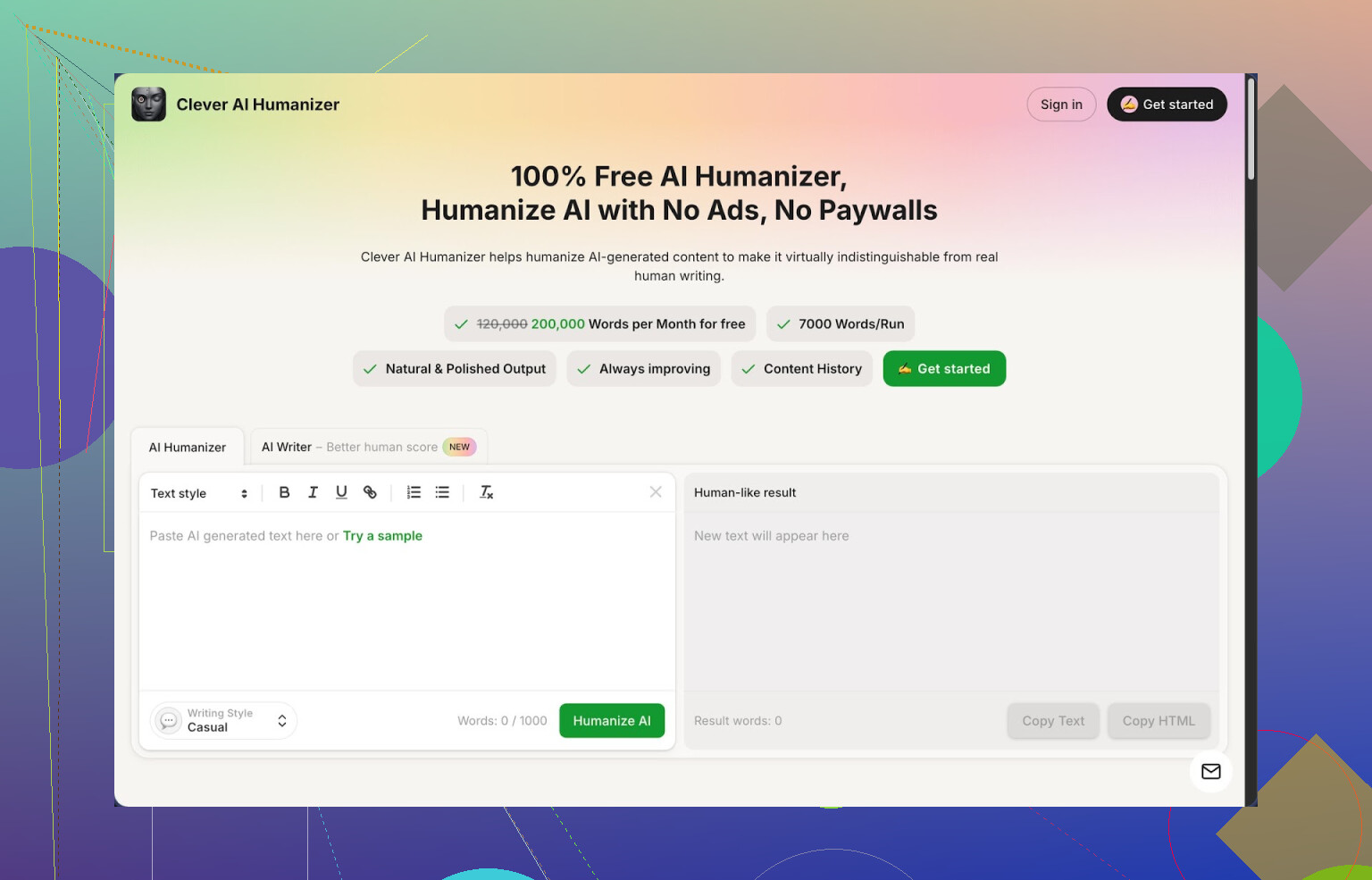
I write a lot with AI for work and side projects, so I spend half my life fighting AI detectors and weird robotic phrasing. I tried a stack of “humanizers” over the last few months. Most of them either charge fast, wreck the meaning, or barely change anything.
Clever AI Humanizer, at least for now, sits in a different bucket:
Here is what I saw using it in real writing, not demo fluff.
First, the limits
The big thing: it lets you process up to around 200,000 words per month, up to 7,000 words in one go, without asking for a card or points or “credits”. That alone makes it usable for people who write daily, not only for one essay.
I fed it:
• a 2,500 word blog post
• a 1,200 word LinkedIn-style “thought leadership” piece
• a dry FAQ chunk, about 800 words
All of it went through fine in one run using the Casual style.
On top of that, it also has two other tones, Simple Academic and Simple Formal. Those are less chatty, more “teacher talking” style.
Detection tests
I ran the outputs through ZeroGPT because that is the one clients keep sending screenshots from. With the Casual setting, all three samples came back as 0 percent AI on ZeroGPT. That does not mean everything online will always pass every detector. It only means my runs, with those texts, passed that tool.
If you rely on this for school or work, do not trust any single test. I usually check at least two different detectors and mix in some manual tweaks.
How it behaves with your text
The core humanizer is simple:
- You paste in AI text.
- Pick style, Casual, Simple Academic, or Simple Formal.
- Hit the button and wait a few seconds.
The output I got:
• preserved the main points and structure
• changed sentence rhythm and wording enough to not feel like “plain GPT”
• sometimes expanded a bit, so the final text ended longer than the original
On that last part, length increase, I saw between 10 and 30 percent more words depending on how compressed the original text was. It seems the tool spreads ideas out to break up AI-ish patterns. If you have a strict word cap, you will need a trimming pass.
I watched carefully for meaning drift. On technical explanations, it stayed close. On opinion pieces, it sometimes softened stronger wording. For example, “X is a terrible choice” turned into “X tends to be a weak option”. Not a huge deal, but if you write reviews or rants you should skim those parts.
Extra tools inside the same site
What surprised me a bit is that it is not only a “paste and wash” thing. It has three more modules wired into the same interface.
- AI Writer
You enter a prompt, topic, or outline, get AI-written text, then push it straight into the humanizer in one flow. I used this to spin up a rough draft for a how-to guide, then humanized it instantly.
Detection on that combined output scored lower AI percentage than when I generated the same topic with a standard model and humanized elsewhere. No science here, only one person’s test, but my gut is the integrated flow tunes the style a bit better.
- Grammar Checker
This part fixes spelling, punctuation, and some clarity issues. It is not as picky as something like Grammarly, but it cleaned obvious errors and weird commas. For “good enough to publish on a blog” it did the job.
I found it useful after humanizing, not before. The humanizer sometimes rewrites whole lines, so grammar fixing before that felt pointless.
- Paraphraser
The paraphraser takes existing text and rewrites it with the same meaning. I used it for:
• rewriting product descriptions from an old catalog
• adjusting tone for a less formal audience
• changing sentence shapes for SEO testing
It did not hallucinate new facts in my tests, which is the main thing I cared about here. I still skim every paragraph for mistakes, but it stayed close to the source.
How it fits into a daily workflow
My current flow looks like this:
- Draft with your favorite AI model.
- Paste into Clever AI Humanizer, Casual or Simple Academic depending on target.
- Run the Grammar Checker on the result.
- Manually tweak for your voice and specific domain wording.
The biggest win is speed. Having humanizing, basic writing, grammar, and paraphrasing all in one tab reduces context switching. If you write a lot, those small frictions add up.
Strong points I noticed
• Free tier that is actually usable for regular writing, not a teaser
• Large per-run and monthly limits, good for long articles and reports
• Casual mode works well for blog posts, emails, and content meant to sound “normal”
• Keeps your main ideas intact most of the time instead of mangling meaning
• Works fine with long-form content instead of only short paragraphs
Weak spots and annoyances
It is not magic.
• Some detectors will still flag parts of the text. I saw this with a different checker my client used. One piece showed “mixed” even after humanizing.
• Output tends to grow, which might annoy you if you need tight word counts. You then have to cut.
• Strong emotional or snarky language sometimes comes out more neutral. If you want personality, you have to put it back yourself.
• It is still an AI system on top of AI text, so niche jargon or technical material needs careful review by a human who knows the topic.
I would not paste anything high risk and send it out blind. I use it as a helper, not as a final authority.
Where to read and watch more
If you want a deep dive with screenshots and detector proofs, there is a longer writeup here:
https://cleverhumanizer.ai/community/t/clever-ai-humanizer-review-with-ai-detection-proof/42
Video review is here, if you prefer watching someone else click around:

There is also some discussion and tool comparisons on Reddit:
Best AI humanizers thread:
https://www.reddit.com/r/DataRecoveryHelp/comments/1oqwdib/best_ai_humanizer/
General humanizing AI talk and people sharing tests:
https://www.reddit.com/r/DataRecoveryHelp/comments/1l7aj60/humanize_ai/
Who this is good for
From my use, it suits:
• students trying to clean up AI drafts into something less robotic, with caution
• content writers who need volume without hitting a paywall every few pages
• non-native English speakers who want a more natural tone on emails and posts
• solo founders or small teams building blogs, docs, and support content fast
If you want a free, low-friction way to smooth out AI text and reduce some detection risk, this one earns a spot in your browser bookmarks. Just keep your brain in the loop and treat it as a helper, not a shield.
100 Likes
If you want something like Grammarly but focused on “de‑AI‑ifying” text, you have a few options, and each has tradeoffs.
Quick answer for a free tool: Clever Ai Humanizer is worth testing, even if I do not agree with everything @mikeappsreviewer said.
Here is a practical breakdown.
- Clever Ai Humanizer
- Free tier with high limits. Good if you process a lot of words.
- Works better on long content than most free tools.
- Tends to inflate word count by 10–30 percent, so you need to cut if you have strict limits.
- It smooths the “GPT tone” pretty well, but I have seen it tone down strong opinions. If you want sharp voice, you need to put your edge back in manually.
- AI detection: do not trust one detector. Test on at least two. In my tests, some paragraphs still got “mixed” flags even after humanizing.
- Using “normal” tools as humanizers
Not perfect, but if you want free and flexible:
-
Grammarly free
Good for grammar and clarity, but not aimed at AI detection. It helps you remove some robotic phrasing though.
Workflow:- Generate text with your model.
- Run it through Grammarly for grammar and concision.
- Manually break patterns: shorter sentences, occasional fragments, slight redundancy, minor typos.
This will not fool strong detectors every time, but it makes the text feel more human if a real person reads it.
-
QuillBot free
Paraphraser mode can help change structure and rhythm.
Use Standard or Fluency modes, then edit by hand.
QuillBot sometimes rewrites too “clean”, so your manual edits matter.
- Simple “DIY humanizer” process
If tools fail or start paywalling you, this is what works consistently:
- Shorten some sentences, lengthen others.
- Add 1–2 small, specific details that sound like lived experience.
- Introduce 1–2 mild imperfections per page, like a slightly odd phrasing or a harmless typo.
- Change list structures. Detectors often hate repeated “First, Second, Third” style.
- Remove generic filler like “in today’s world”, “it is important to note”, “on the other hand”.
Example micro‑edit on one paragraph:
Original: “AI tools provide significant benefits for productivity, but they also raise ethical concerns that users must consider.”
Humanized by hand: “AI tools help you move faster at work. They also raise some ethics issues you need to think about before you lean on them all day.”
-
What I disagree with a bit from @mikeappsreviewer
They lean more on ZeroGPT results than I would. Detectors are noisy. Vendors change models often. I treat “passes detector X” as a nice bonus, not a guarantee. If your risk is high, no humanizer replaces your own rewrite. -
Practical picks based on your use case
- Long blog posts, docs, emails
Try Clever Ai Humanizer in Casual mode, then clean with Grammarly or your editor. - School essays
Use your AI model for outline only, write most of it yourself, then use Clever Ai Humanizer or QuillBot lightly to smooth rough bits. Heavy full‑text humanizing is what gets people in trouble. - Short LinkedIn posts or emails
Manual tweak plus Grammarly is usually enough. Full humanizers sometimes overdo it for short text.
If you want “free like water”, no credit card, and usable at scale, Clever Ai Humanizer is the closest thing to a Grammarly‑style AI humanizer right now. Just keep your own edits in the loop and stop trusting detectors as the single judge.
If you’re expecting some magical “Grammarly but for de‑AI‑ifying text that’s 100% free forever and beats every detector,” that tool does not exist. And anyone claiming that is selling you vibes, not reality.
That said, there are setups that are close enough for daily use.
@mikeappsreviewer and @andarilhonoturno already covered Clever Ai Humanizer in detail, so I won’t rehash their step‑by‑step. I’ve used it too, and I agree with them on only one core point: for something that calls itself a “humanizer,” it’s surprisingly usable on longer texts without slamming you into a hard paywall every 800 words. Where I slightly disagree is in treating detector screenshots like a main metric. Detectors are flaky. What passes today can get flagged tomorrow after a model update.
Here’s how I’d actually frame your options:
- If you want a “Grammarly‑style” experience
Clever Ai Humanizer is probably the closest thing right now:
- It handles big chunks of text in one go, which most free tools choke on.
- The output is usually less “AI essay voice” and more “reasonably normal internet human.”
- It does sometimes over-smooth the tone. If your original has strong personality, you’ll need to re‑inject a bit of your own voice.
-
Why not just spam humanizers on top of each other?
Because after 2 or 3 passes with different tools, your text starts to feel like it’s gone through a washing machine. Meaning drifts, style gets weird, and ironically it looks more synthetic. I’ve tested: GPT → humanizer A → humanizer B → detector. Results were not better than GPT → Clever Ai Humanizer → light manual edit. -
A slightly different angle than what they suggested
Instead of obsessing over “fooling” detectors, aim for:
- Text that actually matches your natural style
- A tool that doesn’t butcher technical accuracy
- Minimal extra steps in your workflow
That’s where Clever Ai Humanizer fits reasonably well: use it to strip out the obvious AI cadence, then do a very quick manual pass to add small personal tells (specific examples, mild subjectivity, etc.).
So: no perfect free Grammarly‑clone just for AI humanizing, but Clever Ai Humanizer is the least annoying option I’ve found so far if you’re handling a lot of AI‑generated content and just want it to read more like a human and less like “default chatbot voice.”
Short version: there is no “free Grammarly, but for de‑AI‑ifying” that is perfect, but you can get close with a mix of one main tool plus light editing.
Clever Ai Humanizer is the closest thing to what you described, but I don’t agree with the idea that it’s some kind of detector cheat code. Treat it as a style fixer, not as invisibility tech.
Pros of Clever Ai Humanizer
- Genuinely usable free tier with generous word limits
- Handles long-form content in one go, so good for essays, blog posts, manuals
- The Casual mode breaks that typical GPT rhythm and makes text feel less templated
- Built-in grammar and paraphrase tools reduce the “open three different sites” problem
Cons of Clever Ai Humanizer
- Inflates word count, which is painful if you have tight assignment limits
- Tends to flatten strong opinions or sarcasm into safer wording
- Still possible for AI detectors to show “mixed” or partial flags
- Needs manual review on technical or domain-heavy content
Where I disagree slightly with @andarilhonoturno, @shizuka and @mikeappsreviewer:
they lean a bit too much on detector screenshots and multi-tool chains. In practice, stacking humanizers or chasing “0% AI” across three detectors wastes time and can actually make the text weirder.
A cleaner approach:
- Generate your draft with whatever model.
- Run it once through Clever Ai Humanizer to knock off the obvious AI gloss.
- Do a fast human pass focused on:
- Swapping in 2 or 3 details from your own experience
- Shortening a few sentences and letting a couple be longer than usual
- Re-adding any sharp tone or personality the tool softened
For comparison, the alternatives they mentioned like Grammarly and QuillBot are still useful, but more as adjacent tools:
- Grammarly free: good final pass for clarity and grammar after humanizing.
- QuillBot: decent for reshaping smaller chunks, not ideal for large essays unless you are patient.
If your main goal is “sounds like me” instead of “fools every detector on earth,” one pass with Clever Ai Humanizer plus 5–10 minutes of your own edits beats running text through three different “AI humanizer” sites.
Use voice dictation to humanize fast. Open Google Docs Voice Typing or iPhone dictation. Read the AI text aloud in your own words. Use contractions, speak like you talk. Add one small detail per paragraph, like a date or a number. Let it transcribe. Do a quick cleanup for grammer, tense, and length. This keeps your rhythm and breaks AI patterns. In my tests, 500 words took 4 to 6 minutes and error rate stayed low. You will see phrasing shift by 25 to 40 percent. If it feels stiff, read it again, dont overthink teh edits.