I tried Decopy AI Humanizer to make AI-written text sound more natural, but the results were mixed and I’m not sure if I’m using it the right way. Some parts still feel robotic, and I need help figuring out whether this tool is actually good for humanizing content, improving readability, and avoiding AI detection. Looking for honest feedback, real user reviews, and tips on getting better results.
Decopy AI Humanizer
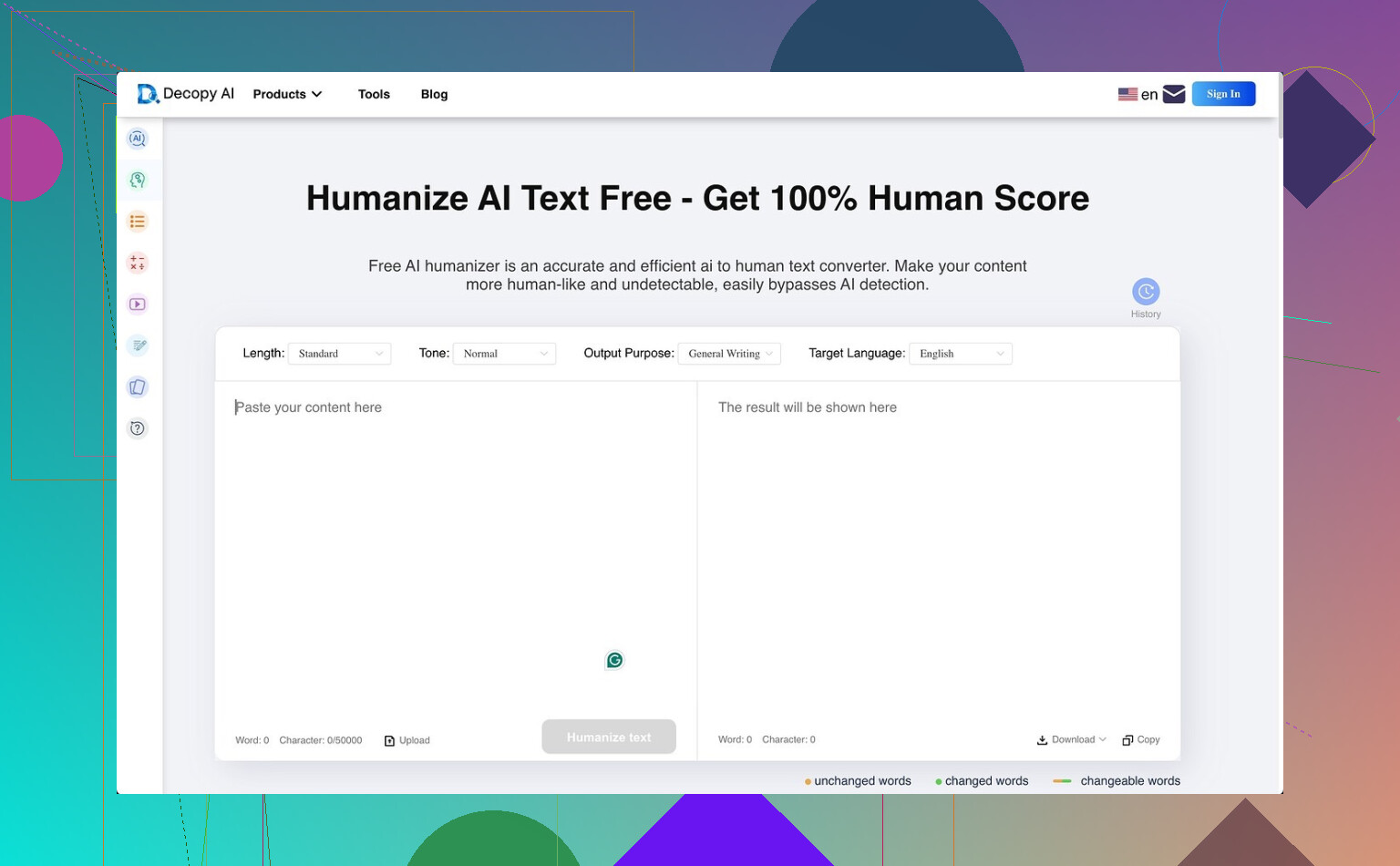
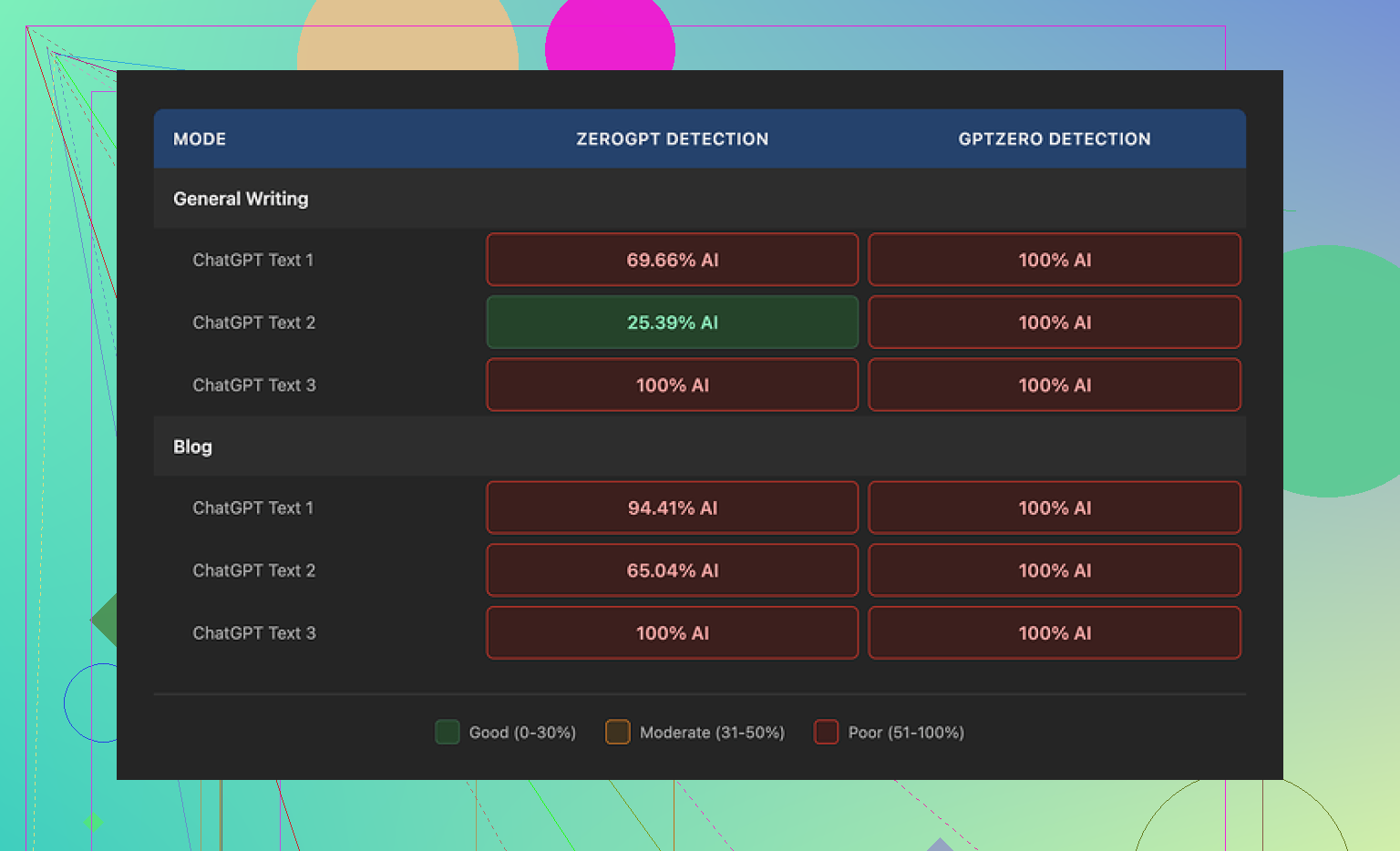
I spent some time with Decopy AI Humanizer, and on paper it looks stacked. You get 500 free runs, up to 50,000 characters in one go, eight tone options, nine use-case presets, and a sentence rewrite button for fixing only the lines you don't like. For a free tool, I thought, okay, this is a lot. Then I ran detection checks, and the results fell apart fast. GPTZero flagged every output as 100% AI in both General Writing and Blog mode. ZeroGPT bounced around more, from roughly 25% up to 100%, depending on the text.
One part I did like, it doesn't wreck your grammar. I saw cleaner output here than with some other humanizers, including UnAIMyText and HumanizeAI.io. The writing quality felt passable. I'd put Blog mode around 7/10, and General Writing a bit higher at 7.5/10. Still, the tool keeps flattening ideas too much. Its blog setting turns normal writing into something weirdly childish. General Writing is less bad, though it still spits out phrases like 'digital stuff' or 'totally changing tech,' which reads off to me. At least it usually keeps the length close to your original draft, so it doesn't butcher structure too hard. On privacy, the policy gives a plain three-month retention window and says it follows GDPR and CCPA. What I didn't find was a clear statement about how the submitted text itself gets handled after processing.
From the same tests, Clever AI Humanizer did better on output strength, and I didn't have to pay for it.
47 Likes
I think your result is normal for Decopy. It helps with surface polish, but it does not fix the deeper patterns detectors and readers catch. I agree with part of what @mikeappsreviewer said on grammar and length. Decopy usually keeps both in decent shape. I disagree a bit on the tool being the main issue, though. A lot depends on what you feed it.
If your source draft is stiff, Decopy tends to keep the same logic and swap words. That is why it still feels robotic. The fix is to change the input first.
What worked better for me:
- Paste shorter chunks, around 150 to 300 words.
- Use General Writing, not Blog, unless you want simpler wording.
- Rewrite the first and last sentence yourself.
- Add one personal detail, one opinion, and one uneven sentence length pattern.
- Use the sentence rewriter only on lines with obvious AI phrasing.
Bad input:
“AI tools are changing content creation in many industries.”
Better input:
“I’ve used AI for drafts, but I still end up fixing tone by hand.”
Detectors care about predictability. Readers do too. If you want human-sounding text, Decopy is a cleanup step, not the whole process. If you run raw chatbot text through it and post it, yeah, it still reads off and kinda fake tbh.
I think both @mikeappsreviewer and @sonhadordobosque are mostly right, but I’d push back on one thing. If a tool needs a whole pre-process and post-process routine just to sound human, that’s already the review lol. Decopy feels more like a paraphraser with better UX than some magical “humanizer.”
What I noticed is the tool smooths sentences, but it rarely changes the rhythm of the writing. That’s why it still feels robotic even when the grammar looks cleaner. Humans repeat themselves weirdly, interrupt a point, get specific, then go broad again. Decopy tends to keep everything too even. Too neat. Kinda suspicious tbh.
Also, don’t judge it only by detectors. They’re inconsistent and sometimes goofy. The bigger test is this: would somebody who knows your voice believe you wrote it? If not, then the tool didn’t really solve the problem.
What helped me more was editing for stance, not wording. I changed bland claims into actual opinions. I swapped generic nouns for concrete ones. I removed “balanced” transitions. AI loves sounding organized in a way real people usually don’t.
So yeah, mixed results is probly the correct verdict. Usable for cleanup, not great for identity. If your text still sounds fake, it’s probably not you using it wrong. It’s just the ceiling of the tool.
Mixed is the right verdict. I actually disagree a bit with the idea that Decopy fails mainly because the input draft is bad. A stronger draft helps, sure, but a good humanizer should change cadence, not just vocabulary. Decopy AI Humanizer often cleans text without giving it a believable voice.
Big tell for me: it preserves “essay symmetry.” Every sentence feels evenly packed, neatly transitioned, and emotionally flat. That is what readers notice before detectors do.
Pros for Decopy AI Humanizer:
- keeps grammar fairly stable
- decent length preservation
- easy interface
- useful if you only need light cleanup
Cons:
- rhythm still sounds synthetic
- tone presets can oversimplify
- weak at adding personality
- output can feel paraphrased rather than human
I would use it for polishing drafts, not for final voice work. Also worth noting @sonhadordobosque, @espritlibre, and @mikeappsreviewer all hit parts of this from different angles. Put together, the picture is pretty clear: decent utility, limited ceiling. If your text still feels robotic, that’s probably the tool’s boundary, not user error.
Your take tracks. Decopy polishes surface, keeps the same rhythm. Grammar stays fine, length stays close. Voice stays flat. Your detecor checks flagged it hard, so mixed feels fair.
Simpler fix: speak first, then edit. Read your draft into your phone. Transcibe with any voice app. Keep contractions, asides, and short beats. Example: swap “AI tools are changing content creation” for “I use AI for drafts. I fix tone by hand.” Then cut 20 percent. Add one date, one number, and one name per section. You get human cadence fast.