I’ve been using a popular clean up app that claims to free storage by deleting junk files, cache, and duplicates, but my phone’s available space barely changes after each scan. I’m starting to wonder if it’s actually doing anything useful or just moving files around. Can anyone explain how these clean up apps really work, whether they’re safe to trust, and what I should look for to know if they’re genuinely freeing space on my device?
Cleanup App (Phone Storage Cleaner) – my experience vs a better option
Cleanup App (Phone Storage Cleaner) review from someone who got sick of the “storage almost full” pop-up.
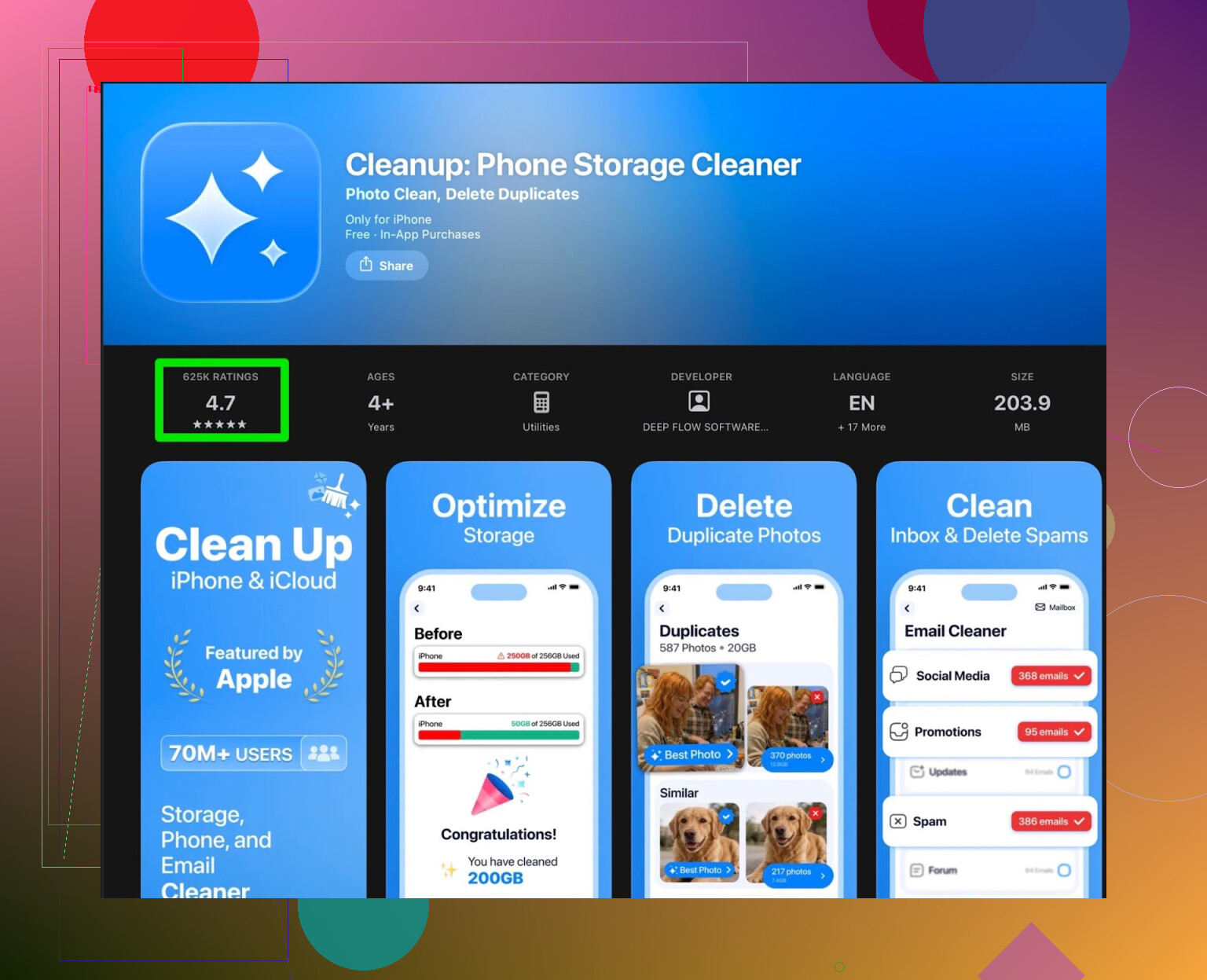
I hit that point where my iPhone started refusing updates and photos because storage was slammed. I didn’t want to sort thousands of pictures by hand, so I grabbed Cleanup App thinking it would fix it fast.
Here is what I saw after a couple days of use.
What Cleanup App does well
It is not useless. The scan itself works:
- It flags duplicate photos and “similar” ones where you took 10 shots of the same thing.
- It catches random screenshots sitting in your camera roll.
- It shows big video files and lets you compress them.
- It offers contact merge if you have the same person saved 3 times.
So from a pure feature list, it looks solid when you first open it.
Where it started to fall apart for me
The problem hit once I tried to actually clean things.
Most of what matters is paywalled. The free version feels like a demo:
- It tells you how much space you could free.
- Then it blocks the bulk actions behind a subscription.
- Or it wants you to sit through a pile of ads to run simple cleanups.
After a few runs, I was spending more time dealing with ads and popups than deleting stuff. I found myself closing the app and using the Photos app manually again, which defeats the whole point.
There are also a few “extra” features that sound nice on paper, like fancy UI animations and a secret vault. For storage cleaning, those did nothing for me. They made the app heavier without solving the main problem, which is “I need space right now.”
What other users said
This is where I checked reviews to see if I was being picky. I was not the only one annoyed.
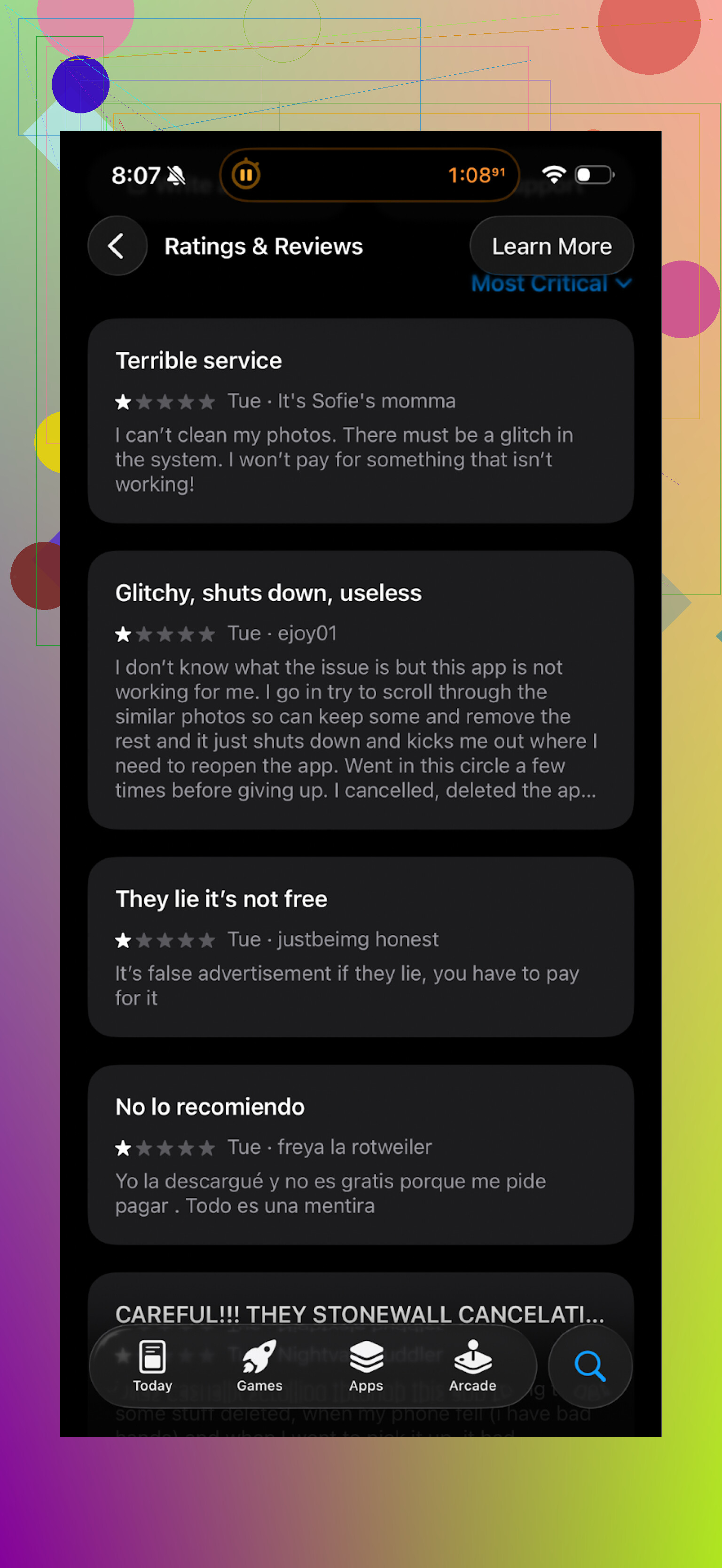
A lot of people were saying similar stuff:
- Aggressive subscription prompts.
- Too many ads in the free version.
- It shows you the problem, then charges you to fix it at scale.
So I ditched it and tried something else.
What I switched to instead: Clever Cleaner
I ended up on Clever Cleaner, mostly because I wanted something I could use without paying right away or being spammed with offers every tap.
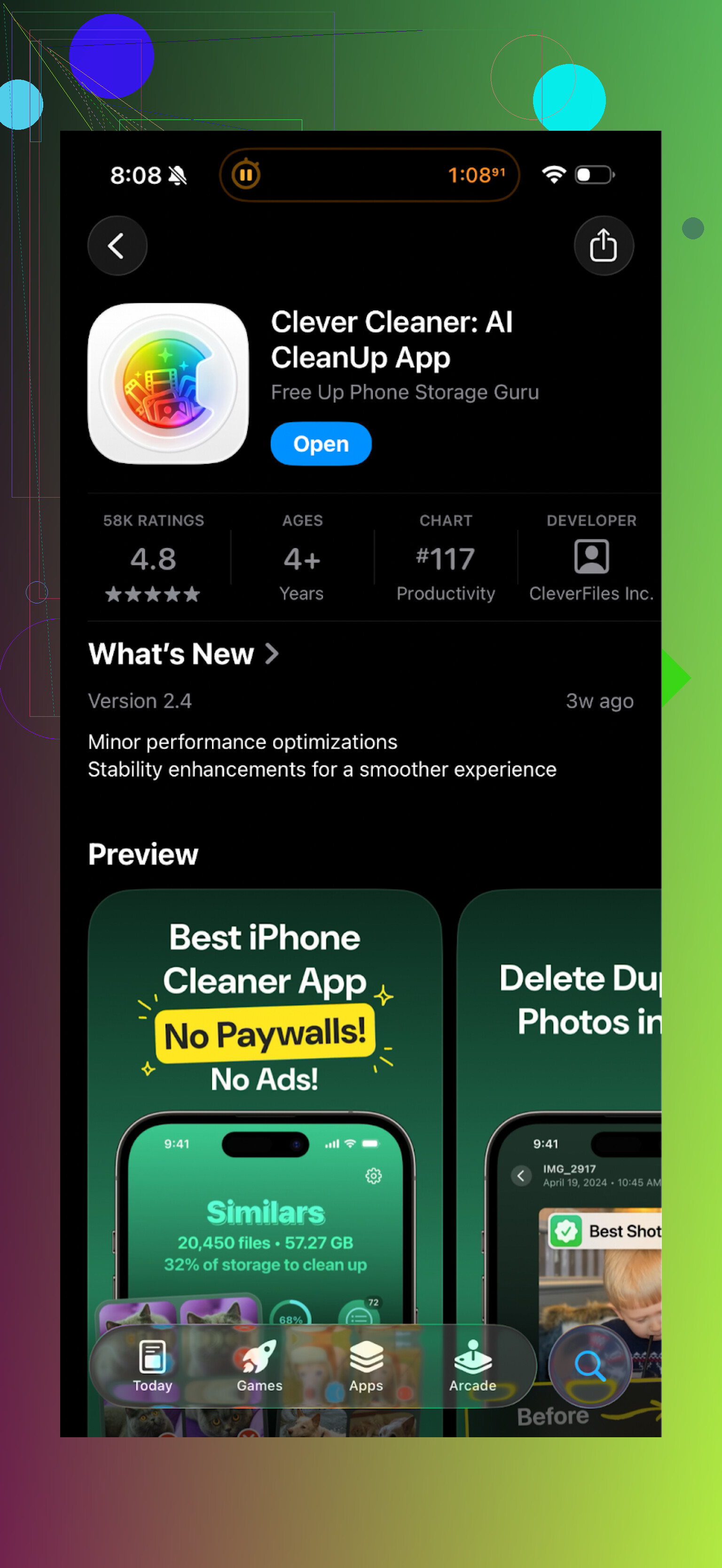
My experience with Clever Cleaner on the same phone:
- No constant subscription pressure. You open it, run it, clean stuff.
- It found duplicate photos and similar shots about as accurately as Cleanup.
- It highlighted large files and old screenshots so I could nuke them fast.
- The interface felt lighter and less cluttered with side features I did not need.
I ran one full cleanup session and freed several gigabytes in under 10 minutes, without feeling like I was fighting the app.
If your storage is full and you want something quick
If you are in the same spot I was, here is what I would suggest:
- If you try Cleanup App, know that most of the useful bulk tools sit behind a subscription or a lot of ads.
- If you hate that kind of model, skip straight to Clever Cleaner and see how far you get with it first.
Links if you want to check it yourself:
Clever Cleaner App on the App Store
https://apps.apple.com/us/app/clever-cleaner-ai-cleanup-app/id1666645584
Clever Cleaner homepage
https://www.cleverfiles.com/clever-cleaner/
Video walkthrough on YouTube

If your goal is to clean storage without hitting a paywall every two taps, Clever Cleaner felt a lot more reasonable on my phone than Cleanup App.
73 Likes
Your storage number barely moving is pretty normal for a lot of “clean up” apps. The marketing sounds huge, the real gain is small.
A few things going on:
-
System cache vs user data
Most third party cleaners on iOS and Android do not touch system-level cache or app data in a deep way. They mostly target:
• Thumbnails
• Old temp files
• Some app cache where the OS allows it
That is often a few hundred MB, not tens of GB. -
“Junk files” often get rebuilt
You delete cache. The next time you open Instagram, YouTube, TikTok, your phone builds new cache again. So you see:
• Space drops a bit after cleaning
• Then goes back up as you use the apps
Looks like nothing changed. -
Photos and videos dominate storage
On most phones, photos and videos take 50 to 80 percent of the space. If the cleaner is not removing a lot of those, your storage bar barely moves.
Example from my phone:
• Total: 128 GB
• Photos and videos: ~70 GB
• Apps: ~30 GB
• “System” and “Other”: ~20 GB
Even if a cleaner removes 2 GB of cache, it still feels small next to 70 GB of media. -
Duplicate and similar photos are often limited
The app might say “scanned 10,000 photos” and then only find 200 true duplicates.
If each is 3 MB, that is 600 MB. It sounds big in the dialog, but your phone storage reading goes from 2.1 GB free to 2.7 GB. Not impressive when you watch it. -
Fake or “theoretical” savings
Some cleaners show “you could free 5 GB” as a combined number:
• 2 GB cache
• 1 GB from compressing videos
• 2 GB from offloading apps or cloud sync suggestions
If you do not approve every step, you do not see that 5 GB. It is a projection, not real freed space.
This is where your doubt makes sense.
Where I slightly disagree with what @mikeappsreviewer hinted at
They put more weight on the paywall and ads, which is fair, but my bigger complaint with many cleaners is effectiveness. Even paid ones often hit the same OS limits. Paying does not always mean you suddenly get deep access to hidden junk. On iOS especially, Apple keeps that locked down.
How to test if your cleaner is doing anything
Do this once to see real impact:
-
Check storage before
On iPhone: Settings → General → iPhone Storage.
On Android: Settings → Storage.
Write down “Available” space. -
Run the cleaner
Do the full scan. Approve all “junk” and duplicate removals you feel safe about. -
Restart your phone
This helps the OS recalc storage. -
Check storage again
Compare the numbers, not the app’s “we freed X GB” message.
If the gain is under, say, 500 MB and your phone is almost full, the app is not helpful for your case.
What tends to free real space
These are boring, but they work:
• Offload or delete social apps that hoard data
Instagram, Facebook, Snapchat, Telegram, etc.
On iPhone, deleting and reinstalling them can clear several GB per app. Check their size in Settings → iPhone Storage.
• Delete or offload big games
Many games are 3 to 10 GB each.
• Go through WhatsApp, Telegram, iMessage media
Clear old media in large group chats.
• Old downloads and offline files
In Files, Drive, Spotify, Netflix, etc, remove offline content you do not use.
Where a cleaner app still helps
If you have thousands of photos and do not want to spend an evening scrolling:
• Auto flagging similar burst shots
• Spotting huge videos
• Grouping screenshots
This is where a dedicated cleaner is useful as a “smart filter” for your own decisions.
About Clever Cleaner App specifically
Since you mentioned a popular cleaner, and since Clever Cleaner App already came up in this thread from others, I will say this. Tools like Clever Cleaner App are more about making it faster to find what to delete, not about magic system cleaning. If you try it, judge it by:
• How much space “Available” increases in Settings after one serious session
• How clear the photo and video suggestions are
• How little time you waste fighting paywalls or ads
If your current app keeps showing nice animations but your storage number in Settings barely moves, you are not getting what you need. At that point, switching to something like Clever Cleaner App for photo and video cleanup, plus doing manual app and chat cleanup, is usually the most effective combo.
Yeah, your instinct is right: a lot of these “clean up” apps talk a bigger game than they can actually deliver, especially on iOS and modern Android.
Couple of things that might explain what you’re seeing, without repeating what @mikeappsreviewer and @sognonotturno already covered:
-
The app is counting temporary savings as if they’re permanent
Some cleaners show “We cleaned 2.3 GB!” right after they clear cache, logs, thumbnails, etc.
Then the OS and your apps quietly rebuild a chunk of that within hours as you scroll social media, open Maps, or stream anything.
So you did technically free space, but it’s like cleaning your desk and then dumping all your papers back on it the same day. -
The “Other/System” problem
On both iOS and Android, a massive chunk of storage is “System” or “Other” that third party apps simply cannot touch.
A lot of the junk people want gone lives there: app databases, old app data, partial downloads, system logs.
Cleaners don’t have deep access to that, so they dance around the edges and present that as a big win. -
Compression vs deletion
Some cleaners (including a few like the one you’re probably using) silently switch from “delete” language to “compress” or “optimize.”
So they take a 200 MB video and make it 150 MB. That’s not useless, but if you have a 128 GB phone, shaving 50 MB off a few files is barely visible.
It feels like nothing is happening, even though technically something did. -
Large items are still sacred cows
The stuff that actually frees space in a noticeable way:- Massive games
- Offline Netflix/Spotify/YouTube content
- WhatsApp/Telegram/iMessage media
- Gigantic camera videos
Most cleaners are very cautious here or hide it under “advanced” steps, because deleting the wrong thing gets them 1‑star reviews. So they focus on “safe” crumbs instead of the big rocks.
Where I slightly disagree with the others:
@Mikeappsreviewer and @sognonotturno focused a lot on subscriptions, ads, and the marketing spin (which is fair), but I’d argue the fundamental problem is expectations. No cleaner app, even the cleaner ones like Clever Cleaner App, can magically dig into areas the OS does not expose. Paying more does not suddenly unlock a secret “wipe 20 GB” button. On iOS especially, that button simply does not exist.
That said, Clever Cleaner App is actually reasonable if you use it for what it’s good at:
- Quickly surfacing giant videos and photo hogs
- Grouping similar shots so you can bulk delete the 19 bad takes
- Getting rid of a pile of screenshots in one go
Think of it as a smart filter over your files, not as a “system vacuum cleaner.” If you go in expecting it to help you decide what to delete, it can actually be useful. If you expect it to magically free 10 GB by “cleaning junk,” you’ll just be disappointed again.
So, to answer your core question:
Yes, your clean up app is probably “doing something,” just not enough to move the needle in a way you can feel. If you want visible gains:
- Use a tool like Clever Cleaner App to aggressively prune photos, videos, and screenshots.
- Then manually kill or reinstall a few storage‑heavy apps and clear chat media inside the chat apps themselves.
If after that your storage still barely moves, the problem is not the cleaner. It’s that your phone is full of stuff you actually use and the OS won’t let any app touch the rest.
What you are seeing is basically the hard limit of what these tools can do on modern phones. I agree with @mikeappsreviewer that your cleaner is mostly rearranging crumbs, but I slightly disagree with the idea that the gain is always tiny. It can be noticeable if you attack the right categories, and that is where the tool you use actually matters.
To avoid repeating their step‑by‑step advice, I will just zoom in on when a clean up app is worth it and where Clever Cleaner App fits into that picture.
Why your space number barely moves
The others covered cache and system limits already, so two extra angles:
-
Your OS lies a bit about timing
Storage stats in Settings are not real time. On some devices, the number lags, so a cleaner does remove a gigabyte, but you do not see it reflected for a while. This makes it feel like the app did nothing. -
Cleaner logic is conservative
Most developers play it safe: they prefer to leave questionable files instead of risking deleting something important. So they under‑delete by design. Good for safety, bad for dramatic storage wins.
This is also why simply swapping one generic “phone booster” for another identical one will not suddenly free 30 GB.
Where a cleaner actually helps (and where it really does not)
I am more bullish than @sognonotturno on one use case: photo and video triage. If your gallery is a disaster, a specialized tool can save you hours you would never spend manually.
Where cleaners matter:
- You shoot bursts of similar photos
- You screen record often
- You keep lots of short, throwaway clips
- Screenshots pile up and you never curate
Where they barely matter:
- You have a small photo library
- Storage hogs are a few huge games and streaming downloads
- System data is the main chunk
In those “barely matter” cases, no app, including Clever Cleaner App, can magically fix it. You really do have to uninstall or offload the big stuff.
Clever Cleaner App: pros and cons in this situation
You already heard from @viajantedoceu and @mikeappsreviewer about paywalls and fake “X GB freed” counters. Clever Cleaner App sits in a slightly different spot compared with the ad‑heavy tools they described.
Pros:
- Strong at grouping similar photos so you can quickly kill the extras
- Good at surfacing large media files instead of bragging about tiny cache clears
- Interface is relatively straightforward, less cluttered with random “vault” or “booster” gimmicks
- Less aggressive on constant subscription spam compared to the type of cleaner you are using now
Cons:
- Still bounded by OS rules; it will not clean “System” or opaque “Other” data
- To really see a noticeable jump, you still have to make hard delete decisions yourself
- Compression options can save space but at some quality cost, which not everyone wants
- Free usage is helpful but not unlimited; if you expect to handle a massive library for free forever, that will not happen
So if your main frustration is “the app said 3 GB but I cannot see it,” switching to Clever Cleaner App will not change the physics, but it will shift your effort toward things that actually move the needle, like giant videos and redundant photos.
When I would switch from your current cleaner
- Your phone’s Photos / Videos category is huge
- The cleaner you have focuses on “cache,” “junk,” “RAM boost,” or “CPU cooling” more than it focuses on media
- You are tired of watching ads just to delete screenshots
In that case, using Clever Cleaner App as a photo and video organizer, then doing manual app cleanup in Settings, is a more realistic route than hoping your current cleaner suddenly discovers “hidden junk.”
Bottom line: your instinct is not wrong. The app you are using is probably doing very little that you can feel. A targeted tool like Clever Cleaner App can help, but only if you accept that the real gains come from deleting or compressing your own media and not from some magical junk purge in the background.
Try one simple reset of where your media lives. Move photos and videos off the phone, keep only optmized previews.
Steps, iPhone:
- Settings, Photos, enable iCloud Photos, pick Optimize iPhone Storage.
- Plug into power and Wi‑Fi overnight to upload.
- Next day, Settings, General, iPhone Storage, tap Photos, run Empty Recently Deleted.
- Reboot to recalc storage.
Expect 5 to 20 GB back if your library is large. Example, 4,000 photos at 3 MB each equals ~12 GB. If iCloud space is tight, or you dont want iCloud, install Google Photos, run Free up space.