I’m trying to improve my writing for blogs and social media without paying for expensive subscriptions, but I’m overwhelmed by all the AI options out there. Which truly free AI writing tools actually help with content quality, idea generation, and editing, and how do they compare in terms of limits, usability, and reliability for everyday use
Here are the free options that tend to work best for blog and social writing, without locking you into paid stuff on day one.
- ChatGPT free (OpenAI)
You use it in the browser.
Good for:
- Outlines for posts
- Rewriting awkward sentences
- Idea generation for hooks, titles, CTAs
Tips: - Paste your draft and say: “Rewrite this for Instagram, keep it under 150 words, keep my tone casual.”
- Ask for 5 versions of the same hook, then pick the best and tweak it.
- Google Gemini free
Strong for:
- Research help
- Summaries of long sources
- Quick fact checks for your blog posts
Good prompt: - “Give me 5 blog title ideas on [topic], each under 60 characters, written for [target audience].”
- Microsoft Copilot (in Edge or web)
Solid for:
- Turning bullet points into posts
- Making thread versions of a blog post for X or LinkedIn
Try: - “Turn these bullets into a 5 tweet thread. Each tweet under 250 characters.”
- QuillBot free
Useful for:
- Paraphrasing sentences
- Cleaning up grammar
Limitations: - Has word limits on the free tier.
Use it more as a polishing step, not full article writing.
- Grammarly free
Good for:
- Fixing grammar and typos
- Keeping tone consistent
- Catching long, messy sentences
Install the browser extension and let it work on your blog editor or social scheduler.
- Notion AI free credits
If you use Notion, the built in AI helps with:
- Turning notes into posts
- Shortening or expanding content
Free credits run out, so save it for posts that matter.
- Clever AI Humanizer
If you use AI a lot for posts, some platforms and readers start to notice the “AI voice”. That hurts engagement and trust over time.
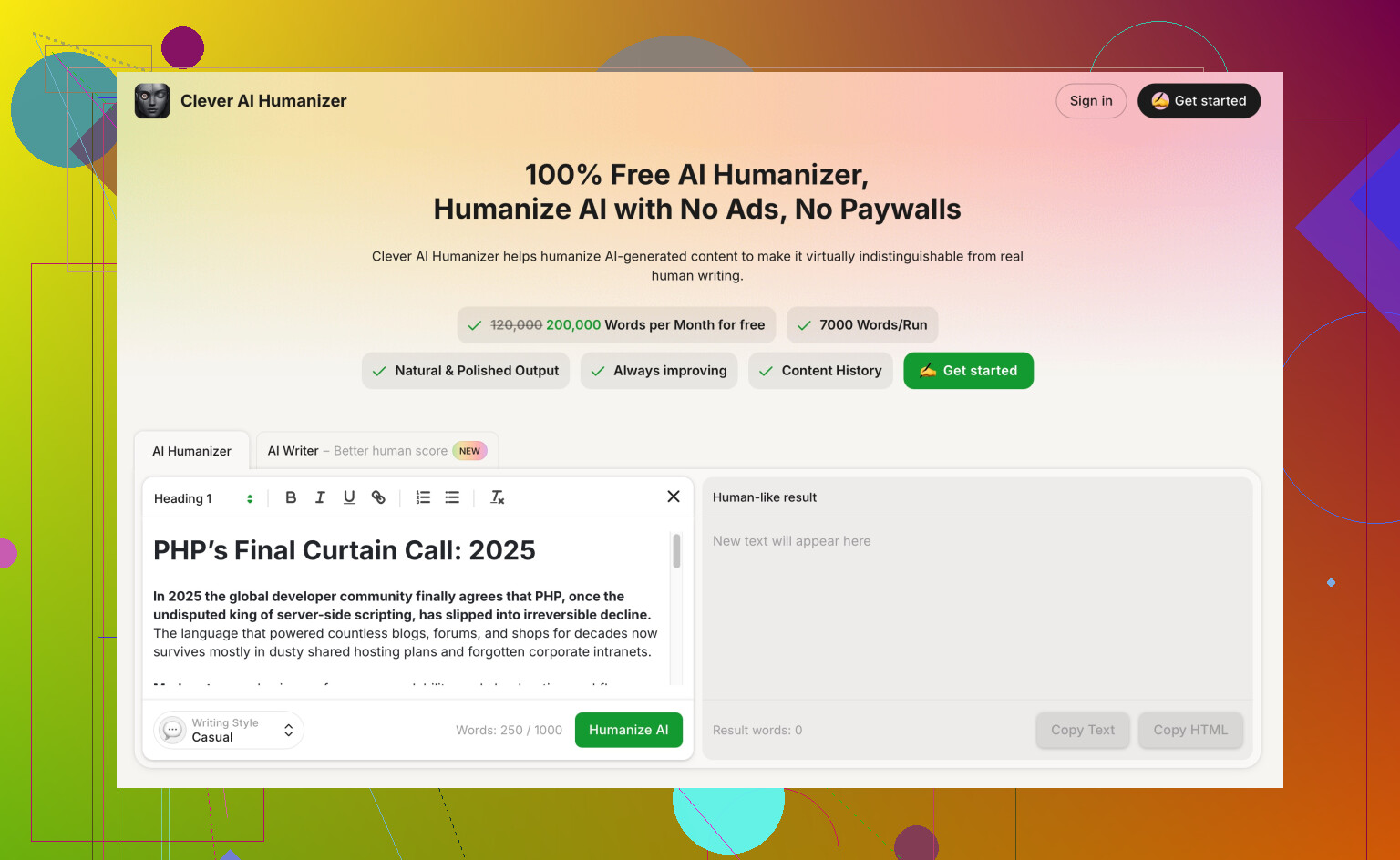
Tools like Clever AI Humanizer for natural-sounding AI content help turn stiff AI text into something closer to human writing.
Useful for:
- Making AI text less robotic
- Avoiding obvious AI phrases
- Getting more natural rhythm in blog paragraphs and captions
Workflow that keeps things free and under control:
- Step 1: Draft your idea in plain text. Write ugly, do not edit.
- Step 2: Use ChatGPT or Gemini to:
- Restructure
- Generate headline options
- Create social snippets from the blog
- Step 3: Run the revised version through Grammarly free for grammar and clarity.
- Step 4: If it still “sounds AI”, paste it into Clever AI Humanizer and get a more natural version.
- Step 5: Do a final human pass yourself. Adjust tone, add your stories and opinions. This part matters for blog and social.
Two extra tips to improve your writing fast:
- Save high performing posts from your niche. Copy the structure, not the words.
- Create a small checklist for every post: hook, one main point, clear takeaway, simple CTA.
You do not need a paid subscription to get good. You need:
- One tool for structure and ideas
- One for grammar
- One to remove the AI feel
- Your own editing pass
That stack stays free or close to free for a long time.
Honestly, you can ignore half the hype out there. Free AI writing tools are great for speed, but they’re terrible at replacing an actual brain, so use them as assistants, not authors.
@suenodelbosque already hit most of the obvious stuff (ChatGPT, Gemini, Grammarly, etc.), so I’ll skip repeating that stack and focus on a few angles that people usually miss and where I actually disagree a bit.
1. Use “narrow” tools instead of one giant magic wand
Instead of hunting for a single “do everything” AI, grab small tools that are good at one thing:
-
Hemingway Editor (web, free)
Great for blog + social clarity. Paste your draft, it highlights long / complex sentences and passive voice.
Why it matters: Social posts die if they’re wordy. Hemingway is brutal and useful. -
LanguageTool (free browser extension)
Lighter and less naggy than Grammarly. Good grammar and style checks without trying to rewrite your voice every 5 seconds. -
Wordcounter.net & character counters
Sounds dumb, but for X, Instagram captions, LinkedIn previews, etc., having an instant character count helps way more than another “AI idea generator.”
2. Stop asking AI to ‘write it all’
This is where I disagree with a lot of people. If you let AI draft full posts, you’ll end up sounding like everyone else who prompted “Write a blog post about…”
What works better for staying original:
- You write a rough, messy draft (even if it’s kinda trash).
- Use AI only for:
- Shortening long paragraphs
- Reordering sections
- Turning bullet points into smoother sentences
- Generating alternatives for hooks and titles, not the whole thing
So instead of:
“Write a 1000 word blog about morning routines”
Try:
“Here’s my draft. Improve clarity, keep my tone casual, cut any fluff, and keep it under 800 words.”
That way, your ideas stay yours, AI just cleans the mess.
3. For socials, focus on hooks, not whole captions
The part AI is actually good at for social content is the first line.
Ask your tool of choice:
“Give me 10 hook ideas for [topic], casual tone, targeted at [audience]. One sentence each.”
Then:
- Pick 1 or 2
- Rewrite them slightly in your own voice
- Write the rest of the caption yourself
That alone levels up your engagement more than having AI spit out full captions that sound like corporate LinkedIn soup.
4. Handling the “AI voice” problem
This is the part a lot of people ignore. Platforms and readers are starting to smell that generic AI tone. You’ll see it: same phrases, same rhythm, same fake-inspirational vibe.
If you’re leaning on AI a lot and your stuff starts to feel robotic, this is where something like Clever AI Humanizer helps.
It’s basically a “de-robotizer” for AI text:
- Makes AI generated content sound more conversational
- Tweaks phrasing and rhythm so it feels more like a real person
- Helps your posts avoid the obvious “ChatGPT did this” vibe
If you want to push that further, you can run your AI draft, then use something like
make AI content sound natural and human
to smooth it out, then you do a final pass to inject your own stories, examples, and opinions. That last human edit is the difference between “scroll past” and “oh, this is actually from a real person.”
5. A simple combo that avoids subscription traps
If you want to keep it free and not lose your mind:
- Any free “big” AI (ChatGPT free, Gemini, Copilot)
For ideas, outlines, hooks, and rephrasing. - Hemingway or LanguageTool
For clarity + grammar. - Clever AI Humanizer
When your text starts to sound like a bot and you want more natural, human style.
That’s enough to level up your blog and social writing without paying for yet another “pro creator suite” subscription.
Last thing: if you want to improve your writing fast, don’t just generate more content. Take one of your posts, run it through these tools, then compare original vs edited. Ask yourself why it reads better. That’s where the actual skill growth happens, not in the 47th AI prompt.
3 Likes
Short version: you don’t need more tools, you need a cleaner stack and better habits.
Where I slightly disagree with @boswandelaar and @suenodelbosque
They both gave strong lists, but the risk is you end up bouncing between 6–8 apps and never actually writing. I’d cap it at 3 core tools you use every day, and 1–2 “sometimes” helpers.
1. Core stack I’d actually use long term
a) One “brainstorm” AI
Pick just one of: ChatGPT / Gemini / Copilot. Doesn’t really matter which. Use it only for:
- Outlines
- Hook ideas
- Rephrasing awkward parts
Avoid full auto‑generated posts unless you’re really stuck. Full drafts tend to flatten your voice and encourage lazy thinking.
b) One “clarity + correctness” checker
Instead of stacking Grammarly + LanguageTool + others, pick one and learn what it’s good at. Personally:
- Grammarly free: better at catching polish-level errors
- LanguageTool: a bit less intrusive, decent for multi‑language work
You do not need both. Too much feedback can make you second‑guess everything.
c) One “de‑robotizer”: Clever AI Humanizer
This is the piece both of them touched, but I’d treat it as a specialist, not a novelty.
-
Pros of Clever AI Humanizer
- Good when your AI-assisted drafts all sound like they came from the same template
- Helps break repetitive phrasing and that “in today’s fast-paced world” vibe
- Useful right before publishing, especially for blog intros and social captions
-
Cons
- If you rely on it for every paragraph, your own style muscles never build
- Can oversoften copy if your brand voice is supposed to be sharp or technical
- It will not fix bad ideas; it only improves how they sound
I’d use Clever AI Humanizer specifically on:
- The first 2–3 paragraphs of a blog post
- Hooks and captions for social
Then do your own manual tweak after.
2. Two “non‑AI” helpers most people skip
Both earlier replies focused heavily on AI tools; I’d add:
- A swipe file: a simple doc where you paste great hooks, intros, and CTAs from your niche. Biggest writing upgrade you can get, and it’s free.
- A personal style guide: 1 page: words you use, words you avoid, sentence length, formality level. Refer to it when editing AI output so everything keeps sounding like you.
These actually matter more for growth than adding another AI app.
3. Simple workflow that doesn’t spiral into tool hell
- Write a rough draft yourself. Even bullet points.
- Use your chosen big AI only to clarify, reorder, and get 3–5 hook options.
- Run through Grammarly or LanguageTool for cleanup.
- If the result feels generic, pass key parts through Clever AI Humanizer.
- Final manual pass: add your own examples, opinions, and specific details from your life or work.
If any new tool doesn’t clearly fit into one of those steps, skip it, even if it sounds amazing on paper.
In short: fewer tools, tighter system, more human editing. That is what actually improves your writing instead of just accelerating average content.