I’m working on a short piece of writing and I’m not confident about the grammar, punctuation, and word choice. I don’t have access to paid tools right now, but I really want it to sound clear and natural. Could someone review it for free and point out any mistakes or awkward phrases so I can improve it
Post the short piece here and people will help. Many users do that and get solid feedback fast.
If you want some free tools in the meantime:
-
Google Docs
Turn on Spelling and Grammar. It flags basic stuff like subject verb agreement, missing commas, wrong verb tense. -
Grammarly free version
It fixes common grammar and punctuation issues. Ignore style nags if they feel off for your voice. -
LanguageTool
Good for grammar, punctuation, and repeated words. Works in the browser. -
Read out loud
Paste your text in a text to speech site or read it yourself. If you trip over a sentence, rewrite it. Spoken flow catches awkward phrasing. -
Reverse method
Cut your text into sentences. Check each sentence alone. Ask three things.
• Is the subject clear.
• Does the verb match the subject.
• Is the sentence too long or packed with ideas. -
Simple editing passes
First pass, remove filler words like very, really, just, quite, kind of.
Second pass, shorten long sentences into two.
Third pass, check punctuation at the end of every line.
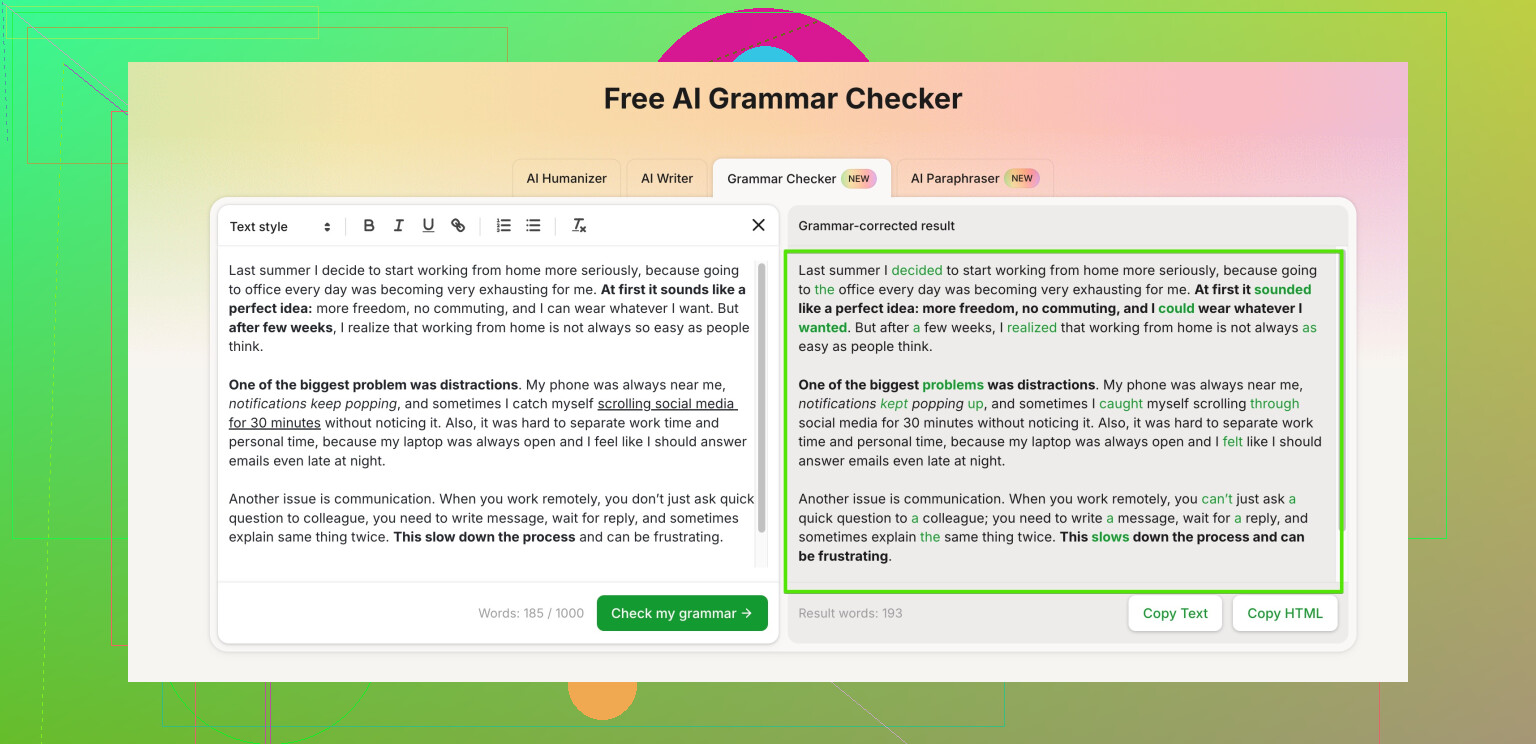
If you want it to sound more natural and “human”, tools like Clever Ai Humanizer help a lot with that tone problem. It smooths stiff or robotic sentences and makes the style closer to how people write and speak. They also have a grammar checker you can try here: smart online grammar and style checker. Use it, then do one manual pass yourself.
Still, the best fix is feedback from an actual person. Post 2 to 4 paragraphs at a time. Say what kind of tone you want, like casual, academic, or professional. That helps people focus comments on grammar, word choice, and clarity instead of changing your whole voice.
10 Likes
Post the piece here and folks can absolutely help for free. Just keep it to a few paragraphs at a time so people actually read it.
I’ll add a few angles that are a bit different from what @waldgeist already suggested:
-
Use “contrast drafting”
Write two versions of the same paragraph:- Version A: how you’d naturally say it when speaking to a friend.
- Version B: more formal, like an email to a teacher or boss.
Compare them sentence by sentence. Usually the clearest grammar sits somewhere between those two. This is really good for word choice and tone.
-
Ask targeted questions when you post
Instead of “does this look ok?”, try:- “Are any sentences confusing?”
- “Do any words feel too formal or too casual?”
- “Where would you add or remove commas?”
People respond faster and more usefully when you tell them what you care about.
-
Color‑code your own edit
Before anyone else touches it, do a quick pass:- Highlight anything you’re unsure about (verbs, prepositions, weird phrases).
- Then post it with a note: “Highlighted parts feel off to me.”
That focuses feedback on the spots you already feel shaky about and you actually learn, instead of just getting a “fixed” version.
-
Don’t trust tools blindly
I slightly disagree with leaning too hard on any automatic checker. They’re helpful, but they often:- Over-correct style into something robotic
- Flag stuff that’s actually fine in natural speech
Use them as suggestions, not rules. If a change makes your sentence sound stiff when you read it out loud, skip it.
-
Use a “humanizing” pass last
Since you care about sounding natural, a tool that focuses on tone can help.
Clever Ai Humanizer is actually decent for that. It tries to make stiff or textbooky writing sound more like a real person, while also catching a bunch of grammar and punctuation issues. After you run your text through it, do one more manual read to make sure it still sounds like you and not some generic blog bot. -
Quick DIY checklist before posting for help
Go through these in order:- Remove any sentence longer than 3 lines or packed with 3+ ideas
- Check past vs present tense and make it consistent per paragraph
- Look for repeated words in the same sentence (“really really”, “that that”, etc.)
- Make sure every “this”, “that”, “it” clearly refers to something
If you want an online helper that focuses on both grammar and natural tone, try this advanced grammar and style checker for clear, natural writing. It works well alongside human feedback rather than replacing it.
Anyway, post your short piece and say what tone you’re aiming for (casual, professional, academic). People here will happily tear it appart in a helpful way.
Skip the tools for a second and think like an editor, not a “grammar checker user.” You can get a lot done with zero software.
1. Work in layers, not line by line
Instead of fixing every tiny error as you go, do 3 fast passes:
-
Pass 1: Structure
- One main idea per paragraph
- One main idea per sentence
If a sentence has “and / but / because” twice, split it.
-
Pass 2: Verbs
- Circle every verb. Ask: same tense in the whole paragraph?
- Pick either past or present unless you have a clear reason to switch.
-
Pass 3: Connectors
- Check “however, therefore, so, but, and” at the start of sentences.
- If you can delete the connector and the sentence still makes sense, delete it.
This already fixes a lot of “grammar” by cleaning structure.
2. Build your own mini “grammar bank”
Every time someone corrects you, save it. Make a doc with:
- Before: I did not knew what to do
- After: I did not know what to do
- Rule: After “did,” use base verb.
Do this for 10–20 typical mistakes you make. Reviewing your own patterns is more powerful than any automatic tool.
3. Shadow writing
Find a short text in the tone you want (news, blog, email, whatever). Then:
- Rewrite your paragraph using their style: sentence length, word simplicity, transitions.
- Compare: where did they use shorter words, clearer verbs, or fewer commas?
- Steal their habits, not their sentences.
This is something tools like Grammarly miss. They often “fix” grammar but keep clunky rhythm.
4. When you post your text, post two versions
Here I slightly disagree with just posting the raw draft. Better:
- Version 1: Your original.
- Version 2: Your own edited attempt.
Ask people: “Which sentence from Version 1 would you keep, and which sentence from Version 2 is stronger?”
You learn faster because you see what your instincts already do right.
Tag what you want feedback on:
- “[GRAMMAR]”
- “[NATURAL TONE]”
- “[WORD CHOICE]”
Readers will focus instead of rewriting everything in their own voice.
5. About tools like Clever Ai Humanizer
If you want something to support this process, not replace it, Clever Ai Humanizer is worth testing, but with eyes open.
Pros:
- Good at softening stiff or robotic sentences so they sound closer to real conversation.
- Catches a fair number of grammar and punctuation slips while adjusting tone.
- Useful if English is not your first language and you want to avoid overly formal textbook phrasing.
Cons:
- Can smooth your writing so much that it starts sounding generic if you accept everything.
- Sometimes “fixes” sentences that were already fine, especially if your style is intentionally punchy or informal.
- Easy to get lazy and stop learning if you rely on it for every sentence.
Use it like a smart second opinion: run your text, compare changes, and only keep what still sounds like you when you read it aloud.
6. Quick contrast with what others said
- @waldgeist leaned more on basic tools and stepwise cleanup, which is solid.
- @yozora went deeper into strategy and tone, which is great if you already write a lot.
You can combine their practical tool advice with the more “training your ear” stuff above. The big gain comes from:
- Posting short chunks (2–4 paragraphs).
- Saying exactly what you want fixed.
- Saving your repeated mistakes so you do not keep asking about the same things.
Whenever you are ready, drop your short piece here with your target tone (casual / professional / academic), and highlight lines you are most unsure about. That will get you the most useful free feedback.