I accidentally formatted my hard drive, then kept using it before realizing important photos, documents, and work files were missing. I’m trying to find out if data recovery is still possible after a formatted hard drive was used again, and what steps I should take right away to avoid losing more files.
I’ve done this once, and I still remember the stomach drop. You format the wrong drive, or you wipe one you swore was backed up. First move is simple. Stop writing to it. If it’s external, unplug it. If it’s internal, shut the machine down and leave the drive alone.
The usual way people make it worse is panicking and installing recovery apps onto the same formatted drive, or copying random files around while trying to 'test' things. Bad idea. Every write raises the odds of overwriting the data you want back.
What formatting changed
A quick format usually does not erase the file data itself. It removes the file system index, so your computer treats the drive like empty space. The files often still sit there until new data lands on top of them.
If you ran Quick Format, recovery odds are often decent, especially if you stopped using the drive right away.
If you ran Full Format, especially the slower one which checks sectors, recovery gets much harder. On many systems, it writes over the drive contents, and at that point the old data is often gone.
Drive type matters more than people think
Old spinning hard drives, HDDs, tend to be the friendlier case. I’ve seen those come back with a lot intact after a format.
Internal SSDs are rougher. TRIM tends to clear blocks in the background, which cuts recovery odds fast. External SSDs over USB sometimes fare a bit better since TRIM behavior is less consistent there. Not always. Still, I’ve seen enough weird cases to check before giving up.
What I’d do next
If you’re not sending it to a recovery lab, and those labs often start around $1,500 or more, software is the normal route. Out of the stuff I’ve used, Disk Drill is one of the easier ones to work with after a format.
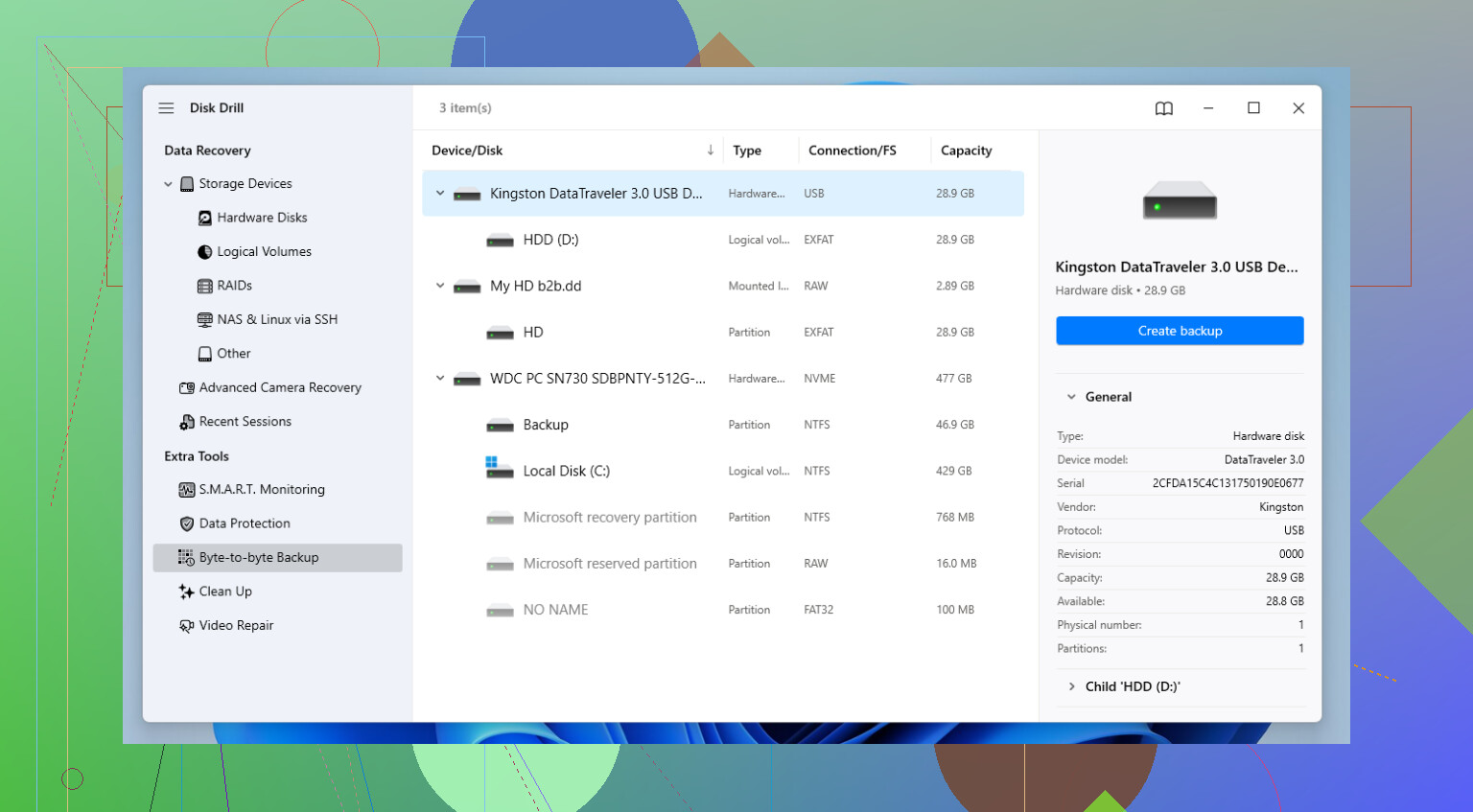
What stood out to me was the layout. It doesn’t feel built only for forensic people. It handles common file systems like NTFS, FAT32, APFS, and it does a decent job pulling files back even when names and folders are trashed.
One thing I’d do before a long scan, if the tool gives you the option, is make a byte-for-byte image of the damaged drive. Scan the image, not the original disk. Less wear, less risk, fewer chances to make a bad situation worse.
Short version of the recovery steps
1. Install the recovery app on a different drive.
2. Connect the formatted drive and scan it.
3. Sort results by type if the original folder tree is missing.
4. Use preview before restoring. If a photo opens or a document shows readable text, your odds are good for that file.
5. Recover everything onto another drive, never back onto the formatted one.
If you want the free route
I’ve used PhotoRec too. It works, and it finds files by signature, which helps when the file system is wrecked. The tradeoff is pain. You usually lose original filenames, so you end up with a giant pile of stuff named like f12345.jpg. If you’ve got time and patience, fine. If not, it gets old fast.
One check people skip
Look at your cloud accounts before you assume the worst. I’ve seen people recover half their panic in five minutes because OneDrive, Google Drive, or iCloud had been syncing Desktop or Documents in the background the whole time. Sign in and look.
If nothing new was written to the drive, there’s still a fair shot here. If it was a quick format on an HDD, your odds are often pretty good. If it was a full format on an SSD, I’d keep expectations lower. Still worth checking before writing it off.
23 Likes
Yes, there is still a shot, even after you used the drive again. The part people skip is this, recovery odds depend on how much new data replaced the old data.
A few practical points.
If the missing files were photos, PDFs, Office docs, and small work files, some of them often survive longer than people think. Large video files tend to get hit harder because they use more blocks. If you kept using the drive for days, installed apps, moved files, or copied big folders, the odds drop fast.
I agree with most of what @mikeappsreviewer said, but I’d push one extra step first. Check whether the missing files were copied somewhere else by your own workflow. Look in Recent Files, app temp folders, email attachments, Teams or Slack uploads, printer scan folders, camera import folders, and cloud version history. A lot of people focus on raw recovery and forget the easy wins.
For software recovery, Disk Drill is a solid place to start because it sorts found data in a way normal people can work with. If the original names are gone, filter by file type, then preview files and recover the important stuff first. Start with irreplaceable items, family photos, tax docs, project files.
If this is an SSD, time matters more. If it is an HDD, your chances are better. If the files are tied to business or legal work, stop DIY and send it to a lab before more damage is done. DIY attempts sometiems make pro recovery worse.
If you want a visual walkthrough, this step by step guide to recover files from a formatted hard drive covers the process clearly.
Short answer, yes, recovery is still possible. Full recovery, no one can promise taht after reuse.
Yes, possible. Guaranteed? Nope.
The part I’d add to what @mikeappsreviewer and @boswandelaar said is this: after a format + reuse, recovery is often partial, not all-or-nothing. People ask “can it be recovered?” like there’s a yes/no switch, but realy it’s more like layers. Some files may come back perfect, some corrupted, some with no names, some gone forever.
Also, don’t assume “used again” means total loss. If what got written back was mostly small files, caches, or a reinstall that only touched part of the drive, older data can still exist in untouched areas. Fragmented files are the annoying part. Documents may recover fine while big photo libraries or video projects come back half-broken.
One small disagreement with the usual advice: if the files are super valuable, I would not spend too long hopping between a bunch of DIY apps. Every extra scan can stress a failing drive if the problem is not just formatting. Listen for clicks, slow reads, disconnects, that kinda stuff. If hardware is acting weird, stop.
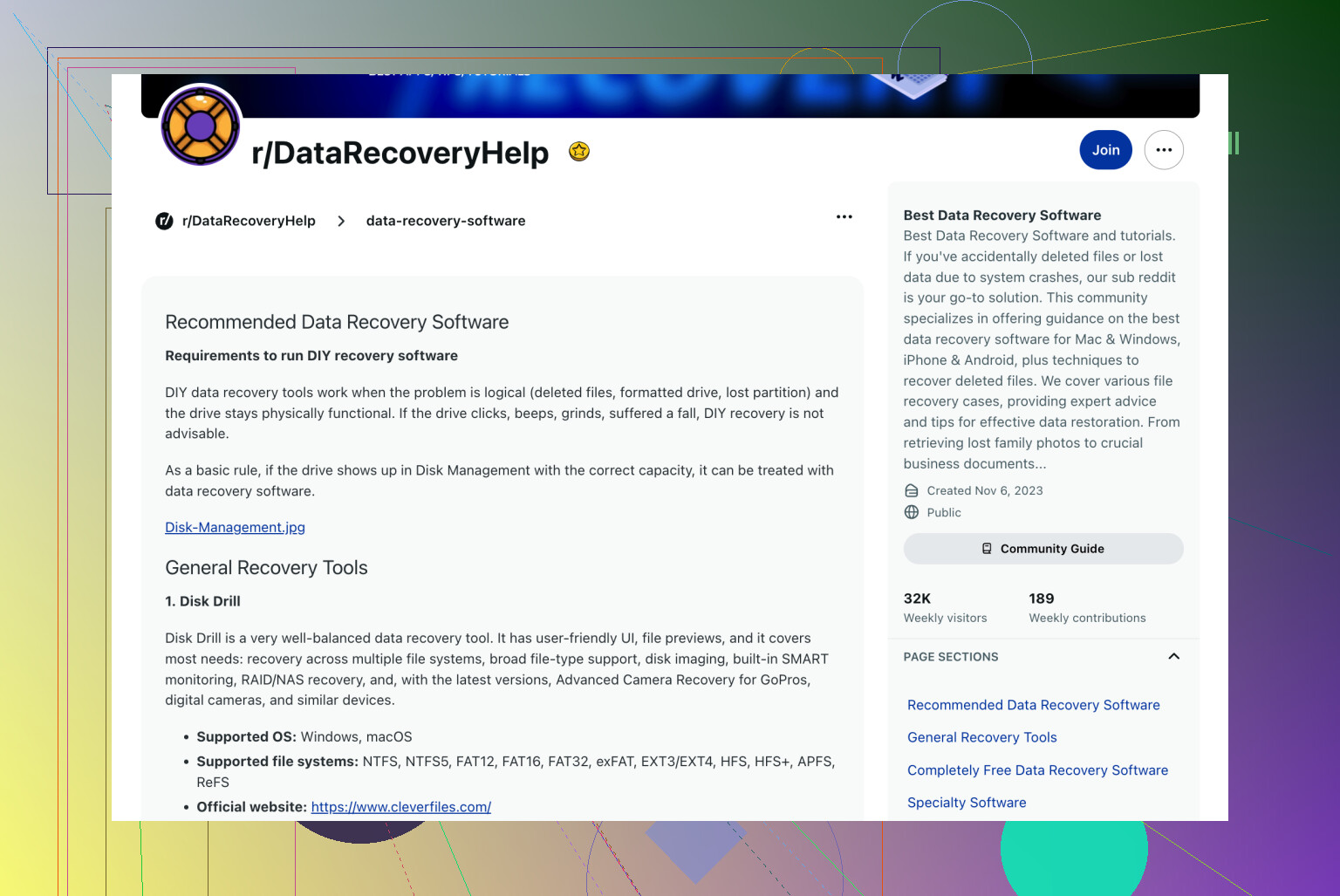
If the drive is stable, Disk Drill is a reasonable first pass because previews save time and let you triage what matters first. Recover to another disk only. And before diving in, check this list of best data recovery software for formatted hard drives so you can compare tools instead of blindly trying whatever Google throws at you.
Short version: HDD + quick format + limited reuse = decent chance. SSD + lots of reuse = yeah… less fun.
Yes, still possible, but I’d frame it like this: formatting + reuse turns recovery into a salvage job, not a clean restore.
I mostly agree with @boswandelaar, @yozora, and @mikeappsreviewer, but one thing people underplay is file quality after recovery. Even when files are “found,” some JPEGs open halfway, Office docs throw errors, and ZIP/project files can be useless if a tiny part was overwritten. So count recovered files by what actually opens, not by scan totals.
A practical angle they did not lean on enough: check whether the drive was reformatted to a different file system. NTFS to exFAT, APFS to exFAT, etc. That can change what metadata survives and why one tool finds filenames while another only finds raw files. Sometimes running one metadata-focused scan and one signature-based scan gives a more realistic picture.
On Disk Drill specifically:
Pros
- easy previewing, which saves time
- good for sorting by file type when folders are gone
- friendlier interface than a lot of recovery tools
- decent for mixed personal files like photos, PDFs, docs
Cons
- scan results can look more hopeful than reality until you test recovered files
- deep scans can take ages on big drives
- not the cheapest route if you only need a one-off recovery
- less ideal if the drive has physical issues
My take: if the drive is healthy and this is mainly logical loss from format/reuse, Disk Drill is a sensible first pass. If the drive is clicking, dropping offline, or crawling, skip the software marathon and think lab. That’s where I’d be a little stricter than the others. Too many people keep “trying one more scan” and make a borderline case worse.