I’m updating my online profiles and I don’t have a professional photo. I’ve heard some people use AI to generate realistic headshots, but I’m not sure if ChatGPT can actually do this or how to start. Can anyone explain what’s possible, what tools or prompts I should use, and any limitations or risks I should know about for using AI-generated headshots on social or work profiles?
Yes, I tried making headshots with ChatGPT. It works, kind of. But if you want something that looks like a real photo of you, for LinkedIn or a resume, it is not the smoothest path.
Here is what I got when I tried to make a headshot of myself inside ChatGPT:
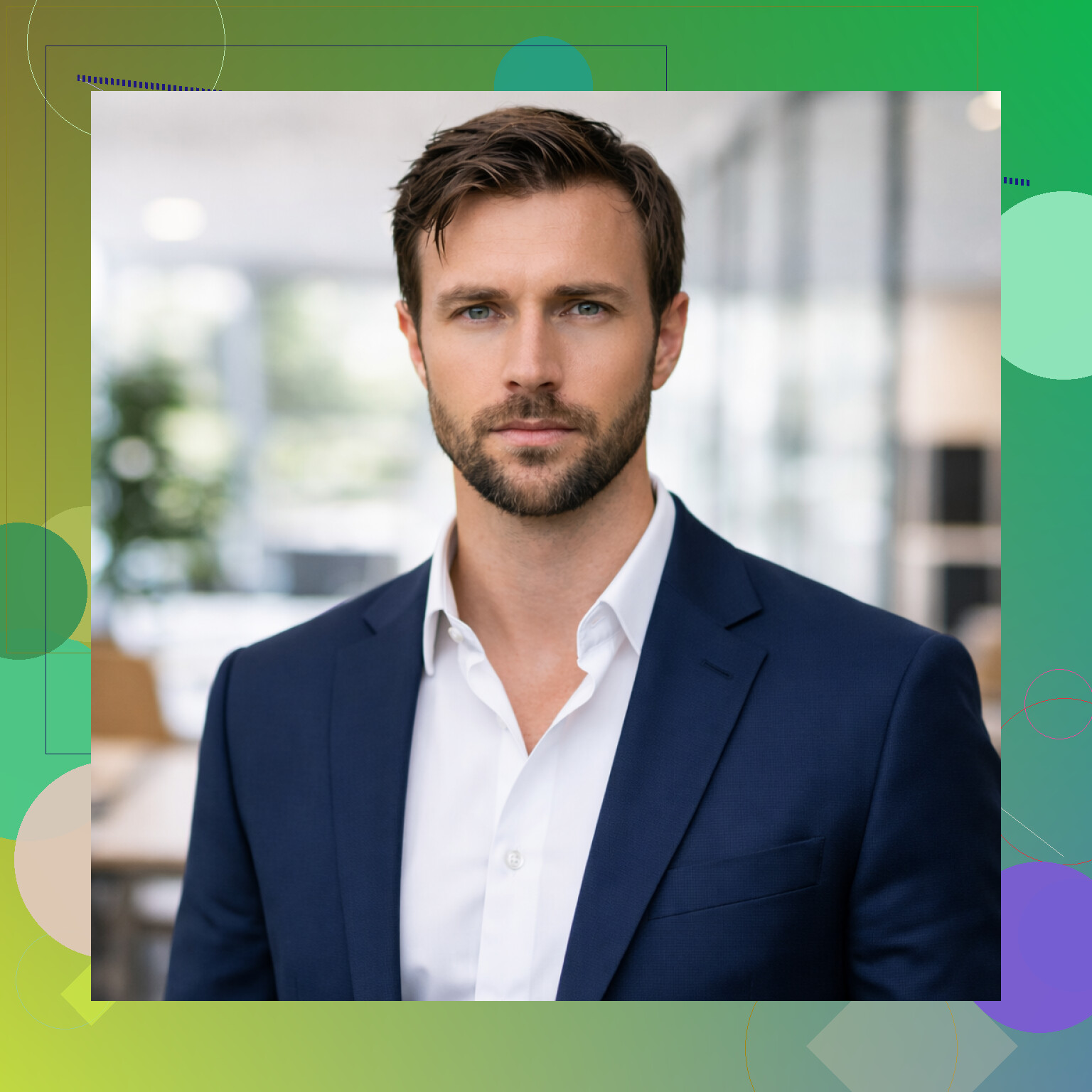
Looks fine at first glance, but once you stare at it, it feels more like “generic business human” than “me”.
I will walk through what I had to do and what worked better later.
How I tried making headshots with ChatGPT
The process feels more like programming than taking a photo.
You have to spell out every detail in text:
- Type of shot: “professional business headshot”
- Background: “plain light gray background”
- Lighting: “soft studio light, even face lighting”
- Clothes: “navy blazer, white shirt, no tie”
- Expression: “small confident smile, neutral expression”
- Camera: “50mm lens, shallow depth of field, centered composition”
My first prompt was lazy. The result looked off, like a stock photo. So I rewrote the prompt, again and again. Change lighting, change background, adjust age, hair, skin texture, posture. Each time you wait, then judge, then tweak.
If the jaw looks wrong, you add one line about “natural jawline.” If the eyes look weird, you write “no warped eyes, no asymmetry.” If the skin is too smooth, you write “natural skin texture, visible pores, not airbrushed.”
It starts to feel like whack-a-mole with words.
Making it look like you
The other problem is identity.
If you do not upload any of your photos, ChatGPT will basically guess a face based on your description. “Brown hair, glasses, light beard” describes thousands of people, so the result looks generic.
If you upload your own images, things get better, but you still need to steer it:
- Pick a few clear photos of your face
- Similar age, no heavy filters
- Neutral lighting if possible
Then you describe what you want:
- “Use my face from the uploaded photos”
- “Create a professional headshot suitable for LinkedIn”
- “Neutral background, studio lighting”
Results do start to look closer to you, but they are not consistent. One version looks like your older cousin, another one like you after plastic surgery, another one almost perfect except for some detail that feels off.
To get something usable for a professional profile, I had to:
- Try multiple prompts
- Regenerate several times per prompt
- Pick the least weird one
That cost time and attention. You might not want that if you only need a decent headshot for a job application.
Why I switched to a dedicated headshot tool
After getting tired of prompt tweaking, I tried a focused tool, Eltima AI Headshot Generator:
The flow there is different.
Instead of writing long prompts, I:
- Uploaded a few of my own photos, different angles, same person obviously
- Picked a style pack, for example business or career focused
- Let the tool process everything
Here is what it gave me:
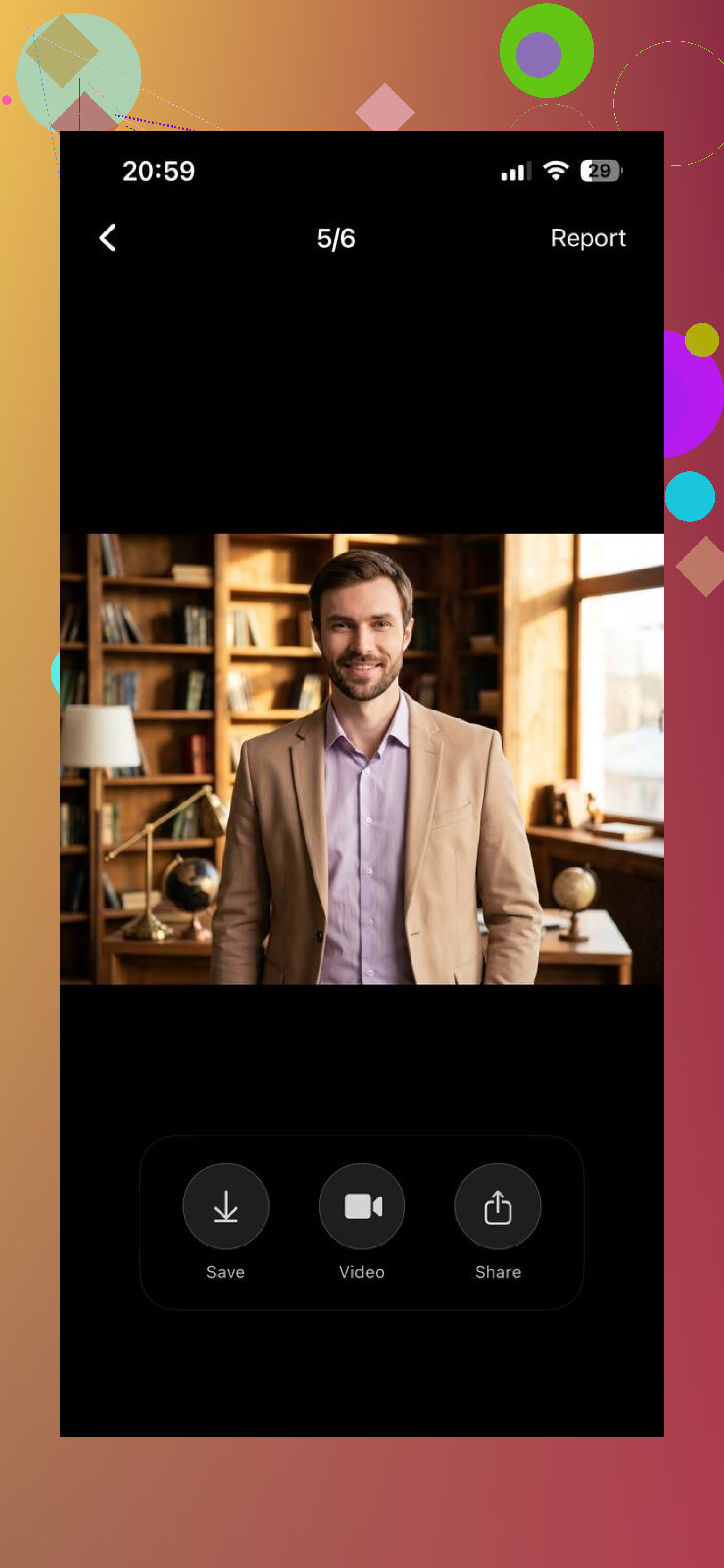
This one looks way closer to how I look in real life. Face shape, skin, hairline, all felt more “me” than the generic ChatGPT ones. Also, the shots looked consistent, like they were from one real photo session.
With the Eltima generator, I did not touch prompts at all. No “soft rim light from the right,” no “avoid distorted eyes.” The app handled style, background, and framing on its own.
If you want to check the desktop version, it is here:
https://mac.eltima.com/ai-headshot-generator-app/
Where each option makes sense
From what I saw:
Using ChatGPT for headshots feels better if:
- You like experimenting and do not mind tweaking prompts
- You want something more stylized, less strict professional
- You need one-off concepts, not a consistent pack
A dedicated headshot generator felt better if:
- You want fast LinkedIn or resume ready images
- You do not want to learn prompt phrasing
- You care about consistency across 1 to 3 photos
What I would do if you are deciding
If you are curious and have time, try both:
- In ChatGPT, upload a clear selfie and ask for a “professional LinkedIn style headshot” with a plain background.
- In Eltima AI Headshot Generator, upload 10 to 20 photos of yourself, pick a business style, and generate a batch.
Then compare:
- Which one looks most like you
- Which one feels safe to put on your LinkedIn
- How long each took from start to final download
For me, ChatGPT was fun for experiments. For an actual profile photo, the specialized tool was the one I ended up using.
20 Likes
Short answer for your use case. Yes, ChatGPT can generate a realistic-ish headshot of you. No, it is not the most reliable way to get a clean, “I trust this person with my money” LinkedIn photo.
A few points that complement what @mikeappsreviewer wrote, without repeating the same step list.
- How close it looks to “you”
If you care about recognizability, ChatGPT depends a lot on:
- how many photos you upload
- how clear those photos are
- how consistent your look is
One selfie in bad light gives you a kind of “cousin of you” result.
Five to ten photos with similar hairstyle, no filters, front-facing, gives you something closer.
If your goal is:
- LinkedIn, resume, portfolio: you want people who know you to instantly recognize you.
- Dating apps, social stuff: you might accept a slightly idealized version.
For strict professional use, AI headshots often look slightly “too perfect”, which some recruiters notice. There is a small but real risk someone looks at it and thinks “AI photo” instead of “real person”.
- Where ChatGPT works better than a dedicated headshot tool
I disagree a bit with the idea that specialized tools always fit better for profiles.
ChatGPT works better if:
- You want to test different vibes first. Friendly vs serious. Casual jacket vs suit. Colored background vs neutral.
- You do not know what style you want. You can iterate through many looks fast, then later replicate that style in a real photo.
- You need avatars for different platforms. LinkedIn more formal, GitHub a bit more relaxed, Discord very relaxed.
Think of it as a low-cost style lab. You try:
- different hair length
- glasses on or off
- beared vs clean shave, etc.
Once you like one direction, you keep that as reference.
- Practical way to use ChatGPT for this, without “prompt whack-a-mole”
To avoid the “I am debugging a face generator” feeling:
- Start from your real photo and say you want “minor clean-up only”.
- Be explicit that you want it to stay close to your real look.
- Limit changes in each request.
Example flow:
- First ask to keep your face, fix lighting, remove background, no change to facial features.
- Then ask to adjust outfit to a simple business look, like a shirt or blazer.
- Last, adjust small things, like background color or crop ratio.
Small steps give you more control and less weirdness.
Large, highly detailed prompts often cause over-editing.
- Real world expectations
From people I have seen use AI headshots:
- About 2 to 3 people out of 10 get a result they use on LinkedIn.
- Others use the AI version on secondary sites, then pay for a quick pro session later.
- Some recruiters in tech and design do not care if it is AI, as long as it is not obviously fake.
- Roles in law, finance, gov tend to prefer real, slightly imperfect photos.
If you are early in your career or changing fields, a natural smartphone portrait in good daylight often does better than an over-polished AI headshot.
- Simple alternative workflow
If you do not want to juggle tools:
- Take 20 minutes. Face a window. Plain wall behind you. Phone at eye level. Clean shirt.
- Shoot 30 photos.
- Pick the best 2 or 3.
- Use ChatGPT only to:
- clean background
- fix light
- sharpen slightly
- maybe adjust outfit color
This keeps your real face and body structure, removes the “generic AI person” vibe, and still looks professional.
So, yes, you can start with ChatGPT for experimentation and light polishing.
For an important LinkedIn update, a simple real photo with minimal AI touch-up tends to hit the best balance of trust and quality.
Short version: yes, ChatGPT can, but whether you should use it as your main LinkedIn photo is a different question.
Couple of points that add on to what @mikeappsreviewer and @codecrafter already said:
- The “trust” problem
A lot of AI headshots fall into this weird valley where:
- they’re technically good
- they kind of look like you
- and somehow still feel like a pretend human
For casual profiles, that’s fine. For LinkedIn, some people subconsciously read that as “this person is polishing reality a bit too much.” It is not about ethics speeches, just human pattern‑matching. Slight imperfections from a real camera often signal authenticity better than a flawless AI jawline.
- Where ChatGPT actually shines here
I’d argue ChatGPT is strongest as a pre-production tool, not necessarily the final image source:
- Try styles & vibes: “What would I look like with a darker blazer, or a softer background, or less contrast?”
- Get a visual moodboard of what you want a real photographer (or your phone) to aim for.
- Do very light adjustments on a real photo: cleaner background, nicer lighting, less harsh shadows.
So instead of “generate my face from scratch,” think “take this real face and make it 15% more polished, not 300% more plastic.”
- Identity & expectations
One place I actually disagree a bit with both of them: I would not rely on ChatGPT to invent your face for professional use, even if you hate photos.
If you:
- are job hunting
- work with clients
- or expect to meet people from LinkedIn in real life
you want the reaction to be “oh yeah, that’s you,” not “wait, you look different.” An AI-generated version that shaves off 10 years, changes jaw structure, or moves hairline is basically a permanent, public soft‑filter. So at minimum, start with an honest selfie.
- Super low effort, non‑AI baseline
People underestimate how far a basic phone setup goes:
- Face a window in daytime
- Plain wall or open door behind you
- Put the phone at eye level, not under your chin
- Take 20–30 shots, pick the least terrible
Then, if you bring that into ChatGPT:
- use it to fix color, lighting, background
- keep your actual facial features as-is
That usually beats a fully AI face for professional trust, even if the raw photo feels a bit “meh” to you.
- When I would personally use ChatGPT for the final headshot
I’d be okay using a ChatGPT‑generated or heavily AI‑edited headshot if:
- it is for Twitter, Discord, game platforms, personal site, side project
- or I’m in a very online / startup / design crowd that already plays with AI stuff daily
I’d be a lot more cautious for:
- law, finance, government, healthcare, consulting
- roles where your face is part of “credibility” to more traditional folks
So:
Yes, ChatGPT can crank out a realistic-ish headshot.
If the profile actually matters for your career, I’d treat it more like a test lab and light retouch tool, and keep at least one decent real-camera shot as your main anchor.
You can think of ChatGPT as “AI retoucher that can generate faces,” not a pure headshot generator like some apps.
Where I slightly disagree with the others: I do not think you always need 10+ photos or a dedicated tool just to get something usable. For a lot of profiles, a single solid selfie plus very light AI work inside ChatGPT is enough, if you accept minor imperfections and don’t chase the hyper‑polished look.
A different way to decide what to use:
1. Start from your goal, not the tool
- If your priority is recognizability (LinkedIn, CV, portfolio):
Use a real phone photo as the base. Ask ChatGPT for subtle edits only: cleaner background, better lighting, maybe slight sharpening. Keep your natural skin, lines and all. - If your priority is vibe (side projects, social, community sites):
Let ChatGPT stylize more. Slightly upgraded outfit, softer background colors, maybe small tweaks to hair or glasses.
Where I agree with @codecrafter and @ombrasilente: if you push it to invent your face from text, you hit “generic AI human” territory fast.
2. Don’t overcorrect “AI-ness”
A trap I did not see mentioned much: people keep telling the model “more realistic, less AI, more natural, less airbrushed” in long prompts. That often backfires and you end up with uncanny micro‑changes in every iteration.
In practice, fewer constraints can look more human.
Something like: “Use this exact face, professional lighting, neutral background, small genuine smile, minimal retouching.” Then stop. Resist the urge to layer 12 extra safety clauses.
3. Where dedicated headshot generators still win
The specialized tools that train on 10–20 of your photos generally beat ChatGPT on:
- Consistency
Same face, same age, similar angles. Good if you want a whole “brand kit” of profile photos. - Speed
No prompt debugging. You pick “business style” and let it run. - Batch output
You get a pack, not one or two one‑off images.
The tradeoffs:
Pros of using a dedicated AI headshot generator like the one mentioned earlier
- Tailored specifically for portraits and corporate style
- Less prompt fiddling
- More coherent identity across multiple outputs
Cons
- Needs more photos upfront
- Less granular creative control per shot
- Final images can still drift slightly from how you look on an average day
ChatGPT is the reverse: more flexible and creative, more “manual,” and easier to overdo.
4. Practical split that works for most people
Given what @mikeappsreviewer tested and what the others pointed out, a balanced approach:
- Use your phone + window light to shoot a straightforward photo.
- Use ChatGPT:
- to remove cluttered background
- to fix color and exposure
- to make tiny wardrobe tweaks if needed
- If you later want a whole pack of consistent shots or a more polished “corporate” look, try a focused AI headshot generator for that, and compare.
You end up with:
- 1 “anchor” photo that is clearly you, lightly AI‑assisted by ChatGPT.
- Optional AI‑studio pack for banners, personal site, or pitch decks.
That covers both authenticity and aesthetics without turning your LinkedIn into a sci‑fi character sheet.