My iPhone storage keeps filling up automatically, even after I delete photos, apps, and files. I’m trying to figure out if certain apps are creating cache or hidden data in the background and causing my iPhone storage to increase on its own. I need help finding what’s taking up space and how to stop it.
Why iPhone storage seems to fill itself up
I ran into this on my own phone, and it looked random at first. It usually isn’t. If your iPhone loses free space overnight, something is writing new data in the background and stacking it up while you are not paying attntion.
The usual stuff eating space
Photos and videos are the big one for a lot of people. Every photo, screenshot, screen recording, Live Photo, and video takes room. The sneaky part is volume. You take 40 shots at a birthday, keep 3, forget the other 37 exist. Same with trips, concerts, pets, kids, food, whatever. It adds up fast.
Apps do this too. Social apps, streaming apps, chat apps, browsers, they all keep cached files so they open faster next time. At first it looks small. Weeks later, one app is sitting on a few GB and you did not even notice. Downloads make it worse. Offline songs, saved shows, podcasts, random files from inside apps, all of it hangs around.
Messages are another one people skip over. Old threads keep photos, videos, GIFs, voice notes, and file attachments long after the conversation is dead. A handful of big video clips in Messages can eat a stupid amount of storage.
Then there is System Data. This is Apple’s catch-all bucket for caches, logs, temp files, update leftovers, and other junk iOS keeps around. Some movement there is normal. Still, I have seen it grow way past what seemed reasonable. Apple does not give you a clean little ‘delete System Data’ button, which is annoyng.
First place to check
Open:
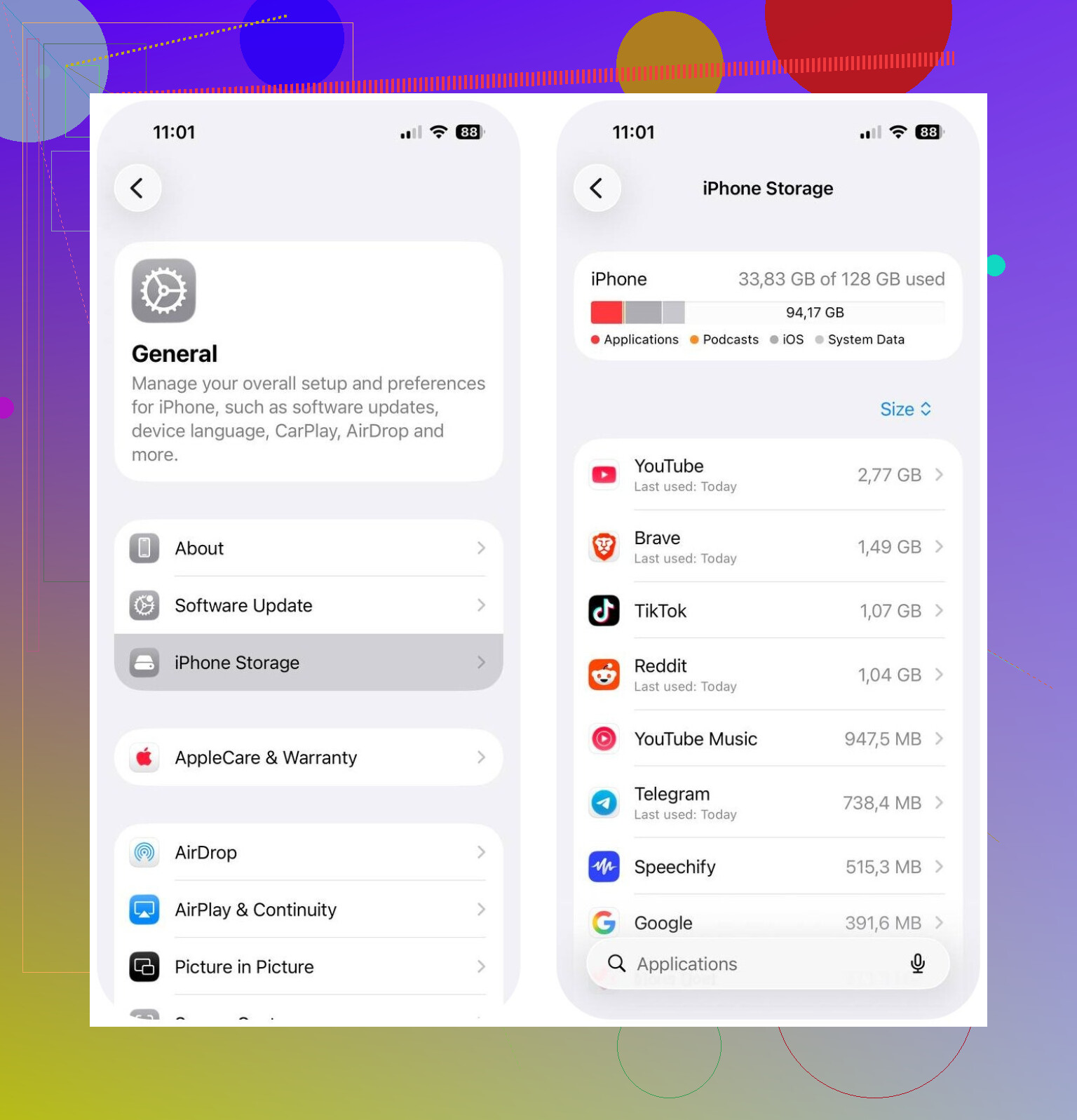
Settings > General > iPhone Storage
This is the only place I check first now. It shows what category is taking the most space, so you stop guessing and go after the biggest problem first.
If Photos is the main problem
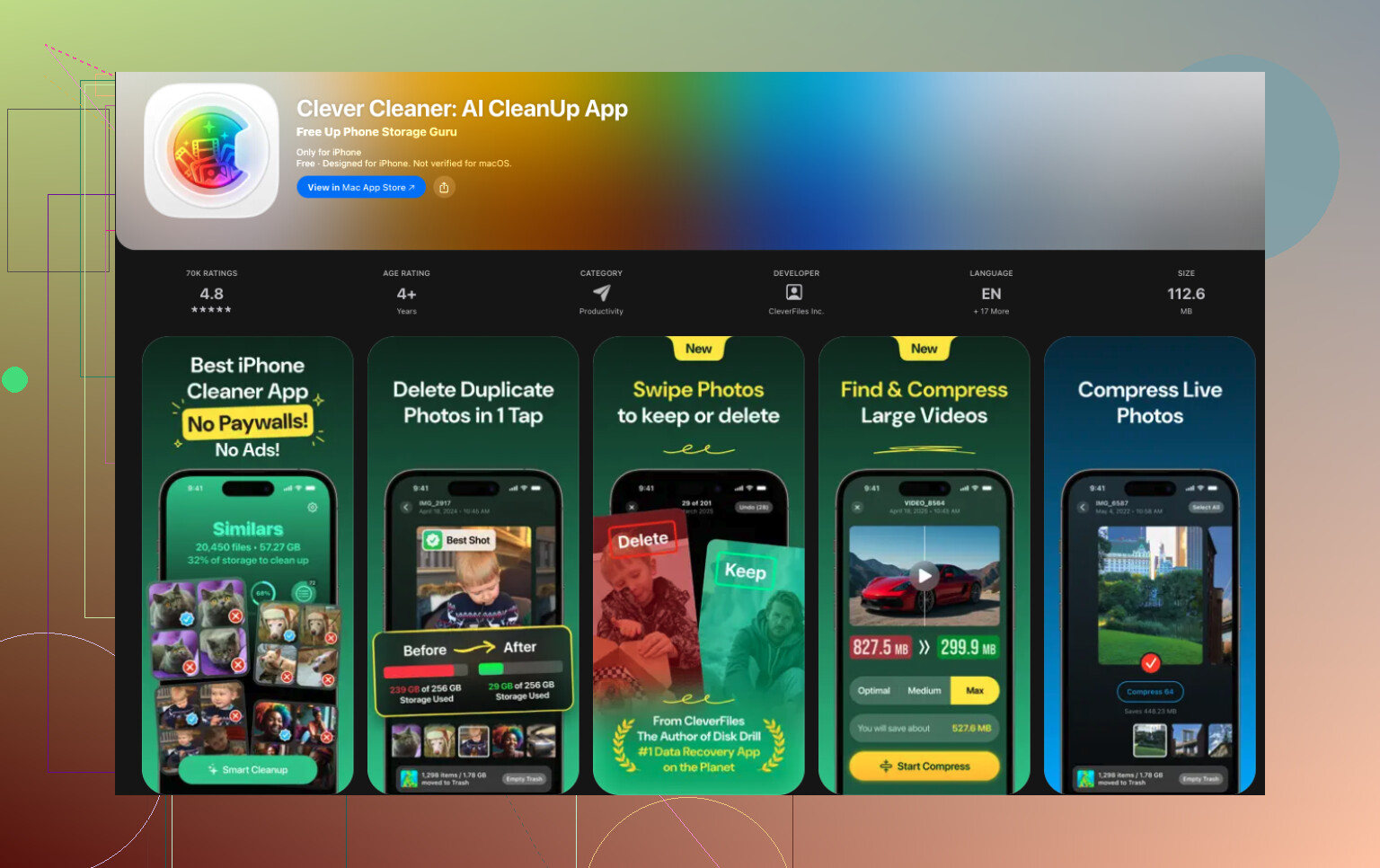
If Photos is near the top, cleaning it manually is slow and miserable. I had better luck with Clever Cleaner because it targets the mess most people build up without noticing, media clutter.
What stood out to me, Apple’s Photos app only catches exact duplicates in the Duplicates album. That helps a little. It does not catch the ten near-identical photos you took by accident. Clever Cleaner sorts out similar shots too, which is where I found most of the wasted space.
It also does a few useful things:
- Finds similar photos and picks out the best one to keep
- Flags large photos and videos
- Bundles screenshots so you can wipe them fast
- Turns Live Photos into regular photos to save space
From what I have seen, some people cleared around 10 GB to 30 GB after trimming similar photos, screenshots, and Live Photos.
After photos, check these next
If you want the short list, this is mine:
- Big apps in iPhone Storage
- Downloads inside Netflix, Spotify, YouTube, and other streaming apps
- Message attachments
- Downloads in the Files app
- Safari cache and other browser cache
What is usually happening
Most of the time this is not a hardware issue. Your phone is not broken. Storage fills because photos, app cache, downloads, message attachments, and system files pile up slowly, then you hit the warning line all at once.
So yeah, when space seems to vanish overnight, it often did not happen overnight. You are seeing weeks or months of buildup finally become visible. Checking iPhone Storage and cleaning photo clutter with something like Clever Cleaner is often enough to get back a chunk of space without nuking important stuff.
22 Likes
Yes. Apps do fill iPhone storage on their own.
The main offenders are sync, downloads, cache, and logs. Think WhatsApp, TikTok, Instagram, Spotify, YouTube, Safari, Chrome, Podcasts. They keep media thumbnails, streamed video chunks, message attachments, drafts, and crash data. iOS also re-builds indexes after updates, so free space swings up and down. That part gets missed a lot.
I disagree a bit with @mikeappsreviewer on one point. It is not always a slow buildup. I’ve seen Mail or Messages jump by multiple GB in a day after a bad sync loop. Same with iCloud Photos when it starts reprocessing stuff.
What I’d check next:
- Settings, your Apple ID, iCloud. See which apps are syncing.
- Mail accounts. Large inboxes and attachments eat space fast.
- Messages, keep messages setting. Set it to 1 year or 30 days if you want.
- Podcasts and Music. Auto-downloads sneak up on you.
- Files app, On My iPhone folder. People forget this one allll the time.
- Recently Deleted in Photos and Files. Deleting is not instant space back.
If an app is huge, offload and reinstall it. That clears hidden app data better than normal deleting sometimes. Annoying, but it works.
If Photos is still your top category, Clever Cleaner is worth a look for similar shots, screenshots, and large videos. Apple’s built-in cleanup is kinda limited tbh.
Also, if you were looking for YouTube cleaner apps recommendations, this is a better fit:
best YouTube cleaner apps and storage cleanup tips
If storage keeps refilling after all this, backup your iPhone, erase it, restore it. That fixes weird System Data bloat more often than Apple wants to admit.

Yep. Apps absolutely can make iPhone storage keep filling up by themselves, and not always in an obvious way.
I mostly agree with @mikeappsreviewer and @voyageurdubois, but I’d push one extra angle: sometimes the issue is not the app itself, it’s the app’s account data being re-downloaded after you “clean up.” So you delete stuff, then iCloud Photos, Messages in iCloud, Mail, Dropbox, Google Photos, or WhatsApp just sync it all right back. Feels like storage is haunted lol.
A few things people miss:
- Voice Memos can get weirdly huge
- Notes app can store scanned PDFs and attachments
- Safari Reading List can save pages offline
- Instagram and TikTok drafts can pile up
- Mail app may keep local copies of attachments even after you think theyre gone
- Podcast apps can keep “finished” episodes unless auto-delete is on
One thing I kinda disagree with: reinstalling apps helps, sure, but if the service syncs back all cached/media data, the problem returns fast. So check the app’s own settings for download quality, offline media, and sync behavior first.
Also, after deleting photos/files, remember Recently Deleted has to be emptied or your space is still basically fake-freed.
If Photos is the big category, Clever Cleaner is probly the easiest way to catch similar pics, screenshots, and large videos that Apple’s built-in tools miss.
And if you want a solid guide on how to stop iPhone storage full alerts for good, that covers the broader cleanup angle too.
If storage keeps changing by multiple GB daily, that usually points to sync loops, corrupted cache, or bloated System Data. At that point, backup, update iOS, then test before restoring every app.
Yes, and I’d add one angle the others barely touched: storage can “refill” because iOS is trying to be helpful.
Not just apps caching stuff. iPhone also keeps local copies of things you recently opened, recently streamed, or might reopen soon. That can include Files previews, Spotlight search indexes, photo analysis data, and even Maps offline leftovers. So sometimes it looks like an app problem when it’s really iOS housekeeping piggybacking on app usage.
Small disagreement with @voyageurdubois and @techchizkid: reinstalling is not always the best first move. For some apps, deleting and reinstalling just triggers a full re-download of attachments, chats, thumbnails, or cloud data. You “free” 4 GB and it comes right back by dinner.
What I’d check that hasn’t been emphasized enough:
- Settings > Cellular and see which apps used tons of background data recently. Big background data often matches hidden storage growth.
- Settings > Siri & Search for apps you never search. Search indexing can add churn.
- Maps, Voice Memos, Notes, and Books. These are sleeper storage hogs.
- Third-party camera apps. Some keep their own in-app galleries separate from Photos.
- Editing apps like CapCut, VN, Lightroom. Project files and exports can dwarf the original media.
If your issue is mostly photo clutter, Clever Cleaner makes sense.
Pros:
- good at similar photos, not just exact duplicates
- helps find big videos and screenshot junk fast
- easier than manual cleanup
Cons:
- you still need to review results carefully
- not very useful if your real problem is Messages, Mail, or System Data
- any cleaner app is only as good as what you actually delete
Briefly, @mikeappsreviewer is right about cache buildup, and @voyageurdubois/@techchizkid are right about sync loops. I just think media editing apps and Apple’s own indexing get overlooked way too often.
If storage changes by multiple GB with no clear reason, I’d suspect:
- a sync loop
- a video/editor app cache
- local device indexing after an update
That’s usually where the mystery lives.