1. Clever AI Humanizer Review
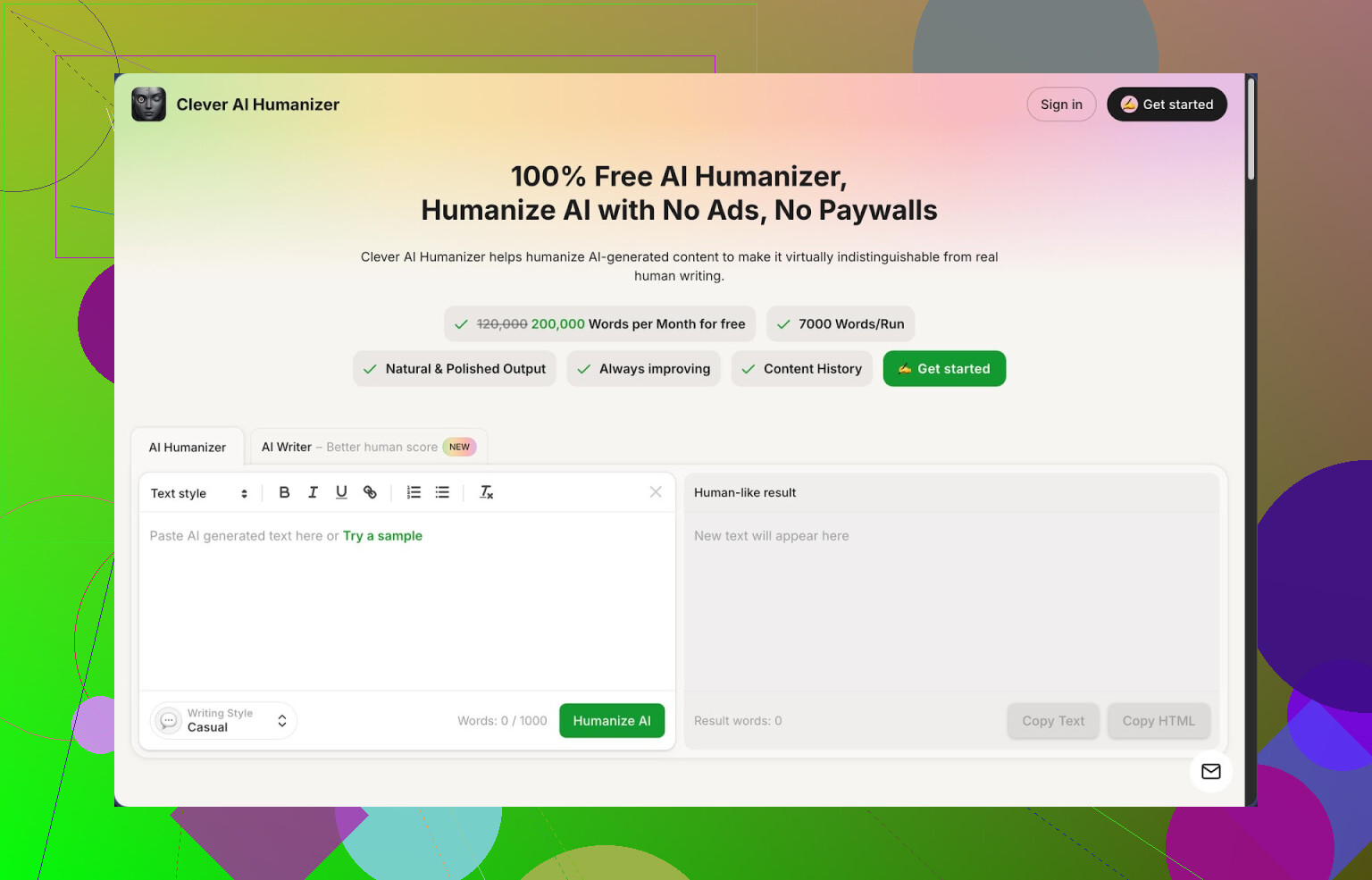
I bumped into Clever AI Humanizer here:
https://cleverhumanizer.ai
I was looking for something that would not lock me behind tiny word limits or tokens. This one gives 200,000 words per month, up to 7,000 words in a single run, three styles (Casual, Simple Academic, Simple Formal), and it has an AI writer bundled in. No paywall, no card, at least when I tested it.
I pushed it through ZeroGPT a few times, all using the Casual style, with different topics. Each sample came back at 0 percent AI on that detector. That does not mean you are invisible everywhere, but for a free tool, that result surprised me.
The main problem if you write with AI is familiar. The text reads flat, repetitive, and detectors shout 100 percent AI. I have tried a bunch of “humanizer” sites since 2025. Most either mangle the meaning or cap you at a few hundred words unless you pay. Clever AI Humanizer was the first one in a while where I could throw longer drafts at it without babying the input.
Here is how the main module behaves in practice:
I paste in AI text, pick a style, usually Casual, then hit run. A few seconds later I get a fresh version that feels closer to something I would write on a forum or in an email. The structure stays similar, but the wording loses that robotic rhythm. It keeps the core idea most of the time. I only had to fix meaning on maybe 1 out of 10 runs, and those were edge cases with niche technical content.
The word limits matter in real use. I pushed full blog posts around 4,000 to 6,000 words in one go. It handled them without timing out or forcing me to split into chunks. That alone puts it ahead of most “free” tools that pretend to be generous, then stop at 500 words.
One detail I liked: it does not aggressively deform your content just to dodge patterns. The rewrite feels closer to a light edit than a full Frankenstein rebuild, so your voice does not disappear completely if you already write in a clear way.
Now, about the other modules inside the same site.
The AI Writer is built in, so you can go from “give me an article on X” to “make this sound more human” without switching tabs. I tested a workflow like this:
- Generate a short article with the AI Writer.
- Immediately run it through the Humanizer in Casual style.
- Check it with ZeroGPT.
The humanized version scored lower on AI detection than the raw AI Writer output every time. Not perfect on all tools, but better. If you start from their writer, the text seems tuned for their own humanizer, so the second step cleans it up decently.
The Grammar Checker is simple but useful. I pasted a rough draft with missing commas, a few typos, and slightly messy sentences. It fixed spelling, punctuation, and some clarity issues without going full corporate tone. I would not use it as my only editor for long academic stuff, but for online posts and emails it did the job.
The AI Paraphraser is closer to what most people used to call a spinner, only less destructive. I used it to:
• Reword paragraphs for SEO so they were not copy-paste duplicates.
• Rewrite sections from a dense technical source into simpler English.
• Adjust tone between casual and semi-formal.
Meaning stayed intact most of the time. When I fed in highly technical jargon, sometimes it softened it too much, so I had to tweak a sentence here and there. For everyday content, it was fine.
All four pieces, humanizer, writer, grammar, paraphraser, live in one interface. You move between them with a couple of clicks. That sounds minor, but if you write daily, not jumping around five sites saves time.
If you are building a daily workflow, not hunting for a one-off gimmick, this fits as a “default” tool. You write your draft with any AI, drop it in Clever Humanizer, clean it up, check grammar, and rephrase bits for SEO, all in sequence.
There are downsides.
Some detectors still flag the output as AI. I tested with more than one detector, including stricter ones, and got mixed results. ZeroGPT loved it on my tests, others were less friendly. So if you need to pass every detector on earth, this is not a magic key.
Text length tends to grow after humanization. A 1,000 word input might come out as 1,200 or more. That seems to be part of how it breaks up patterns. If you write for platforms with strict limits, you will need to trim after the rewrite.
Another issue, on longer business or technical documents, the Casual style sometimes went looser than I wanted. I had better luck using Simple Formal for those, then editing tone myself.
Even with these issues, for something that is free, this is the tool I keep coming back to when I want to clean AI text without wrestling with tokens or subscriptions.
If you want more detailed tests with screenshots and detector outputs, there is a longer review thread here:
https://cleverhumanizer.ai/community/t/clever-ai-humanizer-review-with-ai-detection-proof/42
There is also a YouTube review for people who prefer watching a walkthrough:

If you want to see what others are using or compare with other tools, these Reddit threads have more options and opinions:
Best AI humanizers on Reddit:
https://www.reddit.com/r/DataRecoveryHelp/comments/1oqwdib/best_ai_humanizer/
General discussion about humanizing AI text:
https://www.reddit.com/r/DataRecoveryHelp/comments/1l7aj60/humanize_ai/